Quick Answer: Agencies need a facebook ads reporting tool that consolidates every client account into one view, presents numbers in a format clients can actually read, adjusts for each client’s timezone, and keeps one client’s data separate from another’s. Basic tools built for a single advertiser rarely handle any of this well, and the gap shows up first in client trust, then in churn.
Why Agency Reporting Needs Are Different
Most guidance on Facebook ad reporting is written for a single brand checking its own numbers once a week. An agency’s problem looks nothing like that. A media buyer running fifteen client accounts needs to move between them fast, and an account lead needs a Tuesday morning update ready before a Tuesday call in a different timezone. A tool built around one advertiser checking one account will not hold up under that load, no matter how accurate its numbers are, a common failure point for any facebook advertising reporting tool built for solo use.
This is a separate question from which tool reports the cleanest numbers for a single ecommerce brand. That is a data-accuracy problem. The agency version is a workflow problem: how many accounts one dashboard can handle, how much manual assembly happens before a client sees anything, and what happens when different client contracts require different levels of access to the same platform.
What “Basic Metrics” Covers, And Where It Stops
Spend, CPC, CTR, CPR, and ROAS are the baseline. Nearly every reporting tool on the market, including Meta’s own Ads Manager, surfaces these numbers at the account or campaign level. That is table stakes, not differentiation.
The problem for an agency is not whether these metrics exist. It is what happens around them. A single-account dashboard assumes one login, one currency, and one person deciding what “good” looks like. An agency has none of that as a constant. It has multiple ad accounts across multiple clients and a recurring need to turn raw numbers into something a client without ad platform training can read in under two minutes.
What Agencies Should Actually Look For In A Facebook Ads Reporting Tool
Multi-Client, Cross-Account Consolidation
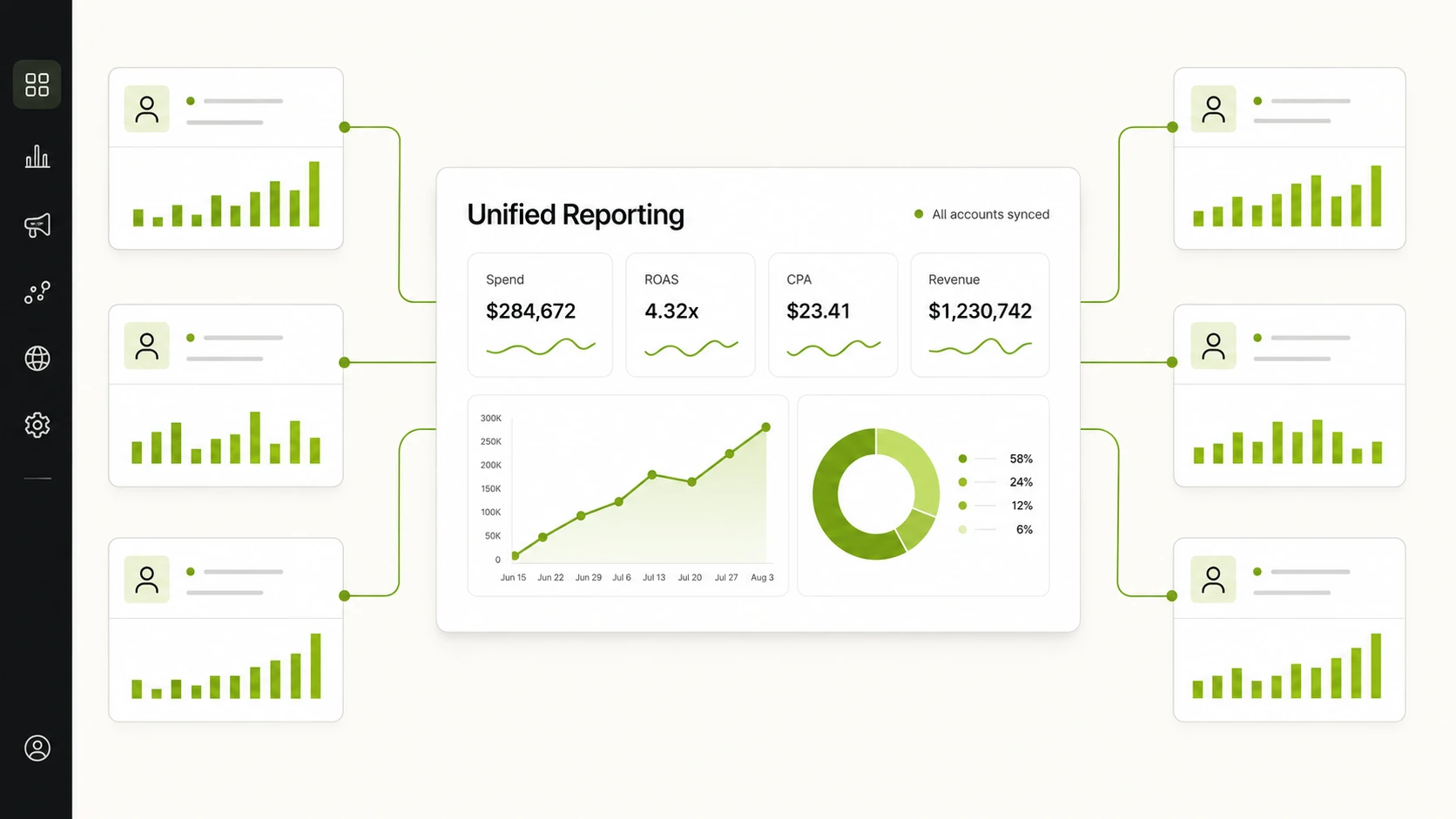
An agency managing several client accounts cannot afford to log into Ads Manager separately for each one and stitch numbers together in a spreadsheet before every client call, which is exactly the gap the best facebook ads reporting tool for agencies needs to close. That process is slow and does not scale past a handful of accounts. The baseline requirement for an agency-grade facebook ads reporting tool is a single dashboard that pulls every connected ad account into one place, refreshed frequently enough that a Monday morning check reflects the weekend.
Consolidation also matters for internal visibility. An agency lead overseeing a team of media buyers needs to see performance across the full client roster without asking each buyer for a status update.
Client-Ready Presentation, Not Just Raw Dashboards
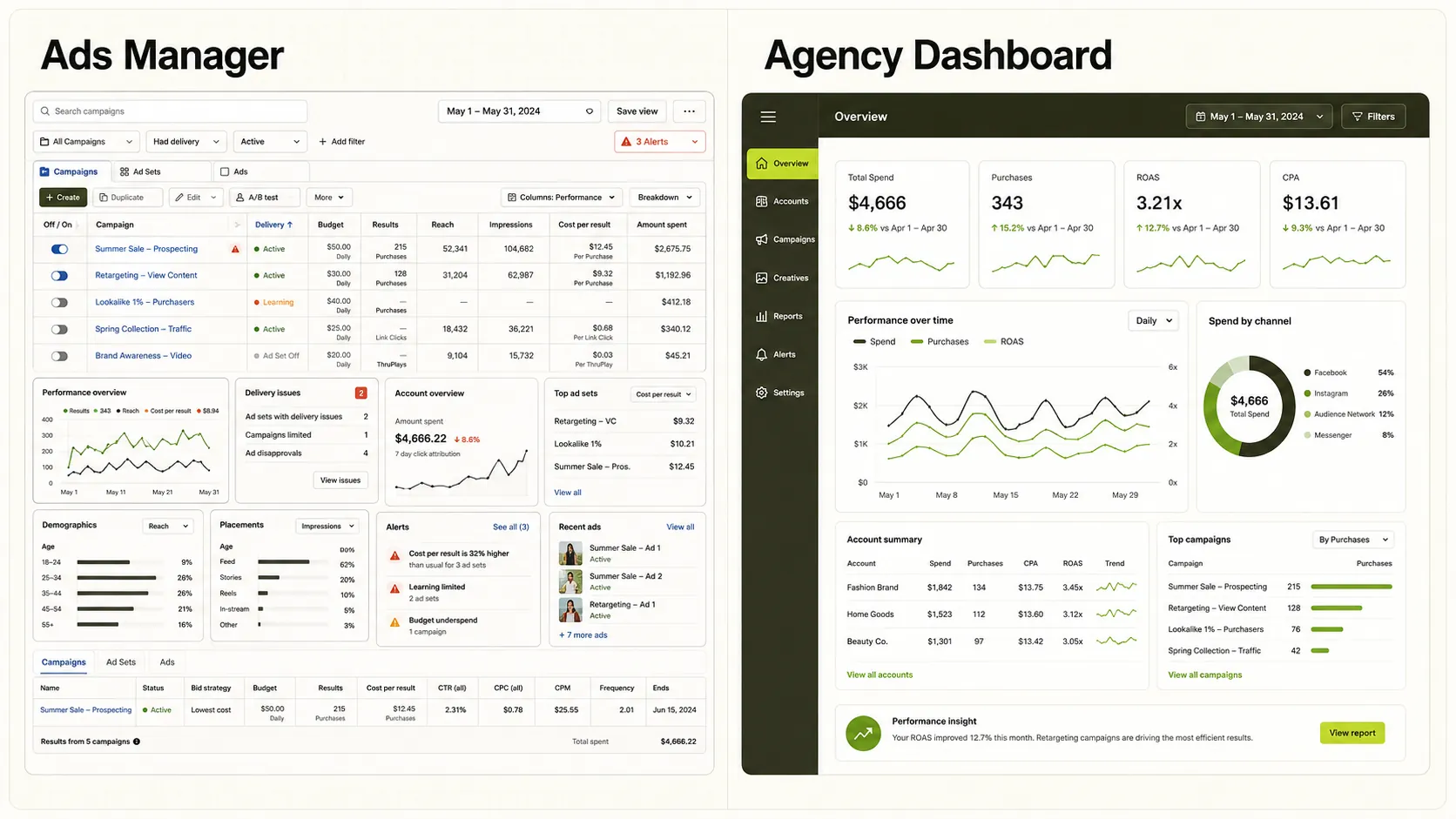
An internal dashboard full of raw platform metrics is built for someone who already knows what a frequency score or a cost-per-result means. A client is not that person. Agencies lose time every week converting Ads Manager exports into slide decks because the raw view is not something they can put in front of a client without explanation.
A reporting tool that agencies can rely on needs to close that gap between what the platform shows and what a client can understand at a glance. The summary view should lead with what a client actually cares about: is spend on pace, is performance trending up or down, and what changed since the last check-in.
Timezone Handling Across Client Regions
An agency with clients in different regions runs into a problem a single-market brand never has to think about: whose clock the report runs on. A campaign spending against a Tuesday budget in one timezone might still be in Monday for the account team reviewing it, and a report pulled at the wrong cutoff can show numbers that don’t match what the client sees on their own platform login.
This sounds like a minor detail until it causes a client to question the agency’s numbers on a call. A tool that lets each account be set to the timezone relevant to that client removes this category of confusion.
Permission-Appropriate Access
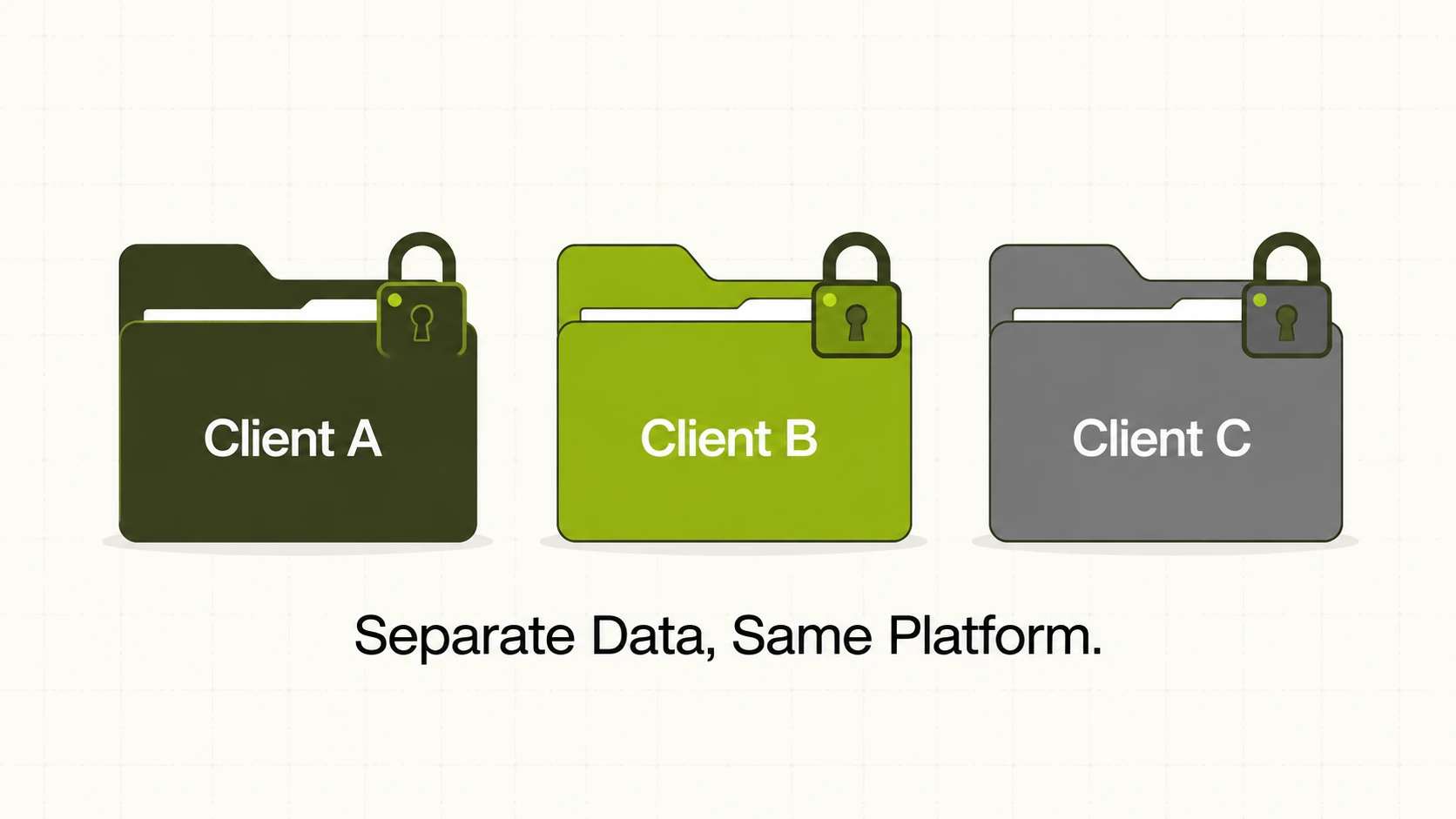
Agencies handling multiple clients have a structural requirement single-brand marketers don’t: one client should never see another client’s numbers, budgets, or account activity. This is a real evaluation criterion, because plenty of advertising reporting tools are built around a single flat account structure with no real separation between clients or team members.
When evaluating a reporting tool, agencies should ask how account access is structured: can a client be given a login that only shows their own data, can a freelancer be scoped to one account instead of the whole roster, and what happens if that access needs to be revoked quickly when a contract ends.
Reporting As A Retention Lever
Client churn in agency work rarely starts with a bad campaign. It starts with a client who cannot get a clear answer to how their account is doing fast enough. When reporting is manual, inconsistent, or late, the client’s confidence in the agency erodes before performance actually declines. A predictable cadence, backed by a tool that does not require manual assembly each time, gives clients fewer reasons to start shopping for a new agency, which is why retention increasingly depends on using one of the best ad reporting tools available.
Basic Reporting Tool vs Agency-Grade Reporting Tool
A table is useful here because the comparison is structural, not a matter of degree on the same feature. These dimensions are the ones that actually change how an agency operates day to day.
| Dimension | Basic Reporting Tool | Agency-Grade Reporting Tool |
|---|---|---|
| Account scope | One ad account at a time | Multiple client accounts consolidated into one dashboard |
| Presentation | Raw platform metrics | Summary view built for a non-technical client |
| Timezone | Fixed to one region | Configurable per account or client |
| Access control | Single login, full visibility | Access scoped so clients and team members see only what applies to them |
| Update frequency | Manual pull or daily batch | Near real-time sync across accounts |
| Primary user | The person running the ads | The person running the ads and the client reading the results |
Where FabFunnel Fits
FabFunnel supports Meta, TikTok, and NewsBreak. It does not currently support Google Ads, so agencies running cross-network campaigns that include Google should plan for that separately.
For the consolidation problem, FabFunnel’s Multi Ad Account Reporting syncs spend, ROAS, CPR, CPC, and CTR across every connected account roughly every 15 minutes into one dashboard, with timezone selection built in. That addresses cross-account consolidation and timezone handling directly. Team-based plans pool credits, competitor tracking slots, and storage across a workspace, relevant for an agency running several clients under one account.
FabFunnel also includes Co-Pilot, a natural-language assistant that can generate reports and charts from live ad data on request, with recommendations surfaced on the dashboard. For agencies doing creative review, Video Sage analyzes existing video ads and breaks down hook, script, and framework.
FabFunnel does not currently offer a dedicated white-label client report or a granular per-client permission system as a named feature. Agencies with a hard requirement for white-label exports or fully separated client logins should confirm current platform specifics before assuming that capability exists.
FAQs
1. What makes a reporting tool “agency-grade” instead of just basic?
An agency-grade tool is built around managing many client accounts at once rather than one advertiser’s account. That means account consolidation, client-friendly presentation, timezone flexibility, and access control designed for teams and outside clients, not just accurate spend and ROAS numbers.
2. Can agencies use a basic single-account reporting tool if they only have two or three clients?
It is possible at that scale, but manual work adds up quickly even with a small roster. Most agencies find the switch to a consolidated tool worthwhile once they pass two or three active client accounts.
3. How often should a facebook ads reporting tool refresh data for agency use?
Frequent syncing matters more for agencies than single brands, because a client call can happen at any hour and stale numbers erode trust fast. A tool that updates roughly every 15 minutes, as FabFunnel’s Multi Ad Account Reporting does, keeps numbers close to real time.
4. Does timezone handling in reporting actually matter for accuracy, or is it a cosmetic feature?
It affects accuracy directly. Daily and weekly breakdowns are calculated against a specific cutoff, and if that cutoff does not match the client’s own timezone, the numbers an agency reports can disagree with what the client sees on their own login.
5. What should agencies ask a reporting tool vendor about client data separation?
Ask whether individual clients or team members can be scoped to see only their own account data, whether that access can be granted and revoked easily, and whether that separation is built in or something the agency has to manage manually outside the tool.
6. How does better reporting actually reduce client churn for an agency?
Clients who receive clear, consistent, on-time reporting have fewer moments of doubt about whether the agency is on top of their account. Churn is often triggered less by a rough campaign month and more by a client feeling out of the loop.
FabFunnel’s Genie also covers ad creative automation, generating on-brand static and video ads from a connected product catalogue so creative and reporting sit in one platform. If your team is evaluating a reporting tool built for agency workflows rather than single-account use, you can explore FabFunnel’s Multi Ad Account Reporting, or see how Co-Pilot fits into a reporting workflow.