Quick Answer
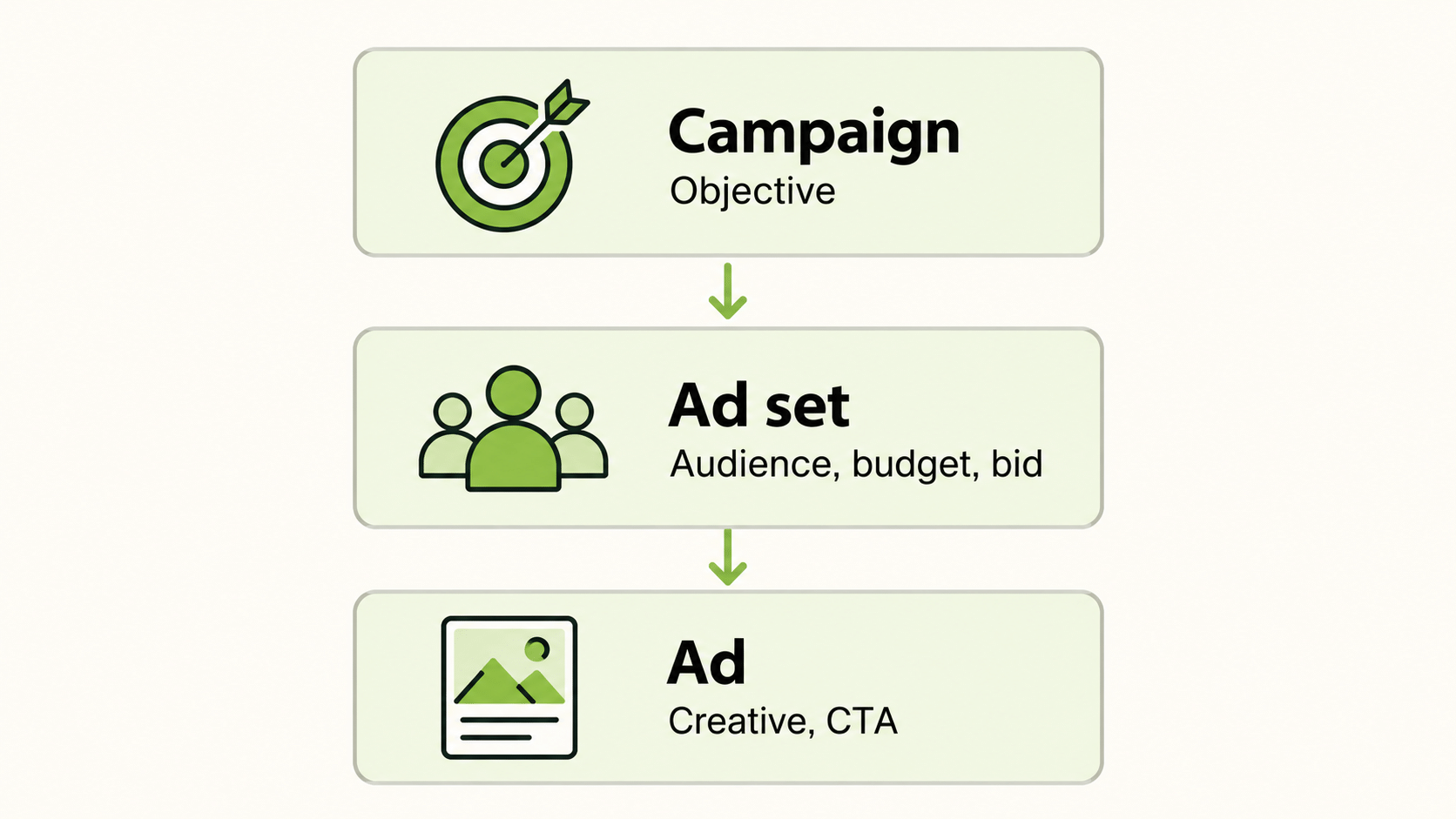
Snapchat adverts are bought and managed in Snapchat Ads Manager, where each campaign has three levels: the campaign (objective), the ad set (audience, budget, bid, schedule), and the ad (creative). Costs are set by auction. Snapchat’s pricing page lists a $5 daily minimum and suggests $20 to $50 a day so a campaign can get through its learning phase. Targeting runs from basic demographics and location through to custom and lookalike audiences. For a first test, use one objective, one broad audience, two vertical creatives, and a budget at the suggested level, and judge the result against your own cost per result.
What Are Snapchat Adverts and Where Do They Appear?
Snapchat adverts are paid placements inside the Snapchat app. Depending on the format and your placement settings, they can run between and after content, in Discover, and in other places inside the app. The most common formats are single image or video ads, Story Ads, Collection Ads, dynamic product ads, and branded Lenses.
They suit businesses whose customers use Snapchat regularly and respond to short, vertical, mobile-first creative. They are less suited to products with long, research-heavy buying cycles. Before you commit, open Audience Insights in your account and check how well the audience matches your own customer data, not the general reputation of the app.
How Does Snapchat Ads Manager Work?
Snapchat Ads Manager is the dashboard for building, launching, and reading results from Snapchat adverts. Its structure is the same as most paid social tools.
| Level | What you set | Typical decisions |
|---|---|---|
| Campaign | Objective | Awareness, traffic, app installs, leads, sales |
| Ad set | Audience, placement, schedule, budget, bid | Who sees the ad, how much you spend, how you bid |
| Ad | Creative, copy, call to action, destination | Which hook and format you test |
Alongside it, Events Manager is where you connect the Snap Pixel or the Conversions API so that website results can be measured. Without that connection, you can only optimise for clicks and views, not for purchases or leads.
A good habit is to use consistent names that include the objective, audience, and launch date. When you review ten campaigns three months from now, you will be glad you did.
How Much Do Snapchat Adverts Cost?
Snapchat adverts do not have a fixed rate card. You pay according to an auction, and what you pay depends on your budget, your bid, your audience, and how many other advertisers want the same people.
Budget. Snapchat’s pricing page lists a minimum of $5 per day at the ad set level and suggests $20 to $50 a day so the campaign can complete its exploration phase, which it says typically lasts four days or more depending on the objective. You can choose a daily or a lifetime budget.
Bidding. Auto-bidding is recommended when you mainly want to spend your full budget without a strict cost target. Snapchat notes that a max bid set too low can stop your budget from being spent.
Benchmarks. Independent guides report median CPMs of roughly $5 to $9 for awareness campaigns and higher for conversion objectives, with cost per click for traffic commonly cited near $0.84. These come from marketing blogs rather than Snapchat, vary by country and season, and should be used only as a sense check.
If you need a number for a planning meeting, work backwards: decide the result you need, set a target cost per result from your margin, and multiply to get a test budget. Then compare the daily figure with Snapchat’s $20 to $50 guidance.
How Does Targeting Work for Snapchat Adverts?
Targeting is set at the ad set level. The main options, per Snapchat’s business help pages, include basic settings (age, gender, language, location), predefined audiences based on interests and behaviours, custom audiences built from your own data, and lookalike audiences modelled from a seed.
For a first campaign, keep it simple. Set age and location from your customer data, leave other settings open, and let the platform find responsive people. Add one narrower layer at a time. Custom audiences from customer lists (through Snap Audience Match) or from Snap Pixel events are usually the highest-intent group and the best seed for lookalikes. A lookalike needs a seed audience to exist first.
Narrow is not always better. A tightly defined audience is expensive to reach and gives the system little room to learn.
How Do You Set Up Your First Snapchat Adverts?
A clean first campaign looks like this.
- Create your Snapchat Business account and, if you want to measure website results, set up the Snap Pixel.
- Choose one objective such as traffic, app installs, leads, or sales.
- Build one ad set with a clear audience, a budget in the suggested range, and auto-bidding.
- Upload two or three vertical creatives at the 9:16 specification, with the message in the first two seconds.
- Review and launch, then leave it alone through the learning phase.
According to Snapchat’s ad specifications, single image or video ads run at 1080 by 1920 pixels, with video lengths from 3 to 180 seconds. Check the live specification before you brief creative, because requirements get updated.
What Makes Snapchat Adverts Perform?
Creative does most of the work. Put the product or promise on screen in the first second or two. Use short text so the ad is clear with the sound off. Shoot vertically from the start; footage cropped from a horizontal ad usually looks out of place. Keep one call to action and send people to a fast mobile page that repeats the offer.
Test one variable at a time, such as hook, offer, or call to action. Plan new variations before the first set tires out, because frequency climbs quickly on small audiences.
How Do You Plan Creative Before You Launch?
A short brief saves rounds of revision. Write one sentence for the audience, one for the promise, and one for the action you want. List each frame or cut with the on-screen text and the visual, and specify vertical 9:16 shooting from the start. Ask for two versions of the first second so you can test hooks.
Give the editor the specifications up front, including duration limits and the safe areas where interface elements may cover text. Add a short list of things the ad must not say, such as claims you cannot support. One reviewer should own sign-off so feedback arrives in a single batch.
How Do You Review Results?
Decide your scorecard before launch. For awareness, watch reach, frequency, and CPM. For traffic, watch click-through rate, cost per click, and landing page views. For sales, watch cost per purchase and return on ad spend against your margin.
Snapchat’s conversion glossary notes that Ads Manager figures are estimates that can lag, so recent days can change. The default Pixel attribution window is 28 days after a click and 1 day after a view, which can make totals differ from your analytics tool. Write down which number is your source of truth and use the others as directional checks.
How Do You Compare Snapchat Adverts With Other Channels?
Few advertisers use only one channel, and comparing platforms in separate dashboards is slow. FabFunnel’s Multi Ad Account Reporting shows Snapchat alongside Meta, TikTok, and NewsBreak, so spend and performance sit side by side. Snapchat is connected for reporting only: FabFunnel launches campaigns on Meta, TikTok, and NewsBreak, and reports on Snapchat and Google. You still build Snapchat adverts in Snapchat Ads Manager. The columns shown follow each platform’s own metrics, so check them before you use the dashboard for client reporting.
What Mistakes Should You Avoid?
Common errors include launching without conversion tracking, setting a max bid below the suggested range, changing budget, audience, and creative together, reusing horizontal footage, and judging results before the learning phase has finished. Another is a budget so small that the campaign never produces enough results to learn from.
A fixed review rhythm prevents most of these. Check delivery daily, review creative weekly, and reassess audience and objective only after a full test cycle.
FAQs
What are Snapchat adverts?
They are paid ads shown inside the Snapchat app, created and managed in Snapchat Ads Manager.
How much do Snapchat ads cost?
There is no fixed price. Snapchat lists a $5 daily minimum and suggests $20 to $50 a day, while real costs depend on the auction, your audience, and your objective.
What is the cost of Snapchat ads for a small business?
It depends on the goal and the audience. Work backwards from your target cost per result, then compare the daily budget with Snapchat’s suggested range.
How do I use Snapchat Ads Manager?
Create a campaign with an objective, build an ad set with audience, budget, and bid, then add your creative and launch.
What targeting options are available?
Demographics, location, predefined interest audiences, custom audiences from your data, and lookalikes built from a seed audience.
Can I launch Snapchat adverts from FabFunnel?
No. FabFunnel launches on Meta, TikTok, and NewsBreak and reports on Snapchat. Build and launch Snapchat adverts in Snapchat Ads Manager.
Where to Start
Set one goal, one budget in Snapchat’s suggested range, and two vertical creatives, then run a four-day test. When your Snapchat adverts are live, you can follow them next to Meta, TikTok, and NewsBreak at FabFunnel or explore the full toolset at Fab AI. Keep Snapchat ads targeting broad enough to deliver, then narrow only when the performance data gives you a reason.