Quick Answer: A single facebook ads ai tool can realistically cover creative generation, launch, optimization, and reporting only if those four functions share one data layer, not just one login. Most tools marketed as end to end handle two or three functions well and bolt on the rest through integrations or manual export. Check for a shared data model, the structure FabFunnel is built around, before believing the claim.
What “End to End” Actually Means for Facebook Ads
“End to end” gets used loosely in ad tech marketing. For a facebook ads ai tool workflow, it should mean four functions operate on the same underlying account and creative data, not that four modules happen to sit inside one login screen.
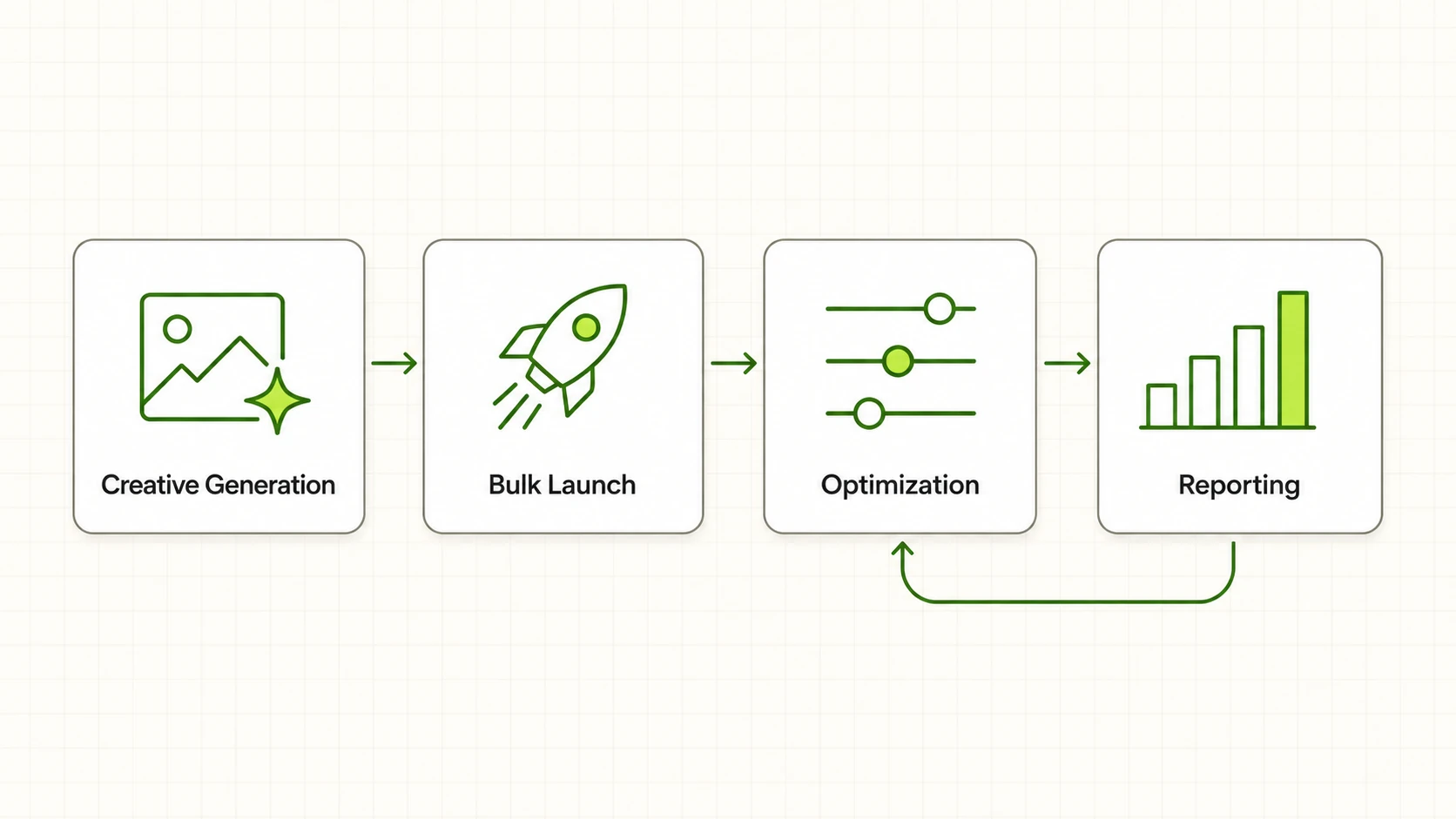
The four functions are creative generation, bulk or automated launch, rule based optimization, and consolidated reporting. Each is a mature category on its own.
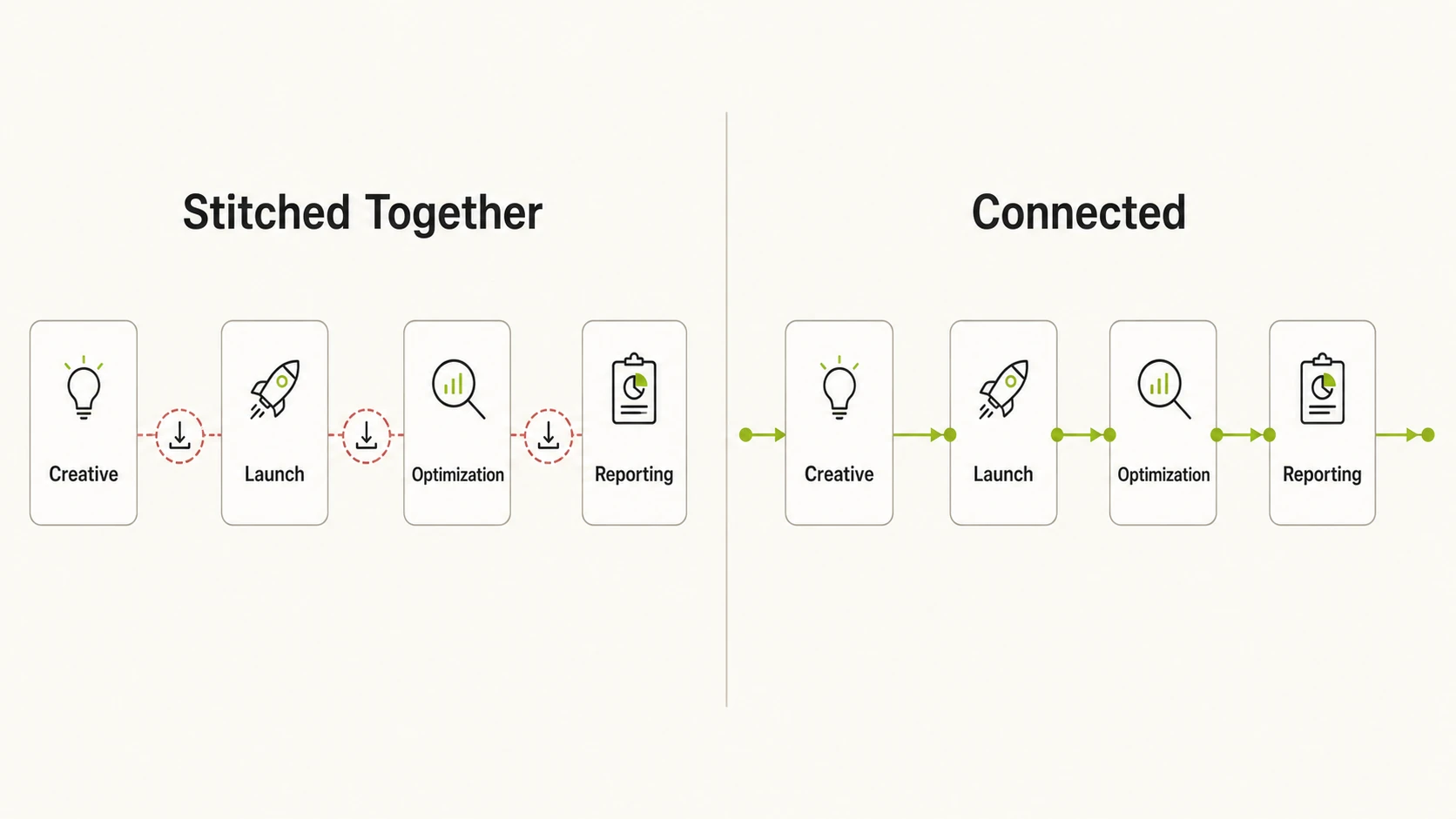
The real question is not whether a vendor offers all four, since most claim to. It is whether output from one function becomes input for the next without a human re-uploading a file, re-tagging a creative, or copying numbers into a spreadsheet. That handoff is where “end to end” claims usually break down.
The Four Functions a Real Facebook Ads AI Tool Has to Connect
A genuine facebook ads ai tool moves data across all four stages without manual re-entry. The table below breaks down what each function needs to deliver, and what to verify before taking a vendor’s word for it.
| Function | What end to end requires | What to check |
|---|---|---|
| Creative generation | Output tied to real product or brand data, not generic templates, so variants are usable without manual rework | Ask if the tool pulls from your product catalogue or brand assets automatically, or if you are typing prompts from scratch each time |
| Bulk or automated launch | Creative flows straight into campaign structure without export, re-upload, or re-tagging | Ask how many steps sit between “creative approved” and “campaign live,” and whether that path is a native flow or a manual bridge |
| Rule based optimization | Rules run continuously across accounts, not on a schedule the user has to trigger manually | Ask whether rules execute 24/7 and cross-account, and whether every action taken is logged for audit |
| Consolidated reporting | Spend, ROAS, CPR, CPC, and CTR pulled automatically across every connected ad account on a fixed refresh interval | Ask how often data refreshes, whether it spans multiple accounts in one view, and whether it draws from the same account data as launch and optimization |
Where Most Single Tools Fall Short
Most standalone ad tech products are strong in one function and adequate in an adjacent one. A creative tool that also offers “campaign management” often means it can push a single ad live through the Meta API, not launch two hundred campaigns from a structured brief in minutes. A reporting dashboard that also offers “automation” often means scheduled email alerts, not rules that pause or reallocate spend on their own.
The gap usually shows up at launch first. Creative tools are common and reporting tools are common, but genuine bulk launch infrastructure, where a batch of ad variants becomes live campaigns without a marketer manually building each one in Ads Manager, is rarer. It requires deep integration with the Meta Ads API and careful handling of naming, budgets, and targeting at scale.
Optimization is the second common gap. Many tools call threshold alerts “optimization,” when real rule based optimization needs to run continuously across every connected account with a log of what changed and why, so decisions can be audited after the fact rather than just flagged.
For a small account running one or two campaigns a month, this gap rarely matters. The test comes at volume, when a team runs dozens of ad sets across multiple accounts and manual re-entry between stages starts costing hours every week that a connected tool would not need.
What to Check Before Believing an “All in One” Claim
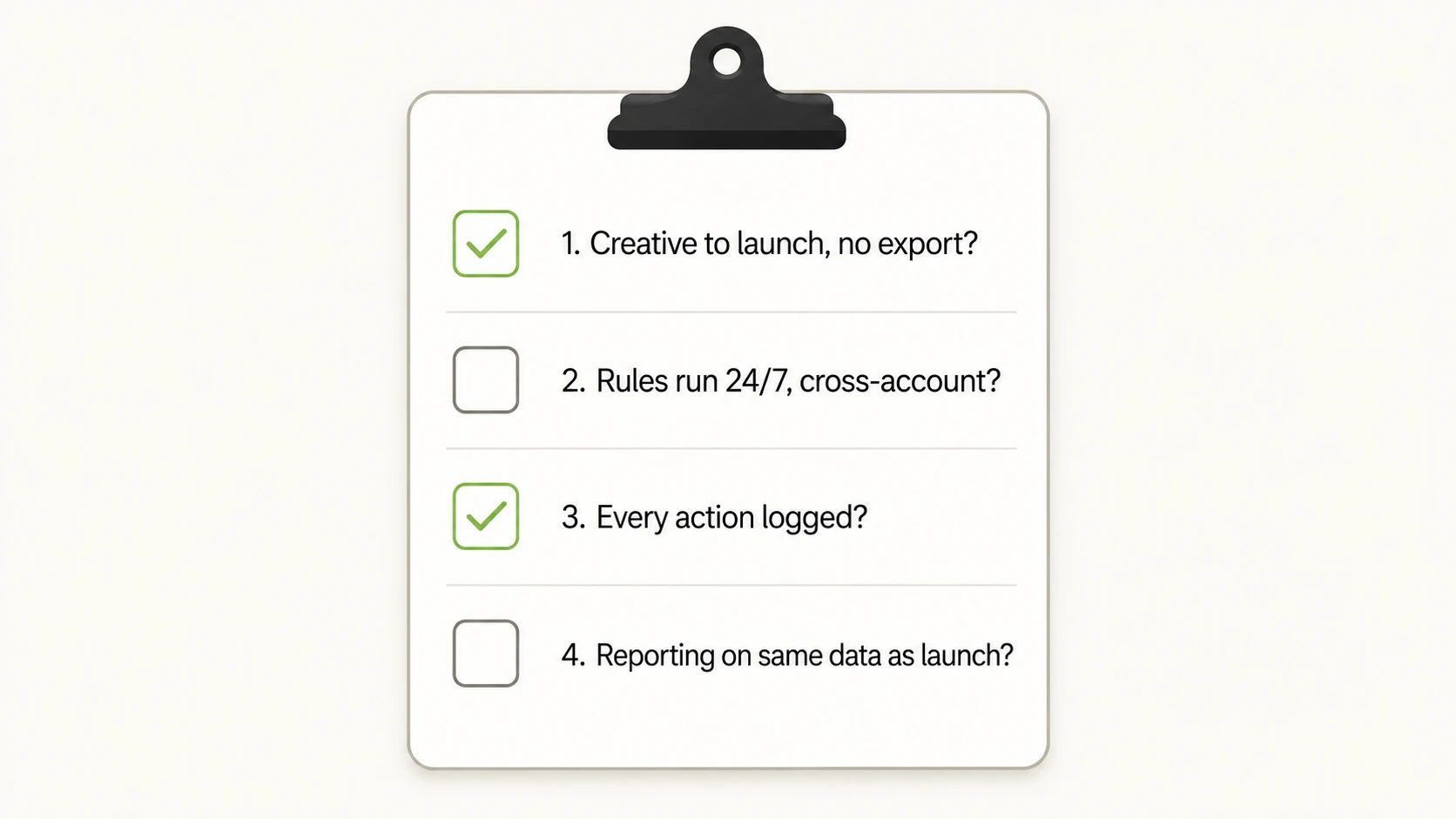
There is no single best facebook ads ai tool for every account, since the right pick depends on which of the four functions your workflow actually needs connected. Trace one campaign through the product, creative brief to performance report, and count the exports along the way.
Start with the handoff from creative to launch. If a demo shows creative generation and then cuts to “and now you launch it,” ask what happens in between. Downloading files and uploading them into a separate campaign builder means the tool is not connected end to end, it is two products sharing a brand name.
Move to optimization. Ask what triggers a rule, how often it checks performance, and whether it runs across every connected account or only one at a time. A rules engine that needs someone to log in and manually run a check is not automation, it is a saved filter.
Finish with reporting. Ask whether the reporting view pulls from the same account connections used for launch and optimization, or requires a separate export or third-party connector. A tool where creative, launch, and optimization live in one product but reporting comes from a bolted-on analytics layer is still a stitched-together stack, just with fewer visible seams.
What a Genuinely Connected Facebook Ads AI Tool Looks Like
A connected tool is one where the four functions read and write to the same underlying data, so nothing needs re-entering as it moves from one stage to the next.
FabFunnel’s structure is a useful reference point for what that connection looks like in practice for facebook ads ai software built to cover all four functions. Genie generates ad creative tied to a brand’s product data through a Catalogue, rather than producing generic variants disconnected from the product being advertised. That creative moves directly into the Bulk Campaign Launcher through a “From Genie” flow, which gets over two hundred campaigns live in under two minutes with no export or re-upload step. Once campaigns run, an automation rules engine, which includes FabFunnel’s Meta Ads Automation, operates continuously across ad accounts, with every action logged for review, the kind of ai facebook ad optimization that keeps rules running without a person checking dashboards. Multi ad account reporting pulls spend, ROAS, CPR, CPC, and CTR across every connected account roughly every fifteen minutes, so performance data is not a separate export sitting apart from the accounts that generated it.
Two other functions sit alongside this core loop. Video Sage analyzes existing video ads for hook, script, and framework patterns, supporting creative without generating video itself. Co-Pilot is a natural language assistant over live ad data that surfaces reports and recommendations on request. The four functions that matter most for this evaluation remain creative generation, launch, optimization, and reporting, and FabFunnel’s public figures, $2B or more in ad spend managed, over 8 million ads launched on Meta, a 3.8x average ROAS, and 40% less time in Ads Manager, reflect that core loop.
FabFunnel supports Meta, TikTok, and NewsBreak. It does not support Google Ads, so a team running Search or Performance Max alongside Facebook still needs a separate tool for that channel, no matter how connected the rest of the workflow is.
FAQs
1. Can one AI tool really replace a full Facebook ads workflow without any other software?
For the four core functions, creative generation, launch, optimization, and reporting, a genuinely connected tool can cover the workflow without stitching in separate products. It will not replace landing page builders or CRM systems, since those sit outside the ad platform itself.
2. What is the difference between an all-in-one ad tool and a bundle of features?
An all-in-one tool passes data between its own functions automatically, so creative flows into launch and results flow into reporting without manual steps. A bundle of features sits under one brand and login but still requires export and re-upload between modules, meaning the work is not actually connected.
3. Does a facebook ads ai tool need to support other channels to be worth using?
Not necessarily. A tool built for Meta, and possibly one or two adjacent platforms, can serve Facebook and Instagram campaigns better than a broad multi-channel tool that treats Facebook as one integration among many. Teams running Google Ads will need a separate tool regardless.
4. How do I tell if a rules engine is real automation or just alerts?
Ask whether the rule takes action on its own, such as pausing an ad set or reallocating budget, or whether it only sends a notification for a human to act on. Also ask whether it runs continuously across every connected account or needs a manual trigger.
5. Why does the handoff between creative and launch matter so much?
It is usually the first place an “end to end” claim breaks down. If creative has to be exported and re-uploaded into a separate campaign builder, the marketer is doing the connecting work the software is supposed to do, which erases most of its time savings.
6. What should consolidated reporting actually show across ad accounts?
At minimum, spend, ROAS, cost per result, cost per click, and click-through rate, refreshed on a predictable schedule and pulled from every connected account in one view, rather than a separate export per account that has to be combined manually.
7. Is bulk campaign launch only useful for large advertisers?
It matters most once a team manages dozens of campaigns or ad sets at a time, since manually building each one in Ads Manager becomes the bottleneck. Smaller accounts running a handful of campaigns a month may not notice the difference.
This kind of connected workflow is part of what FabFunnel’s AI advertising platform is built around. To see what a connected creative-to-reporting loop looks like on Meta, TikTok, and NewsBreak, try FabFunnel or read more.