Your Facebook ROAS dropped last Thursday. You noticed Friday morning, adjusted bids manually, reshuffled budgets, and paused two ad sets. By the time those changes propagated, the weekend window was gone.
That’s not a strategy failure. It’s a response time failure.
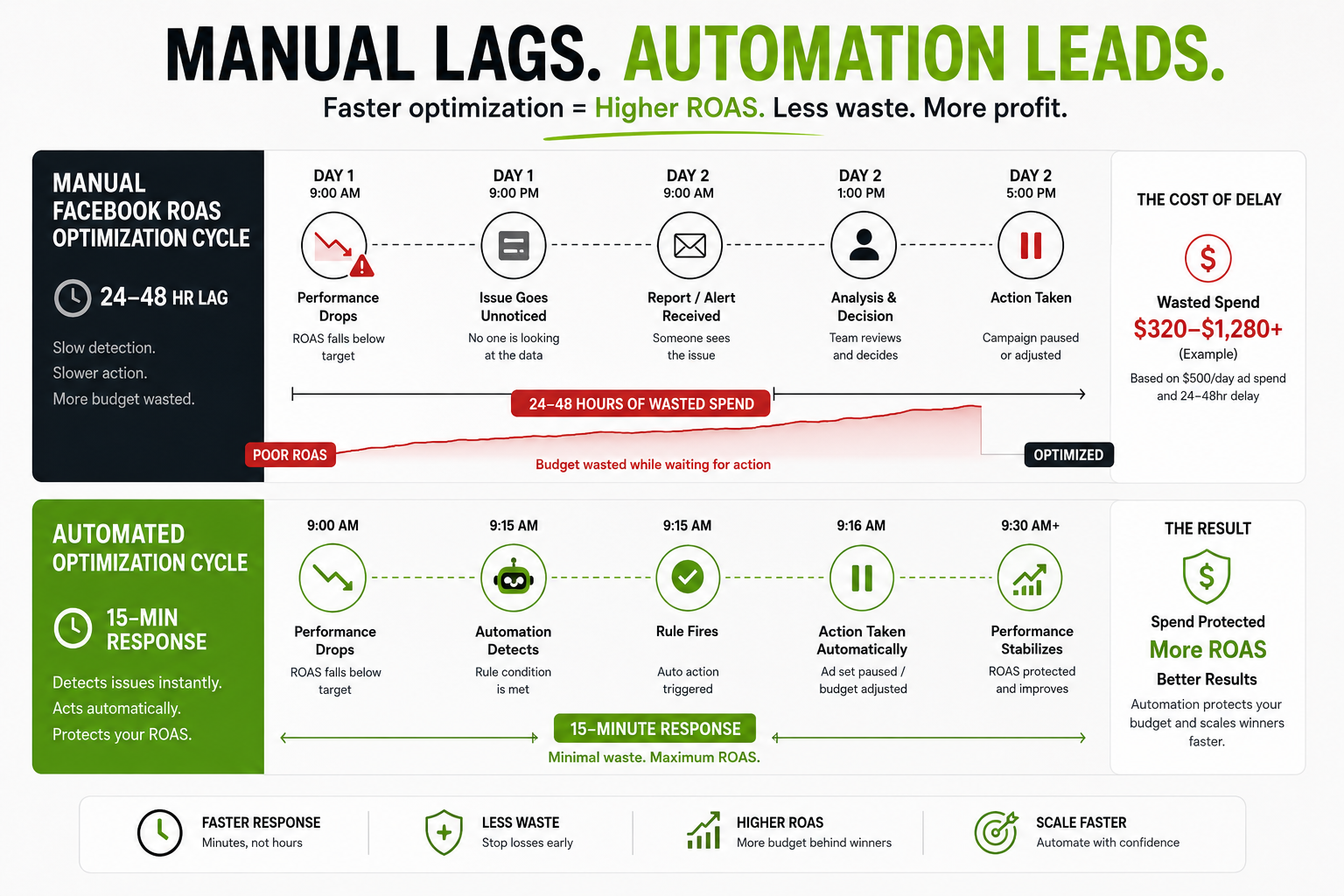
Manual Facebook ROAS optimization runs on a 24-48 hour feedback loop. The algorithm moves faster than that. Budget decisions that should happen at 6 pm happen at 9 am the next day, after someone opens a dashboard. At $500/day in spend, that lag costs real money.
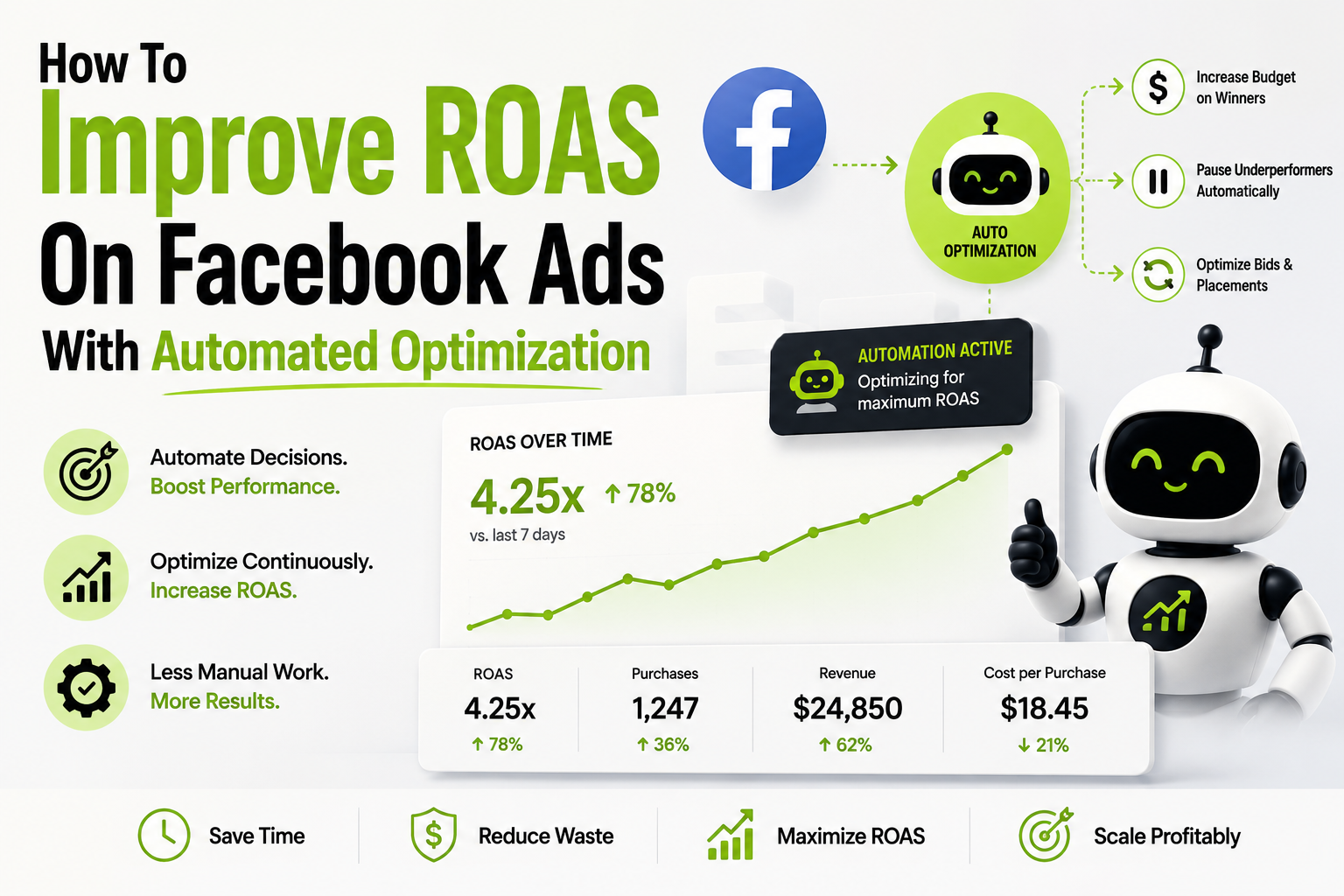
Automated optimization closes the gap. This guide covers how to use automation rules to improve ROAS on Facebook ads: the exact rule stack to build, the thresholds that work, and how to maintain Facebook ROAS visibility across multiple accounts without a daily manual sweep.
What’s Actually Killing Your Facebook ROAS
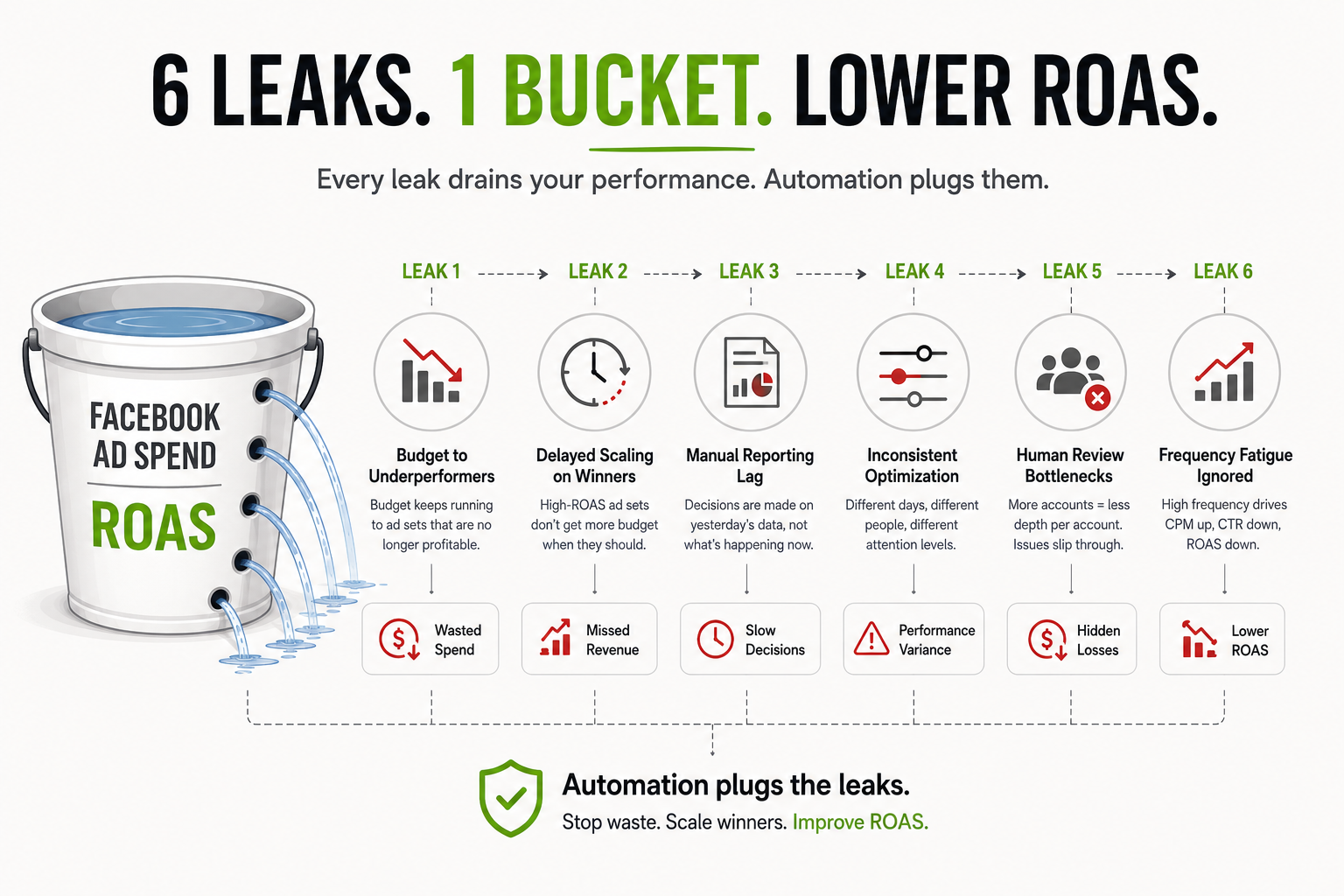
Before automation makes sense, the problem needs to be precise. Most Facebook ROAS issues trace back to the same operational failures – not bad creative, not weak targeting.
- Budget flowing to underperformers. Without pause rules, budget keeps running to ad sets that crossed your CPA threshold yesterday. No one pulled the plug yet. Every hour that continues dilutes your blended Facebook ROAS.
- Delayed scaling on winners. A high-ROAS ad set sitting at its original budget while a media buyer catches up on approvals is a direct ROAS cost. The algorithm would scale it. The human workflow won’t – not until someone reviews it, makes the decision, and pushes the change through an approval chain. That’s often 24–48 hours minimum.
- Manual reporting lag. By the time you’re looking at yesterday’s Facebook ROAS numbers and making today’s decisions, you’re already behind. At 15 accounts, this compounds fast. You’re managing yesterday’s reality, not the live system.
- Inconsistent optimization cadence. Manual Facebook ROAS optimization depends entirely on who’s available and when. Thursdays at 4 pm get different attention than Monday mornings. Accounts reviewed weekly get less precision than accounts reviewed daily. That inconsistency shows up directly in ROAS variance.
- Human review bottlenecks. As account count grows, review depth per account shrinks. When managing fifteen accounts manually, accounts 8 through 15 get shallower coverage than accounts 1 through 7. Facebook ROAS issues in deprioritized accounts sit undetected until they’ve caused real damage.
- Frequency fatigue going unnoticed. As audience frequency climbs past 3–4 impressions per week, CPM rises and CTR drops. ROAS on Facebook ads deteriorates predictably. By the time it shows up in daily review, the audience has already been oversaturated.
At small scale, you can manage these manually. At volume – ten accounts, $50K/month, a dozen campaigns per account – it becomes operationally impossible to catch them all consistently.
Why Facebook ROAS Optimization Breaks At Scale
Single-account optimization is manageable. The complexity compounds when you’re running multiple accounts with different clients, campaigns, and performance baselines – and trying to maintain Facebook ROAS standards across all of them.
The standard approach: check each account daily. In practice, reviews get shallower as account count grows. The average ROAS for Facebook ads across an agency’s book starts drifting – not because strategy is wrong, but because execution consistency breaks down. The accounts that get thorough daily reviews hold ROAS. The ones that get weekly sweeps don’t.
Example Facebook Ads Automation Rule Stack For DTC Brands
This is what a complete Facebook ROAS optimization rule stack looks like in practice. Five rule types, each handling a different failure mode.
Kill Rules (Stop Budget Bleeding)
These fire when an ad set crosses into unprofitable territory and has collected enough data to be judged.
| Rule | Trigger | Action | Min Spend Before Firing |
| High CPA pause | CPA > target + 35% for 3 consecutive days | Pause ad set | 2x avg CPA |
| Low ROAS pause | ROAS < break-even x 0.7 for 3 days | Pause ad set | $120 spend |
| Low CTR pause | CTR < 0.5% after 3,000 impressions | Pause ad | 3,000 impressions |
The spend floor matters as much as the threshold. Kill rules without a minimum spend floor will pause campaigns that simply haven’t collected enough data yet.
Scale Rules (Capture Upside Without Delay)
These fire when Facebook ROAS is strong, and budget should be moving behind the winner – without waiting for manual approval.
| Rule | Trigger | Action | Notes |
| ROAS scale | ROAS > target x 1.3 for 2 consecutive days | +20% budget | Max one increase per 72hrs |
| CPA scale | CPA < target x 0.75 for 2 consecutive days | +20% budget | Max one increase per 72hrs |
20% is the ceiling per increase. Above 30%, there’s a meaningful risk of pushing the campaign back into the learning phase and resetting Facebook ROAS data.
Frequency Rules (Creative Fatigue Control)
Ad fatigue is predictable and measurable. Frequency rules catch it before it drags ROAS on Facebook ads downward.
| Rule | Trigger | Action |
| Audience fatigue – prospecting | Frequency > 3.5 in 7 days | Pause ad, notify creative team |
| Audience fatigue – retargeting | Frequency > 2.0 in 3 days | Rotate to next creative variant |
| CPM spike | CPM increases > 40% week-over-week | Flag for review + reduce budget 15% |
Spend Pacing Rules (Daily Budget Protection)
These prevent campaigns from exhausting daily budgets during low-conversion hours, which tanks Facebook ROAS for the full day.
| Rule | Trigger | Action |
| Early budget drain | 65%+: of daily budget spent before 2 pm | Reduce budget 20% for rest of day |
| Weekend pacing | Spend efficiency < weekday baseline by 30% | Reduce daily budget 15% Sat–Sun |
Creative Fatigue Rules (Proactive Rotation)
Beyond frequency, creative fatigue shows up in engagement signals before it appears in Facebook ROAS. These rules catch it earlier.
| Rule | Trigger | Action |
| Hook rate drop | 3-second video views < 25% of impressions | Flag creative for replacement |
| Engagement decline | CTR drops 25% vs. 7-day average | Notify team + pause ad |
Multi-Account Facebook ROAS Visibility
Even with a full rule stack running, you need cross-account visibility to catch what automation flags and to spot patterns that span multiple accounts.
FabFunnel’s Multi-Ad-Account Reporting syncs Facebook ROAS, spend, and performance data across all accounts every 15 minutes. Instead of reviewing fifteen dashboards to find what’s broken, you see a consolidated view that surfaces which accounts need attention – and which are running cleanly.
For agencies, this changes the operational model. Facebook ROAS optimization shifts from a daily sweep across every account to responding to what’s actually flagged. Lower-priority accounts get the same coverage as primary accounts because the system is watching all of them continuously.
Setting Facebook ROAS Thresholds That Hold Up
Rules are only as good as the numbers inside them. Two principles:
- Use your account data, not industry benchmarks. The average ROAS for Facebook ads varies significantly by vertical, product margin, and audience maturity. A 2x Facebook ROAS target for a high-margin DTC brand is very different from a 4x target for a low-margin product. Set thresholds from your own 90-day account average, not a published benchmark.
- Build in a data floor before rules fire. A Facebook ROAS optimization rule that evaluates performance after $15 in spend is measuring noise. Set a minimum spend threshold – typically 1–2x your average CPA – before any pause or scale rule can activate.
Common Facebook ROAS Optimization Mistakes
- Running rules on an underpowered pixel. Conversion campaigns need 50+ events per week to exit the learning phase. Facebook ROAS optimization rules layered on top of an underpowered pixel produce inconsistent signals. Fix the data foundation first.
- No spend floor on ROAS rules. A pause rule that fires on low Facebook ROAS after $15 in spend is measuring noise. The minimum spend floor isn’t optional – it separates a bad hour from a bad campaign.
- Scaling too aggressively. A 30%+ budget increase in a single step risks pushing a campaign back into the learning phase. Keep scale rule increments at 15–20%, spaced 48–72 hours apart.
- Treating rules as permanent. Facebook ROAS optimization rules set in January won’t be right in April. Seasonality, audience saturation, and creative refresh all shift what counts as a threshold worth acting on. Review monthly.
- No notification layer. Automation should execute your strategy – not replace your awareness of it. Set alerts so you know what fired, what action was taken, and whether it was correct.
Conclusion
Low Facebook ROAS is usually an execution problem, not a strategy problem. Budget running to wrong places, winners waiting to be scaled, creative fatiguing undetected – these are response time failures, not targeting failures.
Automation rules fix the response time. Multi-account reporting fixes the visibility. Together, they let you run more campaigns across more accounts and hold Facebook ROAS at a level that manual review cycles can’t sustain at scale.
Build the kill rules first. Set the spend floors. Layer in scale and frequency rules. Then add the reporting layer to watch what the rules are doing.
Managing multiple accounts and losing Facebook ROAS ground to lag and inconsistent coverage? FabFunnel’s automation and real-time multi-account reporting are built for exactly this.
Frequently Asked Questions
Q1: What is a good ROAS for Facebook ads?
It depends entirely on your margins. Divide 1 by your gross margin to find your break-even Facebook ROAS – if your margin is 40%, you need 2.5x to break even. Target ROAS should sit above that. The average ROAS for Facebook ads varies widely by vertical; industry benchmarks are a starting reference, not a target.
Q2: Why is my Facebook ROAS dropping?
The most common causes: audience frequency is too high (creative fatigue is raising CPM and dropping CTR), budget is still running to ad sets that stopped performing, or a campaign exited the learning phase and delivery patterns shifted. Check frequency first, then look at spend distribution across ad sets.
Q3: How does automated optimization improve ROAS on Facebook ads?
Automation rules pause underperforming ad sets faster than manual review cycles can. They also scale winning ad sets the moment they hit your threshold – not the next morning. The result: less budget on low performers, more behind what’s working, better blended Facebook ROAS.
Q4: What ROAS threshold should I use to pause an ad set?
Just remember: set your pause threshold at 20–30% below your break-even ROAS. And don’t forget to add a minimum spend – about 1–2 times your average CPA -before the rule fires. That little extra step will save you from daily ups and downs, so you won’t accidentally pause a campaign that’s still finding its footing.
Q5: How do I track ROAS across multiple Facebook ad accounts?
Meta’s native reporting shows only one account at a time. Tracking Facebook ROAS across multiple accounts requires an aggregating, continuously updating tool. FabFunnel’s Multi Ad Account Reporting syncs every 15 minutes – consolidated ROAS view, no manual pulling.
Q6: Can I automate budget increases based on Facebook ROAS?
Yes. Set a rule: if Facebook ROAS exceeds target for 2+ consecutive days, increase budget 15–20%. Add a minimum spend floor before activation. Space increases 48–72 hours apart to avoid resetting the learning phase.