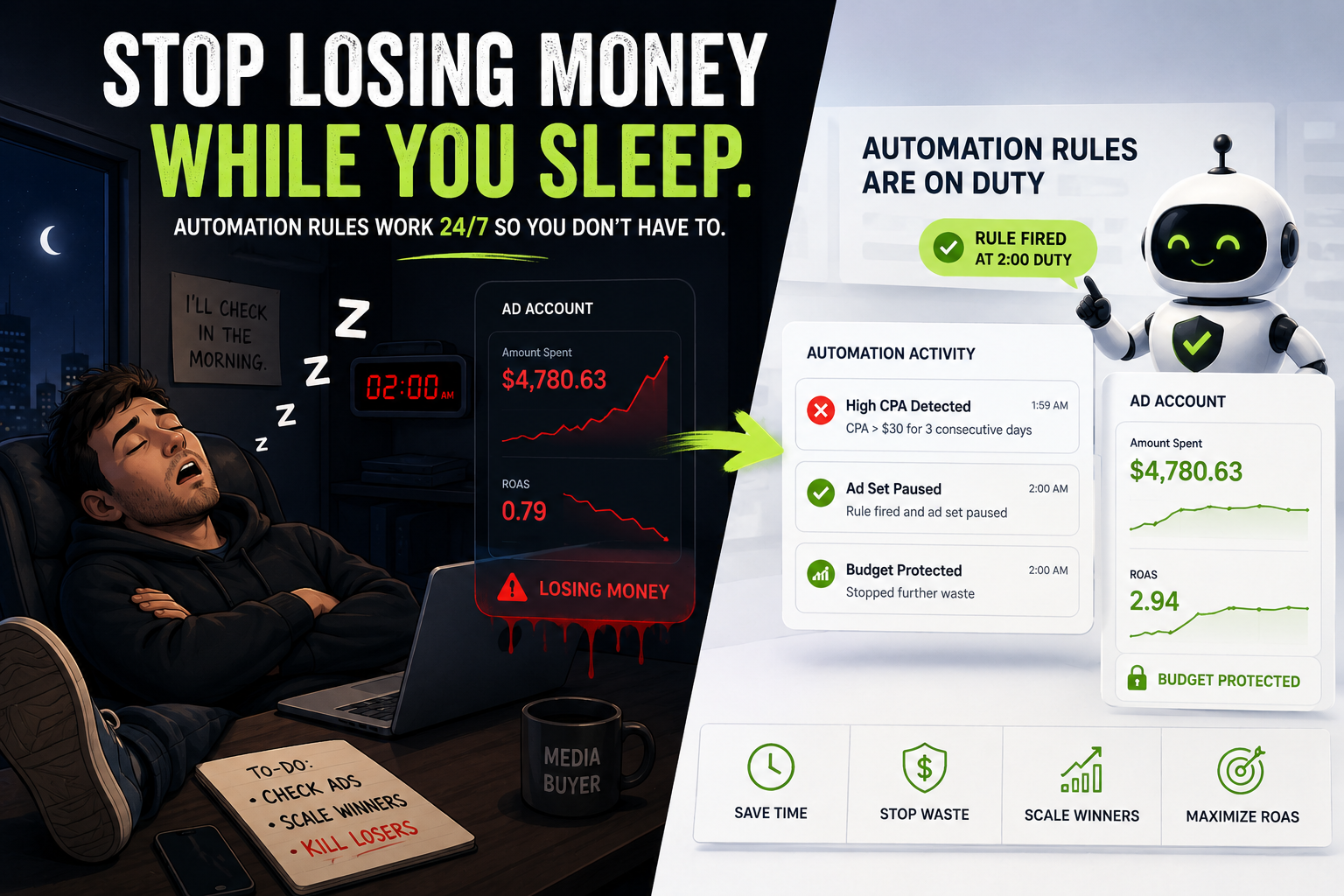
At 11 pm on a Tuesday, your best-performing ad is burning a budget at a 0.8x ROAS. You won’t find out until morning. By then, you’ve dropped $400 on a campaign that stopped working hours ago.
This is what manual Facebook ad management actually looks like. Not clean dashboards – real decisions made too late because no one was watching.
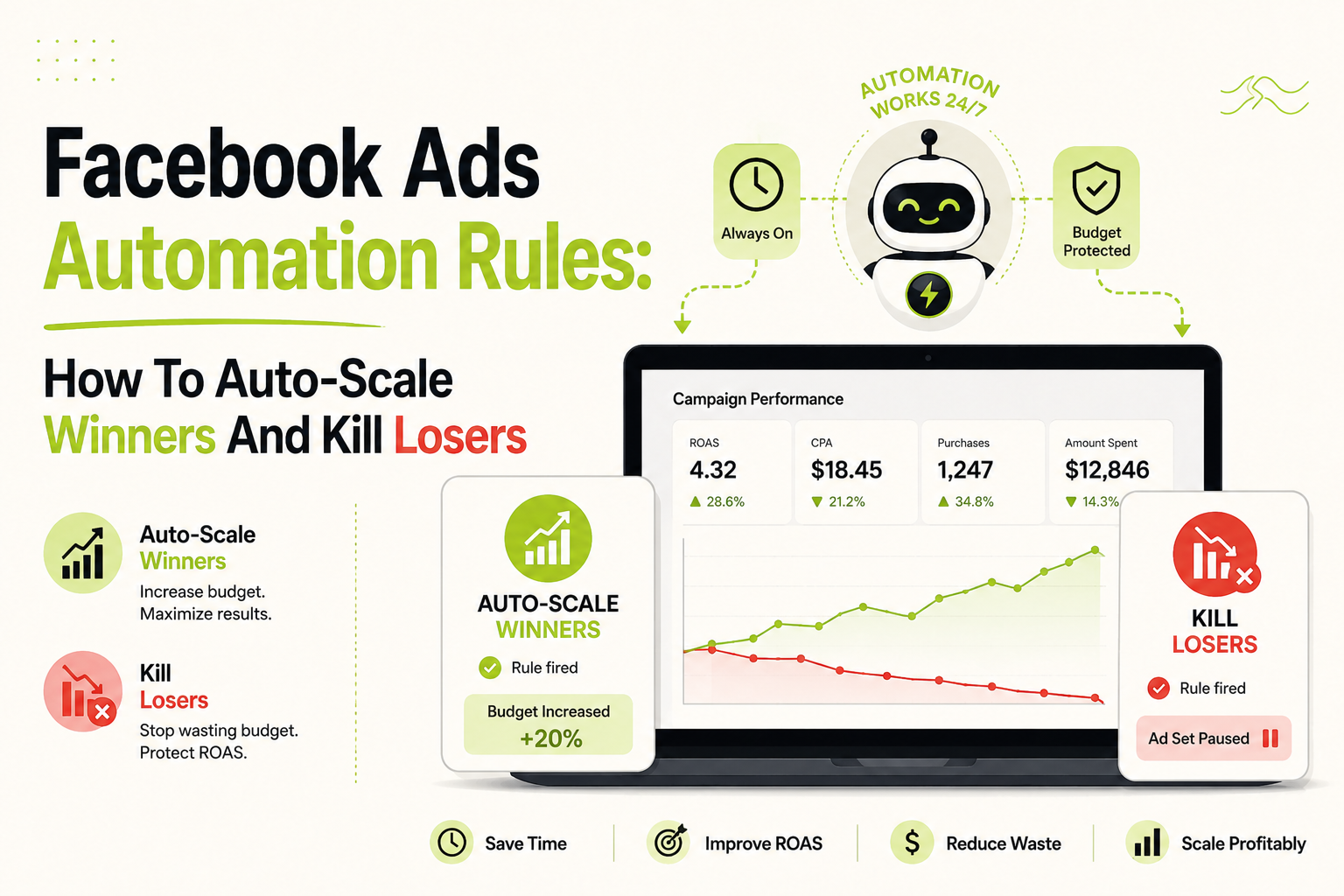
Facebook ads automation fixes this. Automation rules let you define conditions under which campaigns pause, scale, or adjust – then execute those decisions 24/7, whether you’re asleep or in a client meeting. No missed alerts. No budget bleeding while you wait for someone to notice.
This guide covers how to build Facebook ads automation rules that hold up: the right triggers, the right thresholds, and the logic behind scaling winners fast while cutting losers before they cause real damage.
What Are Facebook Ads Automation Rules?
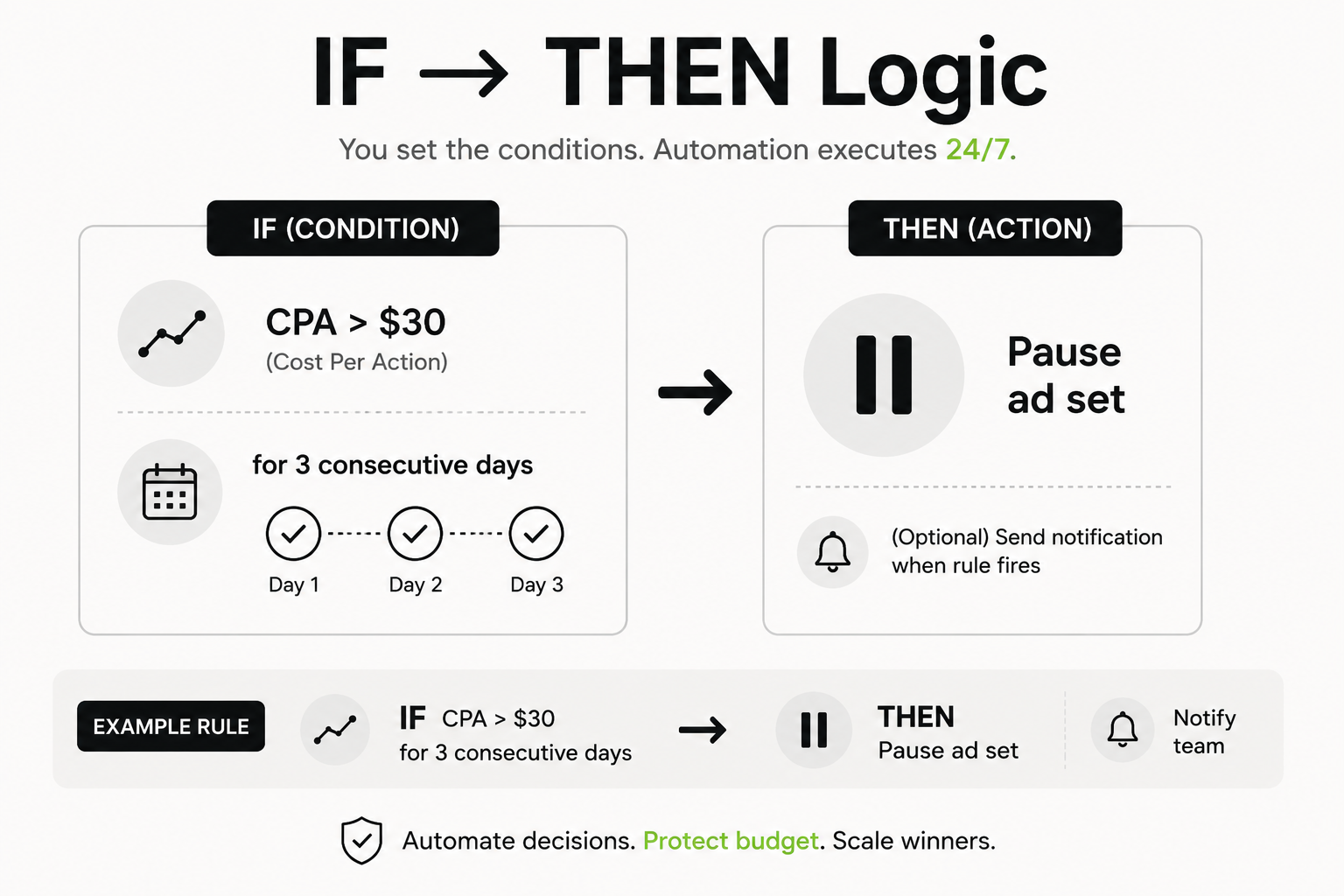
Facebook ads automation rules are conditional logic applied to your campaigns. When a defined condition is met – a ROAS threshold crossed, a CPA exceeded, a frequency cap hit – the rule fires and takes a predefined action.
The structure is simple: IF [condition], THEN [action].
Meta’s Ads Manager has a built-in rules engine. You can set rules at the campaign, ad set, or ad level and trigger actions like pausing, budget changes, or notifications. Third-party Facebook ad automation tools go further – more conditions, faster check intervals, multi-account support, and rules that operate across campaigns simultaneously.
The goal isn’t automation for its own sake. It’s removing the manual decision-making bottleneck that slows every scaling attempt.
The Two Rules That Actually Move The Needle
Most Facebook ads automation setups are overcomplicated. Strip it back, and two rules do the heavy lifting.
Rule 1: Kill Losers Before They Get Expensive
An underperforming ad costs the same per impression as a winner. The auto-pause rule is straightforward – if an ad set crosses a CPA threshold you’ve marked as unprofitable, it stops. No manual review required.
Where accounts go wrong: the threshold is set too tight. A campaign 12 hours old with 15 clicks isn’t a loser – it hasn’t had time to learn. Build in a minimum spend floor before any pause rule can fire, or you’ll kill campaigns that would have worked.
Rule 2: Scale Winners Without Hesitation
When an ad is working, waiting to “see if it holds” costs money. Every day you sit on a winning ad set at a flat budget is a day someone else is scaling theirs. Automatic Facebook ads scaling rules remove the hesitation – define the ROAS or CPA threshold at which a budget increase makes sense, set the increment, let it run.
The caveat: scaling too fast can reset the learning phase. A 20% budget increase every 48-72 hours is safer than doubling overnight.
Most Facebook ad automation tools support both rules natively. FabFunnel extends them across multiple ad accounts simultaneously – so the same logic fires everywhere, not just your primary account.
Core automation rules at a glance:
| Goal | Trigger Condition | Action |
| Kill bad ads | CPA > $45 after $120 spend | Pause ad set |
| Scale winner | ROAS > 2.5 for 2 consecutive days | +20% budget |
| Prevent fatigue | Frequency > 3.2 in 7 days | Rotate creative |
| Stop weak ads | CTR < 0.5% after 2,000 impressions | Pause ad |
Building Your Facebook Ads Automation Stack
A complete Facebook ads automation setup isn’t just two rules. It’s a layered stack that handles different failure modes at different campaign stages.
Threshold Rules (Performance-Based)
These fire when a campaign crosses a performance line – good or bad. The “+30% buffer” on CPA matters: setting the pause rule exactly at your target CPA catches normal daily variance. The buffer separates a bad day from a bad campaign.
Frequency Rules (Creative Fatigue)
Ad fatigue is predictable. The same audience seeing the same ad more than 3-4 times in a week sees a sharp CTR drop and rising CPM. Frequency rules catch this before it costs you:
- Frequency > 3.5 in 7 days > Pause ad, notify team
- Frequency > 2.0 in 3 days on retargeting > Rotate creative
Dayparting Rules (Time-Based)
If your account data shows conversions drop after 10 pm, rules can pause campaigns during those windows and restart automatically. Especially useful for campaigns with tight daily budgets that would otherwise exhaust spend during low-conversion hours.
Bid and Budget Adjustment Rules
Advanced setups include rules that adjust bids based on hourly data or day-of-week performance. These typically need a third-party Facebook ad automation tool – Meta’s native engine has limited flexibility at this level.
Sample automation stack for a DTC account:
| Rule Type | Trigger | Action | Min Spend to Fire |
| Kill loser | CPA > $45 (target + 30%) for 3 days | Pause ad set | $90 |
| Scale winner | ROAS > 2.5 for 2 consecutive days | +20% budget | $150 |
| Creative fatigue | Frequency > 3.5 in 7 days | Pause + notify | – |
| Low CTR | CTR < 0.5% at 2K impressions | Pause ad | 2,000 impressions |
Getting Thresholds Right
Rules are only as good as the numbers inside them. Wrong thresholds mean either killing campaigns that would have recovered, or keeping losers running longer than they deserve. Three principles:
- Base thresholds on your account data, not benchmarks. A CPA benchmark from a blog post written about a different vertical is noise. Your own 90-day account average is the starting point.
- Give campaigns time before rules fire. Set a minimum spend threshold – typically 1-2x your average CPA – before any pause rule becomes active. A rule evaluating CPA after $15 in spend will give you unreliable signals every time.
- Review every 2-4 weeks. Seasonality, audience saturation, and creative refresh all shift what “performing” means. Static rules applied to a changing market become wrong rules.
Meta’s Native Rules vs Third-Party Facebook Ads Automation Tools
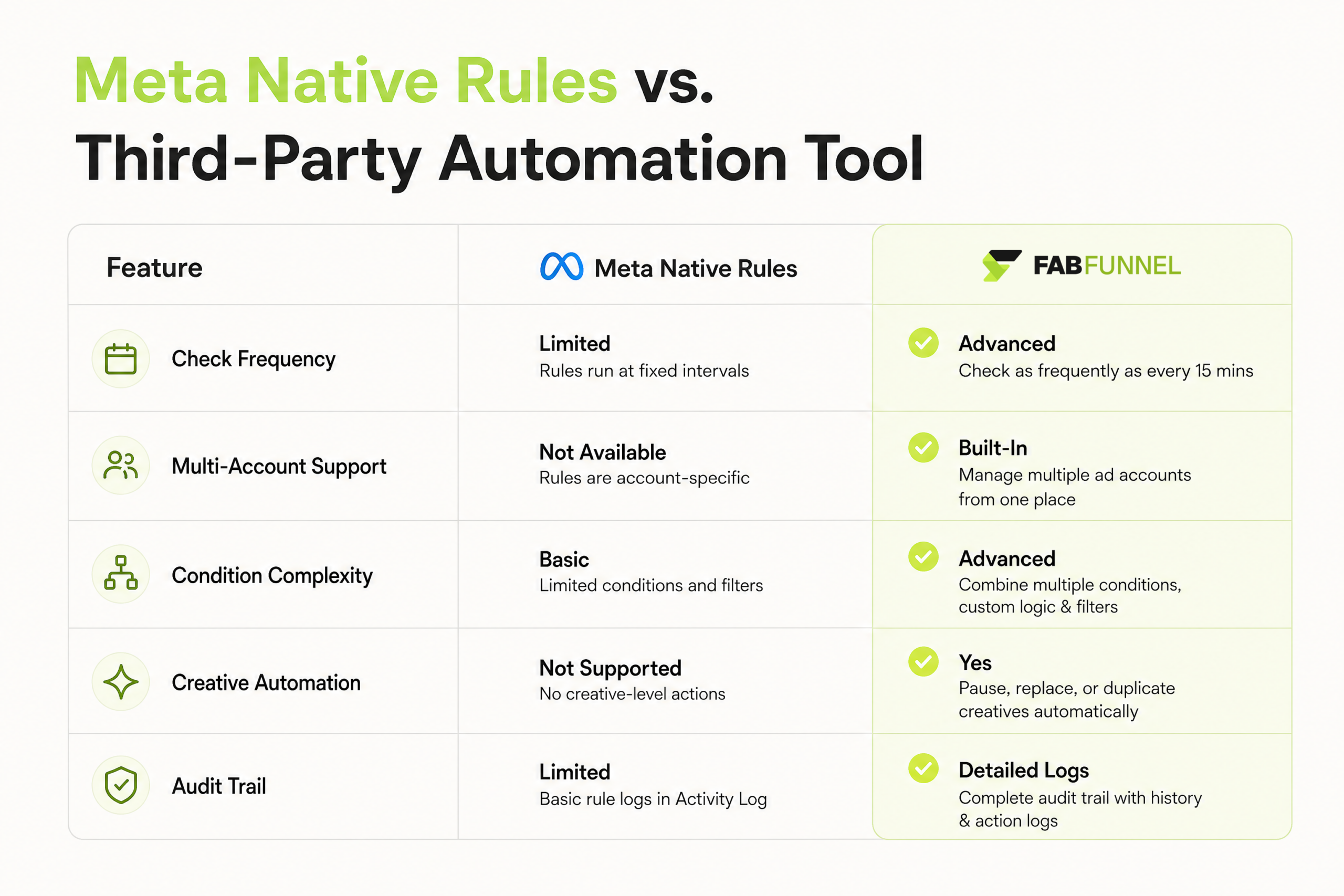
For accounts under $5K/month in spend, Meta’s native rules are a workable starting point. Beyond that, the gaps matter. At $500/day in spend, a rule that checks every 30 minutes can let a bad ad run longer than necessary – and at that spend level, 30 minutes has a real dollar value.
How FabFunnel’s Automation Works
FabFunnel’s automation runs 24/7 – auto-pausing underperformers and auto-scaling winners based on thresholds you define. It’s a rules engine that executes your decisions while you’re not watching.
For teams running high volumes of campaigns, this compounds fast. Every hour a losing ad runs undetected is wasted spend. Every hour a winning ad stays flat is revenue left behind.
FabFunnel’s Facebook ads automation closes both gaps without requiring someone at a dashboard.
The practical difference isn’t just speed. It’s consistency. Rules don’t have bad days. They don’t skip a check because the team is busy. They don’t hesitate on a scale decision.
Common Automation Mistakes
- Pausing before data is ready. Rules that fire before a campaign has enough optimization events will kill things that needed more time. Fix: set a minimum spend or conversion floor before any pause rule can activate – typically 1-2x your target CPA.
- Scaling too aggressively. Budget increases above 30% in a single step push campaigns back into the learning phase. Keep increases to 15-20%, spaced 48-72 hours apart.
- Conflicting rules. If a scale rule and a pause rule can both trigger on the same ad set, one overrides the other unpredictably. Map conditions before deploying and check for conflicts.
- Treating rules as permanent. Rules set in January won’t be right in April. Seasonality and creative fatigue shift what counts as a threshold worth acting on. Review monthly.
- No visibility layer. Full Facebook ads automation doesn’t mean you stop watching. Set notifications. Know when rules fire, what action was taken, and whether it was correct. Automation should execute your strategy – not replace your awareness of it.
Conclusion
At a certain spend level or account volume, human response time becomes the bottleneck – and budget burns in the gaps.
Facebook ads automation solves the response time problem. Rules run continuously, fire on conditions you’ve already defined, and take action without waiting for someone to open a dashboard.
Set the kill rules first. Get the thresholds right. Add the scaling logic. Then let it compound.
Running high-volume campaigns across multiple accounts? See how FabFunnel auto-pauses underperformers and scales winners across your accounts, 24/7.
Frequently Asked Questions
Q1: What are Facebook ads automation rules?
Automation rules monitor your Facebook campaigns continuously. You set a condition (e.g., CPA too high, ROAS below target, frequency elevated). When that condition happens, the system takes over: pausing losers, reallocating budgets, or notifying you the second something needs attention. Protect your ad spend and scale smarter without the burnout.
Q2: How do I set up automated ads on Facebook?
In Ads Manager, go to Automated Rules under the Tools menu. Choose the entity level – campaign, ad set, or ad. Define the condition, set the action, and pick how often the rule checks. For multi-account rules, faster check intervals, or complex conditional logic, a third-party Facebook ad automation tool gives you meaningfully more control than the native interface.
Q3: What CPA threshold should I use to pause an ad?
Base it on your own account data. A workable starting point: set your pause threshold at 30-40% above your target CPA, and only allow the rule to fire after reaching a minimum spend – typically 1-2x your average CPA. This stops the rule from killing campaigns before they’ve collected enough data.
Q4: Will scaling rules push campaigns back into learning?
They can. Increasing the budget by over 20–30% at once risks resetting the learning phase. Keep increases to 15–20% and space them 48–72 hours apart.
Q5: Can Facebook automation rules run across multiple ad accounts?
Meta’s native rules are scoped to a single ad account. To run rules across multiple accounts simultaneously, you need a third-party Facebook ad automation tool – which is where agencies typically find native rules stop being sufficient.
Q6: What’s the difference between Meta’s built-in rules and a Facebook ad automation tool like FabFunnel?
Meta’s native rules cover the basics – pause, enable, budget changes – with checks running roughly every 30 minutes. FabFunnel offers faster intervals, multi-account support, more complex condition logic, and audit trails. Built for teams running high campaign volumes where manual rule management becomes a job in itself.
Also Read – How To Spy On Competitor Facebook Ads And Steal Their Winning Strategies