Most ad management tool demos are built to answer one question: does this look impressive in 20 minutes? That’s the wrong test. The right test is whether the tool holds up at your actual campaign volume, across your actual ad accounts, three months after the sales call ends.
This checklist gives you nine questions to bring into any vendor conversation, whether you’re comparing two platforms or auditing the one you already pay for.
Quick Answer: An ad management tool should be evaluated on four things: what it actually automates versus what it just reports on, whether it handles multi-account and multi-platform management without manual exports, how it scales campaign launches without linear headcount increases, and whether its automation is auditable rather than a black box. If a vendor can’t answer these directly, treat that as a data point. Everything below breaks these into specific questions to ask before you sign a contract.
What Should an Ad Management Tool Actually Automate?
“Automation” gets used loosely in this category. Some tools automate execution: launching, pausing, budget shifts. Others just automate reporting, pulling numbers into a dashboard you still have to act on manually. Both are useful, but they solve different problems and are priced differently.
Ask the vendor to name the specific actions their system can take without a human clicking “approve” each time. If the answer is vague (“it optimizes your campaigns”), push for the mechanism: what triggers the action, what data feeds the trigger, and what the system does when it’s wrong.
Confirmed capabilities note: FabFunnel’s Automation Rules Engine executes on defined conditions, CPA floors, ROAS thresholds, frequency caps, and logs every action with the condition and timestamp that triggered it, so you can audit what fired and why. That’s execution automation, not just alerting.
Can It Handle Ad Account Management Across Multiple Platforms?
If you run campaigns on more than one platform, ad account management tools that only cover Meta (or only cover one channel well) will force you back into spreadsheets the moment you add a second platform. Ask specifically:
- Which platforms are natively supported, and which require a workaround or manual export?
- Does the tool pull performance data automatically, or does someone have to trigger a refresh?
- How does it handle accounts running in different timezones?
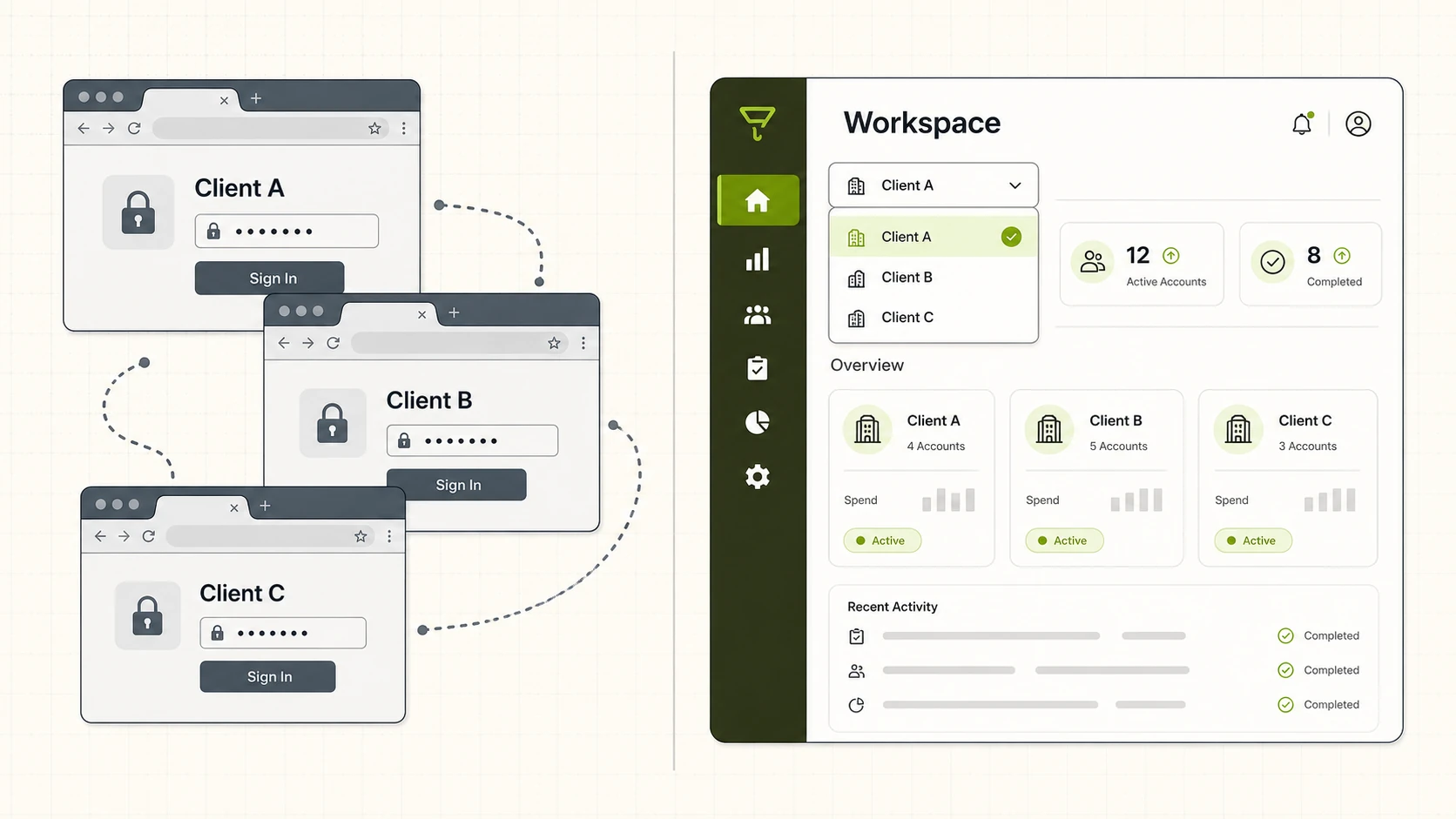
FabFunnel’s Multi Ad Account Reporting syncs spend, ROAS, CPR, CPC, and CTR roughly every 15 minutes across Meta, TikTok, and NewsBreak, with a per-account timezone setting, worth using as a benchmark for the sync frequency you should expect from any vendor claiming multi-platform support.
How Fast Can You Launch Campaigns at Scale?
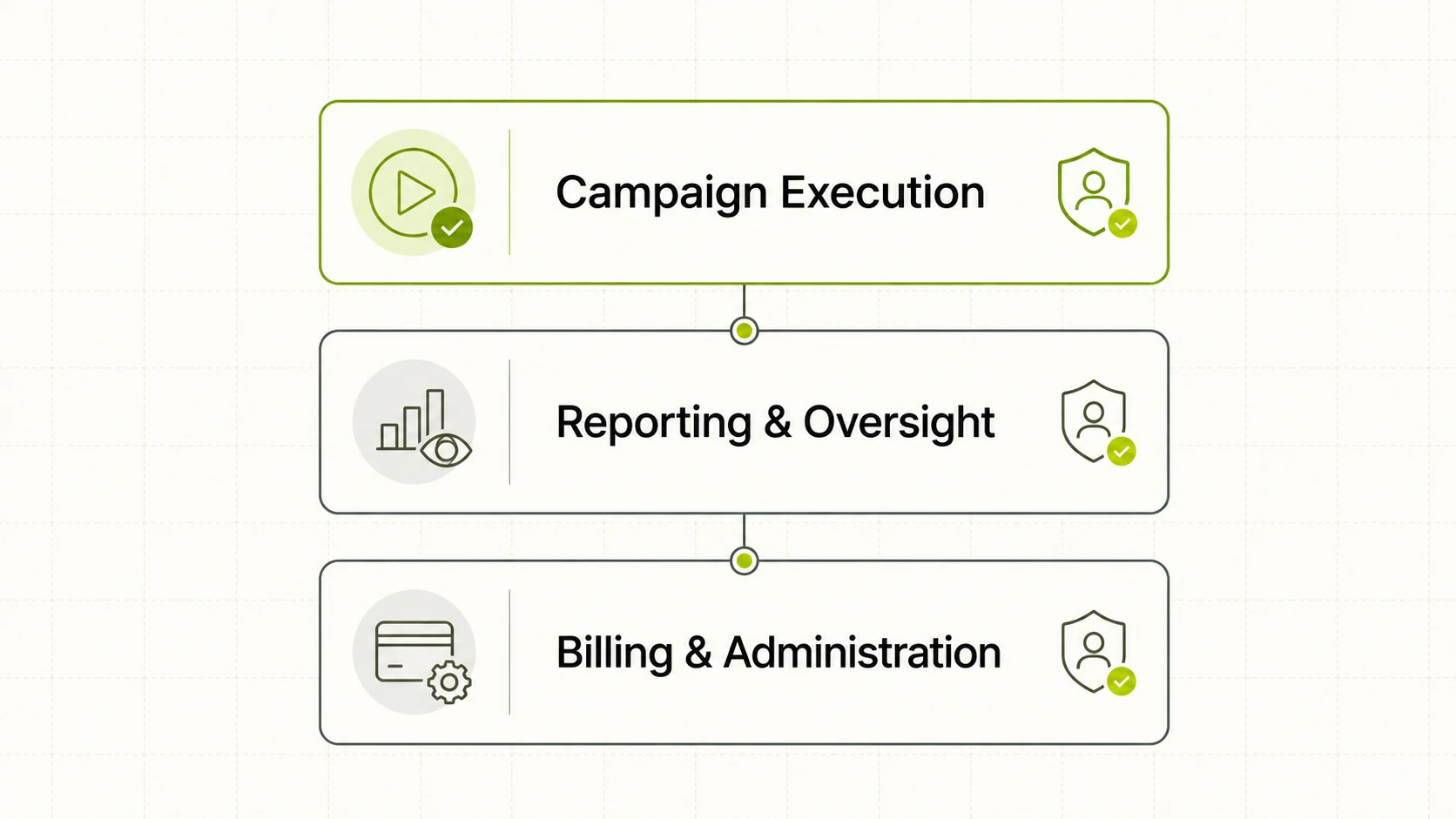
Single-campaign builders don’t reveal their limits until you try to launch 50 campaigns at once for a catalog refresh or a multi-market push. This is where most “ad management tool” pitches fall apart, the UI that felt fast for one campaign becomes a bottleneck at volume.
Ask for a real number: how long does it take to launch 100+ campaigns, and does that number hold up with dynamic variables (different creative, copy, or targeting per campaign), or does the tool require manual duplication for each variant?
As a reference point, FabFunnel’s Bulk Campaign Launcher can push 200+ campaigns live in under two minutes, supports Folder Launch for grouped rollouts, and handles dynamic variables across 1,000+ campaign variations in a single run. If a vendor can’t quote a comparable figure, ask them to demo their slowest realistic scenario, not their fastest one.
Does It Include Creative Generation, or Just Creative Storage?
Some platforms in this category store and organize creative. Others generate it. Neither is inherently better, but you need to know which one you’re buying, because the pricing and workflow implications are different.
If creative generation is on the table, ask what modes are actually supported (product ads look different from brand awareness ads), whether the tool can produce variations of an existing creative rather than starting from scratch each time, and where the underlying assets come from, is there a structured catalog behind it, or are you uploading one-off files every time?
FabFunnel’s Genie generates creative across four modes, Product Ad, Brand Ad, Product Shoot, and Performance Ad, with a Create Variations feature and a Concepts tab of roughly 200 pre-built frameworks to start from, drawing on a Catalogue structured as Brand → Categories → Products (auto-synced for Shopify stores, manual upload otherwise). If you’re evaluating a tool on creative capability, ask for this level of specificity, mode names, variation logic, catalog structure, rather than accepting “AI-generated creative” as a feature description on its own. For a deeper look at how ad design tools compare on this specifically, see our ad design tool guide.
Are the Automation Rules Transparent and Auditable?
This is the question buyers skip most often, and it’s the one that causes the most damage later. Automation that adjusts budgets or pauses campaigns needs a paper trail. If a rule fires and drops spend on your best-performing ad set at 2 a.m., you need to know what condition triggered it and when, not just that spend changed.
Ask whether every automated action is logged with the specific condition and timestamp that caused it, whether logs are exportable for audits, and whether you can simulate a rule before it goes live. A tool that can’t show you why it did something isn’t ready to run unattended.
How Often Does Reporting Sync, and Across Which Platforms?
Reporting lag compounds fast when you’re managing spend across accounts. A dashboard that refreshes once a day means you’re making decisions on stale numbers for the other 23 hours. Ask for the actual sync interval (not “real-time,” get the number), which metrics are covered (spend, ROAS, CPR, CPC, CTR are the baseline), and whether reporting respects each account’s local timezone or forces everything into one.
This is also where the “best ad management tools” comparisons tend to diverge most, sync frequency and metric coverage vary widely even among tools that look similar in a demo. Our reporting tool guide for agencies covers this in more depth if reporting is your main evaluation criterion.
Does It Support Role-Based Permissions for Teams and Agencies?
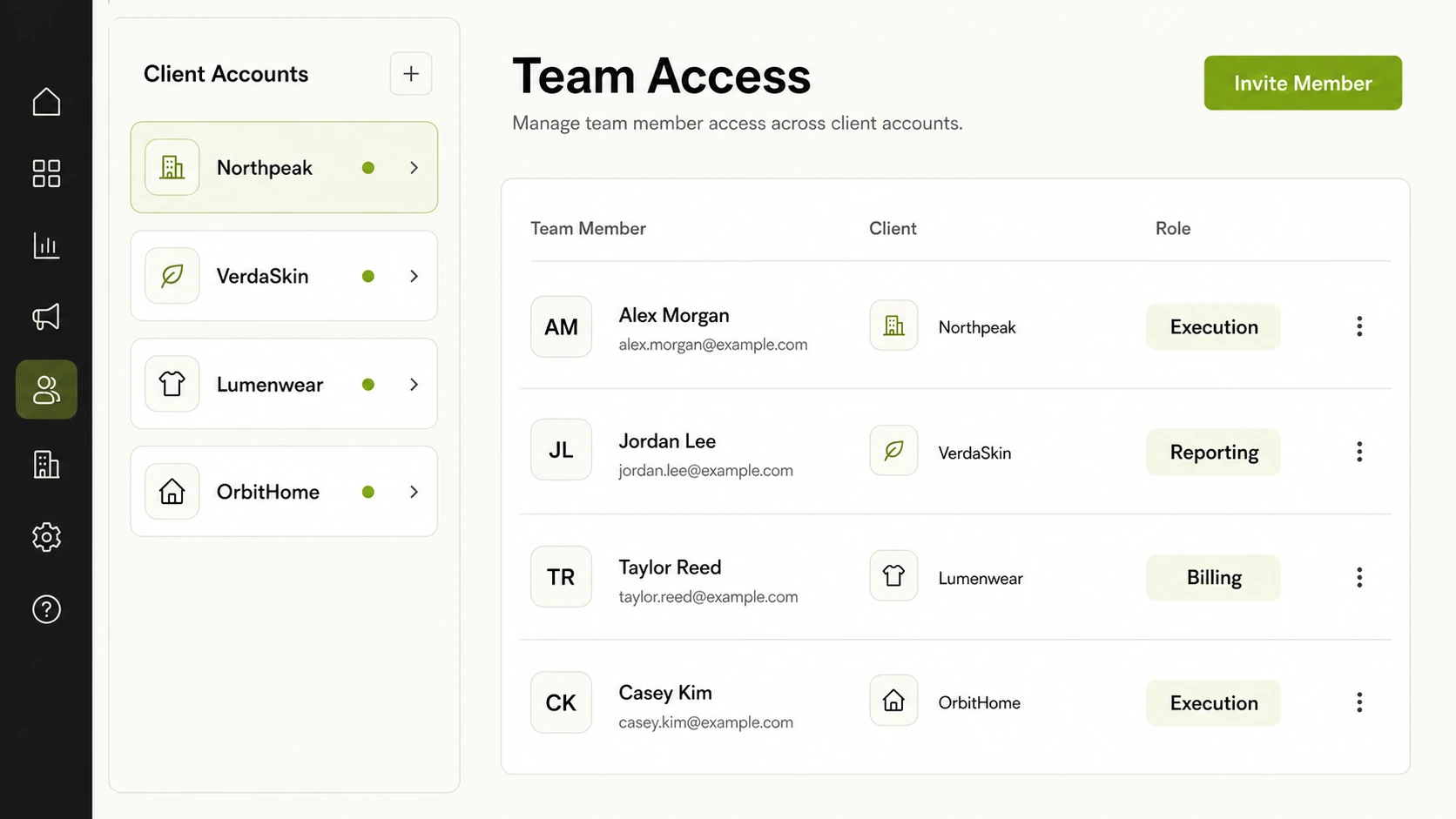
If more than one person touches the account, an agency team, a client with view-only access, a finance stakeholder who needs billing visibility but shouldn’t launch campaigns, permissioning isn’t optional. Ask whether permissions are set at the workspace level, the account level, or both, and whether the tiers map to how your team actually works: execution, reporting/oversight, and billing/admin are the three tiers worth confirming exist as distinct roles, not a single all-or-nothing login.
What’s the Real Pricing Structure, and What Happens as You Scale?
Get the pricing model in writing before you evaluate anything else. Specifically: is pricing based on ad spend under management, number of accounts, number of seats, or a flat fee? What triggers a tier upgrade, and what’s the cost at 2x your current volume? Vendors that are vague on this in the sales process are usually vague on it in the invoice too.
What’s the Onboarding Time and Switching Cost?
The tool that wins the bake-off can still be the wrong choice if it takes six weeks to get live. Ask how long onboarding typically takes for an account your size, whether historical data migrates or you start reporting from zero, and what it would take to leave if the tool doesn’t work out. A vendor that can’t answer the exit question clearly is signaling something about lock-in.
Ad Management Tool Evaluation Checklist
Use this table to score vendors side by side during evaluation calls.
| Evaluation Area | Question to Ask | Red Flag Answer | Green Flag Answer |
|---|---|---|---|
| Automation scope | What actions execute without manual approval? | “It optimizes everything” | Named triggers, named actions, named conditions |
| Platform coverage | Which ad platforms are natively supported? | “Meta, plus most others via export” | Direct API sync across your actual platform mix |
| Launch speed at scale | How long to launch 100+ campaigns? | No specific number offered | A quoted time, demoed live |
| Creative capability | Generation or just storage? | “AI-powered creative” with no detail | Named modes, named variation logic |
| Automation auditability | Is every action logged with cause and timestamp? | “You can trust the algorithm” | Exportable logs tied to specific rules |
| Reporting cadence | How often does data sync? | “Real-time” with no interval given | A specific number (e.g., every 15 minutes) |
| Permissions | Are roles tiered by function? | Single admin login for everyone | Separate execution, reporting, and billing tiers |
| Pricing model | What’s the basis, and the upgrade trigger? | Custom quote with no framework | Clear formula, quoted scaling cost |
| Onboarding | How long to go live, and how to leave? | No exit process described | Defined onboarding timeline and data portability |
FAQ
What’s the difference between an ad management tool and ad account management tools?
In practice, the terms overlap. “Ad management tool” is usually the broader category, covering campaign creation, creative, and automation. “Ad account management tools” tends to emphasize the account-oversight layer: multi-account reporting, permissions, and spend tracking across platforms. Most platforms in this space do both to varying degrees, so ask which one the vendor’s roadmap is actually built around.
Are free ad management tools worth using for agencies?
Free tiers are usually fine for single-account, low-volume use. Once you’re managing multiple client accounts or launching at volume, free tiers typically cap out on account limits, automation depth, or reporting frequency, check those limits before committing a client workflow to a free plan.
How do I evaluate the best ad management tools for a small team versus an agency?
Small teams should weight speed-to-launch and pricing simplicity higher. Agencies should weight multi-account reporting, role-based permissions, and audit trails higher, since they’re managing spend and access across multiple clients, not just multiple campaigns.
What features are non-negotiable in an ad management tool?
Accurate multi-account reporting, clear automation logic (not a black box), and a pricing model that doesn’t punish you for scaling are the three baseline requirements. Everything else, creative generation, competitor intelligence, bulk launch tooling, is a differentiator layered on top of that foundation.
How long does it take to migrate from spreadsheets or native ad managers to a dedicated tool?
This varies by vendor and by how much historical data needs to migrate. Ask for a specific onboarding timeline during evaluation rather than estimating, vendors should be able to quote this based on your account count and platform mix.
Does an ad management tool replace a media buyer?
No credible vendor should claim this. Tools in this category are built to remove manual, repetitive execution work, launching variants, pulling reports, applying budget rules, so a media buyer can spend more time on strategy and creative direction, not less time on the account entirely.
Before You Subscribe
Run these nine questions in every vendor call, not just the shortlist finalists, vague answers early save you a bad contract later. If you’re evaluating platforms that combine multi-account reporting, bulk campaign launch, and auditable automation rules in one workspace, FabFunnel is built around that combination and worth a look alongside whatever else is on your list.