Quick Answer
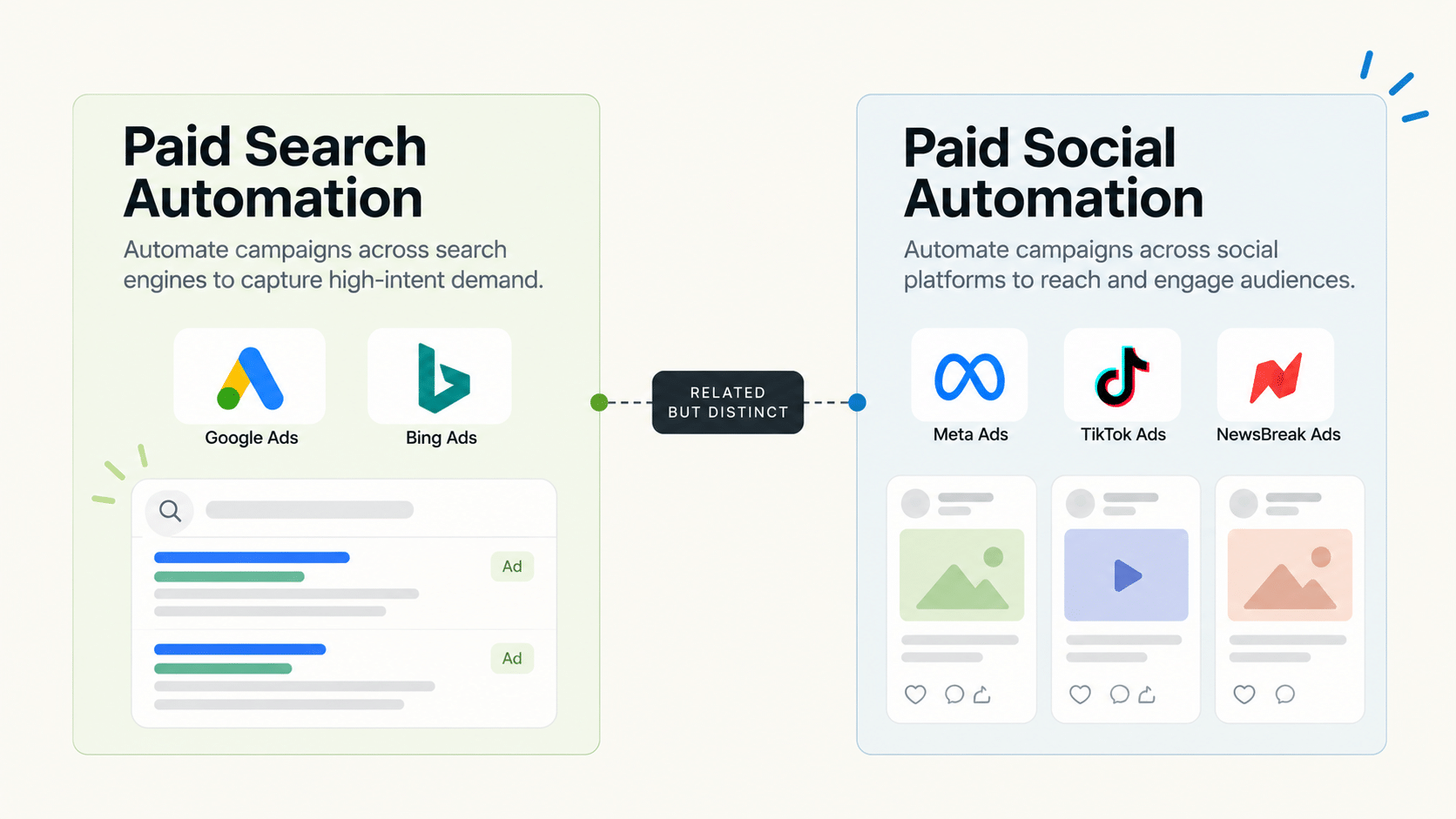
Pay per click automation follows the same core logic across paid search and paid social: define a clear threshold, let the rule execute consistently, and log every action for review. Where the two differ is platform coverage — paid search automation (Google Ads, Bing) and paid social automation (Meta, TikTok, NewsBreak) are typically handled by different tools, since most platforms and vendors specialize in one side or the other. A PPC team running both needs to check which side any specific tool actually covers before assuming broad coverage.
“Pay per click automation” gets used as if it’s one unified category, but paid search and paid social have different platforms, different bidding mechanics, and often different vendor ecosystems. This piece covers the automation principles that apply across both, while being specific about where a given tool’s actual platform coverage starts and stops.
What Automation Principles Apply Across Both Paid Search and Paid Social?
The same core structure: a condition (CPA ceiling, ROAS floor, frequency cap), a single pre-set action, and a log of every triggered instance. Whether the underlying platform is a search engine or a social feed, paid ads automation built this way removes the same category of manual monitoring work.
Where Do Paid Search Automation and Paid Social Automation Actually Diverge?
Bidding mechanics differ significantly — search auctions are keyword and query-based, while social platforms auction on audience and placement. This means the specific automation logic (what triggers a bid change, how frequency caps apply) isn’t directly portable between the two, even though the higher-level principles (thresholds, logging, review cadence) are the same.
What Does FabFunnel’s Automation Actually Cover?
The Automation Rules Engine applies CPA floors, ROAS thresholds, and frequency caps across Meta, TikTok, and NewsBreak — the paid social side specifically. It does not cover Google Ads or Bing (paid search). A PPC team running both search and social would need a separate tool for the search side, applying the same evaluation principles covered here.
Pay Per Click Automation: What to Check Before Trusting a Tool
| Question | Why It Matters |
|---|---|
| Which specific platforms does it cover? | “Pay per click automation” claims can hide a narrower actual scope (just search, or just social) |
| Is every triggered action logged? | Needed to audit what the rule did and why |
| Are thresholds set per account, not shared? | Different accounts have different baselines |
| Is there a downside rule paired with every scaling rule? | Prevents budget from compounding losses after performance turns |
Is “Paid Ads AI” the Same Thing as Paid Search or Paid Social Automation Specifically?
“Paid ads ai” is often used as an umbrella term covering both, without specifying which. When evaluating a tool described this way, the practical question is the same: which platforms does it actually execute automation on, and does it apply per-account thresholds rather than a shared template.
What Are Automated Ads, Practically Speaking?
At the mechanical level, an automated ad is one where the platform or a connected tool adjusts delivery, budget, or status based on a rule, rather than a person manually checking and adjusting it. This applies whether the “ad” is a search result or a social feed placement — the difference is in what triggers the rule and what data it’s evaluated against.
What Does a Starter Rule Set Look Like for Paid Social?
These are illustrative structures, not recommended numbers. Your thresholds should come from your own account history.
FabFunnel’s Automation Rules Engine supports rules at campaign, ad set, and ad level, runs 24/7, and applies rules going forward from the point they are saved, not retroactively. Several rules can run at once.
What Are the Common Failure Modes in Pay Per Click Automation?
- No minimum data requirement. A rule that judges an ad set after a handful of clicks pauses winners by mistake.
- Scaling without a downside rule. Budget keeps rising after performance turns.
- One template for every account. Baselines differ, so thresholds misfire.
- Set and forget. Pricing, seasonality, and creative change, and old thresholds stop making sense.
- Unclear ownership. Nobody reviews the log, so problems stay hidden.
Most of these are configuration and process failures, not software failures. A short weekly review catches the majority of them.
How Do You Know Pay Per Click Automation Is Actually Working?
Judge pay per click automation by outcomes you can check, not by how many rules are switched on. Before you turn anything on, record a baseline for each account: weekly spend, cost per result, and the number of hours someone spends on routine checks. After four weeks, compare.
Three signals tell you whether pay per click automation is earning its place. First, wasted spend should fall, meaning fewer ads that kept running long after they crossed your cost ceiling. Second, review time should drop, because the log now shows what happened without anyone opening every ad set. Third, you should be able to explain every automated action to a colleague or client, using the log entry as the answer.
If spend is lower but results are also lower, your thresholds are probably too tight and are pausing ads that needed more data. Loosen them and add a minimum-spend condition. If nothing changed at all, the rules are probably not matching any ads, so check the level (campaign, ad set, or ad) they are applied to.
Keep a short change log next to the tool: what you adjusted, when, and why. It turns tuning into a record you can learn from instead of guesswork.
How Should a Mixed Search and Social Team Organise Its Automation?
Treat the two sides as separate systems with a shared pay per click automation playbook. Use the same principles on both: thresholds from account history, minimum data requirements, paired scaling and downside rules, and a logged audit trail. Then document which tool owns which platform, who reviews each log, and how often.
For the paid social side, one consolidated view helps. FabFunnel’s Multi Ad Account Reporting brings spend, ROAS, CPR, CPC, and CTR from Meta, TikTok, and NewsBreak into one place, synced roughly every 15 minutes. Search results would still sit in a separate tool, so decide upfront how the two views get compared, for example in a weekly summary sheet.
How Do You Choose Between One Tool and Two?
Many teams assume they should consolidate everything into one product. Sometimes that is right, and sometimes it isn’t. The deciding factor is where your spend sits.
If most of your budget is on one side, search or social, choose the best tool for that side and accept a lighter solution for the other. If your spend is split roughly evenly, two specialist tools usually outperform one generalist, even though they add a second login and a second log to review.
Cost isn’t only the subscription. Count the hours spent switching between systems, reconciling reports, and keeping two sets of rules consistent. A cheaper tool that doubles your review time is not cheaper.
What Does a Good First Month of Pay Per Click Automation Look Like?
Week one: choose a single account and a single rule, such as a cost ceiling with a minimum-data requirement, and confirm it fires correctly. Week two: add a frequency or fatigue rule. Week three: review the log and adjust thresholds based on what actually happened. Week four: extend the same rules to a second account and write down what you learned.
By the end of the month you should be able to answer four questions: what did the rules do, did any action surprise you, how many hours did you save, and what would you change? If you can’t answer them, your pay per click automation setup is too complicated to scale yet.
What Should a Team Automate First in Pay Per Click Automation?
Start with the task that costs the most attention for the least judgement: pausing ads that overspend. It has a clear threshold, one action, and an obvious way to check the result. Add fatigue and scaling rules only after the first rule behaves as expected for a couple of weeks.
Resist the urge to automate decisions that depend on context, such as which audience to test next or how to word an offer. Those stay with a person. Pay per click automation works best when it handles the repeatable checks and leaves the strategy to the team that understands the account.
FAQs
How long does pay per click automation take to show results?
Rules act as soon as they are saved, but judging them takes data. Give a new rule one to two weeks of spend before deciding whether the threshold is right.
Does pay per click automation work the same way for search and social?
The core structure (threshold, action, log) is similar, but the actual bidding and targeting mechanics differ enough that tools built for one side usually don’t cover the other well.
What are automated ads, in simple terms?
Ads whose budget, bidding, or status changes based on a pre-set rule rather than manual adjustment — the rule fires the same way every time the condition is met.
Is paid search automation harder to set up than paid social automation?
Not inherently harder, but the specific configuration differs — search automation often centers on keyword-level bid adjustments, while social automation centers more on audience, placement, and creative-level rules.
Does FabFunnel’s automation cover paid search platforms like Google Ads?
No — FabFunnel’s Automation Rules Engine covers Meta, TikTok, and NewsBreak (paid social). Paid search automation for Google Ads or Bing would need a separate tool.
What’s the biggest risk in paid ads ai tools that claim to cover “all platforms”?
Confirming the actual platform list rather than assuming broad claims cover everything — some tools genuinely support multiple ecosystems well, others support one strongly and the rest superficially.
Should a PPC team automate search and social with one shared rule template?
No — even within paid social, thresholds should be set per account rather than shared. Across search and social specifically, the underlying mechanics differ enough that a shared template is unlikely to work well for either side.
Where to Start
If your team’s pay per click automation needs are on the paid social side — Meta, TikTok, NewsBreak — FabFunnel’s Automation Rules Engine applies per-account CPA, ROAS, and frequency thresholds with a full audit log. For paid search platforms, apply the same evaluation questions above to whichever tool covers that side — start at FabFunnel or explore the full toolset at Fab AI.