A campaign launch checklist is a list of items a team confirms before turning on ad spend, covering things like the tracking pixel, budget settings, audience targeting, and creative specs. It exists to catch small setup mistakes before a campaign goes live, since those mistakes get copied into every duplicate campaign built from the same template. Teams running campaigns weekly use it as a final gate, not a planning document.
Launching one campaign badly costs a bad week. Launching fifty campaigns badly, on the same broken assumption, costs a bad quarter. That’s the math most teams skip until it’s too late – a wrong conversion event on the pixel, a budget field left at daily instead of lifetime, a UTM typo that breaks attribution. The mistake doesn’t stay contained to one ad set. It gets copied into every duplicate, every new market, every creative test that launches off that template. A campaign launch checklist stops that copy-paste damage before it starts, not to slow anyone down. For teams running high volume across Meta, TikTok, and NewsBreak, a missed check on campaign one is rarely a one-time cost – it compounds with every campaign built on the same template.
Why a Campaign Launch Checklist Matters More as Launch Volume Increases
At low volume, a launch mistake is a nuisance you catch in a day and fix. At high volume – five, ten, twenty campaigns going live in a week across multiple ad accounts and platforms – the same mistake multiplies before anyone notices.
A few reasons this gets worse, not better, as teams scale:
- Templates and duplication mean an error in campaign one gets inherited by every clone.
- More people touch the launch pipeline (media buyers, creative, ops, freelancers), so tribal knowledge about “the way we do it” breaks down.
- Platforms update targeting options, policy rules, and objective structures often enough that what worked last quarter can silently fail this quarter.
- Reporting lag means a tracking error might not surface for days, by which point spend already went out against bad data.
This is exactly where a campaign launch checklist earns its place. It’s not compliance theater – it’s the one artifact that scales with launch volume instead of degrading under it. A marketer running two campaigns a month can hold the checks in their head. A team running two hundred campaigns a month cannot, and pretending otherwise is how budgets get wasted on preventable errors.
The Core Pre-Launch Checklist
Run through this before any campaign goes live, regardless of platform. Treat it as a gate, not a suggestion – nothing launches until every line is checked.
| Category | What to Check |
|---|---|
| Creative and compliance | Assets are final, approved, and match current brand guidelines (logo, colors, fonts, safe zones). Ad copy is checked against platform policy (health, finance, and “before/after” claims are the most common rejection triggers). Required disclaimers are present. File specs match the placements actually running. |
| Objective and structure | Campaign objective matches the actual business goal, not a default like Traffic when the goal is Conversions. Structure follows the account’s standard, with campaign budget optimization set on or off intentionally. Correct pixel or conversion event is selected at the ad set or campaign level. |
| Budget and bid strategy | Budget type is correct, daily versus lifetime, set at the right level. Bid strategy matches the goal (lowest cost, cost cap, bid cap) instead of a default that doesn’t fit. Budget amount matches what was actually approved, not a placeholder from testing. |
| Audience and targeting | Audience size is large enough to spend the budget without over-narrowing. Exclusions are applied where needed (existing customers, recent converters, suppression lists). Geo, age, and language match the target market. Lookalike or custom audience sources are current, not a stale list. |
| Tracking and attribution | Pixel or conversion API is firing correctly and verified in Events Manager before spend starts. UTM parameters are applied consistently, matching the naming convention analytics expects. Landing page tracking is live on the actual page, not a staging version. Conversion window matches what reporting will assume. |
| Naming and placements | Naming convention is applied at campaign, ad set, and ad level so filtering doesn’t break downstream. Placements are deliberately selected, not left on automatic without a reason. Device and platform placements match where the creative renders well. |
| Timing | Launch time accounts for time zone and audience activity, not just when setup finishes. This check typically takes under a minute but catches most off-hours launch mistakes. Scheduled end dates or budget caps are set if the campaign shouldn’t run indefinitely. Any dependency (landing page live, offer live, inventory in stock) is confirmed before launch. |
Run this as your standard marketing campaign launch checklist for every campaign, not just the big ones. The campaigns that get skipped tend to be the small “quick” ones, and those are exactly the ones nobody double-checks.

Turning the Checklist Into a Repeatable Process, Not Tribal Knowledge
A checklist that lives in one person’s head isn’t a campaign launch checklist, it’s a habit that leaves when they do. A campaign launch checklist only holds up as a process if it survives turnover. To make it repeatable:
| Practice | Why It Matters |
|---|---|
| Put it in the tool where launches happen, not a separate doc | A checklist requiring a context switch gets skipped under deadline pressure. |
| Assign an owner for the check, not just the launch | Whoever hits publish confirms the checklist ran, with their name against it. |
| Version it by platform | A facebook campaign checklist and a TikTok checklist share most of the same bones but differ enough on placements, pixel setup, and creative specs that one generic list misses platform-specific failure points. |
| Review the checklist itself quarterly | Platforms change policy and structure often enough that a list written a year ago is quietly out of date. |
| Treat every post-launch incident as a checklist gap, not a one-off mistake | If a bad launch got through, the question isn’t who missed it, it’s why the checklist didn’t catch it. |
The goal is a marketing campaign launch plan any competent team member can execute without needing the one person who “just knows” how launches work here. That knowledge should live in a shared, versioned checklist, not in someone’s inbox.
What Teams Forget to Check, Even With a Checklist in Place
Some misses happen even on teams that already run a checklist, usually because these items feel implicit rather than explicit:
- Confirming the landing page URL in the ad matches the version actually tested, not an older draft
- Checking that a reactivated paused campaign still has current tracking, since pixels and events get deprecated between launches
- Verifying duplicated campaigns didn’t inherit an old audience exclusion or a stale, already-spent budget cap
- Double-checking currency and billing account on multi-market launches, where a wrong setting silently changes real spend
None of these are exotic. They’re ordinary mistakes that slip through because they weren’t written down as a discrete line item, which is the entire point of a checklist. Your campaign launch checklist only earns its keep if it’s specific enough to catch the boring failure modes, not just the obvious ones.
FAQs
How long should a campaign launch checklist take to run through?
Two to five minutes per campaign once the team knows it. If it takes longer, the checklist is trying to do the job of a full campaign brief instead of a final pre-launch gate.
Should every platform have its own checklist, or one shared list?
Use one shared core list for what doesn’t change (naming, tracking, budget, compliance) plus a short platform add-on – a facebook campaign checklist covering placements and Advantage+ settings, a different one for TikTok’s aspect ratio and Spark Ads permissions.
What’s the difference between a campaign launch checklist and a campaign brief?
A campaign brief covers strategy: audience, message, budget rationale, and creative direction, decided before production starts. A campaign launch checklist is a narrower, mechanical check run right before the campaign goes live, confirming that what was decided in the brief was actually built correctly in the ad platform. The brief answers what you’re trying to do; the checklist confirms you set it up the way you said you would.
Who should own the campaign launch checklist on a marketing team?
Whoever hits publish should own the check, even if a media buyer built the campaign and a manager approved the budget. Assigning ownership to the person doing the final launch step keeps accountability tied to the action, not to a role that might not be in the room when something goes wrong. On larger teams, a lead media buyer or campaign ops person often owns the checklist itself, updating it as platforms change.
How do you build a facebook campaign checklist that covers Advantage+ settings?
Start from the shared core checklist covering budget, tracking, and naming, then add Meta-specific line items: Advantage+ placements versus manual placements, Advantage+ audience versus a defined targeting set, and whether campaign budget optimization is on or off intentionally. Confirm the pixel and any conversion API setup separately, since Meta’s event matching can silently degrade if a domain or event name changes. Keep this as a short add-on to the core list, not a full rewrite of it.
Should a campaign launch checklist live in a spreadsheet or a project management tool?
It should live wherever the launch actually happens, not in a separate document someone has to remember to open. If campaigns get built in a project management tool or a campaign execution platform, the checklist belongs there as a required step, not a linked PDF. A spreadsheet works for small teams, but it stops scaling once more than one or two people are launching campaigns at once.
What happens if a campaign launches without going through the checklist?
Usually nothing goes wrong immediately, which is exactly what makes the habit hard to enforce. The cost shows up later: wasted spend against a broken pixel, a budget field left at the wrong level, or an audience exclusion that didn’t carry over from a duplicate. By the time reporting surfaces the problem, spend has already gone out against bad data.
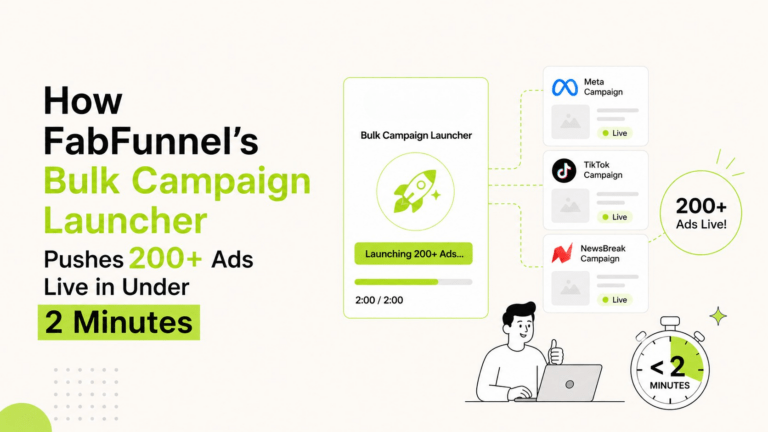
If you’re launching at volume across Meta, TikTok, and NewsBreak, a campaign launch checklist gets you consistency but doesn’t remove the manual work of applying it campaign after campaign. That’s the gap FabFunnel’s campaign execution infrastructure is built to close. Take a look at fabfunnel.com/fab-ai.