


FabFunnel MCP · Available now

Run FabFunnel from Claude.

Research competitors, build creative and review performance from Claude, without switching apps.

MCP server URL https://mcp.app.fabfunnel.com/mcp
Connect FabFunnel in Claude

Included with all Launch plans. Compare plans · Set up from your FabFunnel account

Connect FabFunnel

Connect FabFunnel to Claude in 3 steps.

Pick your assistant. The steps, URL or command and the setup link change with it.

  1. Open Claude

    Sign in and find the custom connector options in your Claude settings.

  2. Add FabFunnel

    Create a custom connector named FabFunnel and paste this integration URL.

    MCP server URL
    https://mcp.app.fabfunnel.com/mcp
  3. Authorize connection

    Follow the on-screen instructions to connect and authorize access, then enable FabFunnel in your conversations.

See it in a session

FabFunnel workflows, from Claude.

Wall of competitor ad creatives and landing pages linked to performance charts, representing Industry Insights research
Industry InsightsIllustrative example

Research in Industry Insights

Claude · FabFunnel MCP
You

Which advertisers in sports hydration launched the most new Meta ads this week, and what angle are they using?

FabFunnel

3 advertisers launched 10 or more new ads in the last 7 days. The most repeated angle is morning hydration, mostly as UGC video.

Top angle
Morning hydration
Lead format
UGC video
New ads, top advertiser
14
Open Claude

Supported modules

Research, create and review without switching apps.

Wall of competitor ad creatives and landing pages linked to performance charts, representing Industry Insights research

Industry Insights

Know what is working before you brief.

Ask your assistant to search competitor ads, see industry trends, rank advertisers by spend and analyze a competitor's domain.

  • Competitor ad search and ad detail
  • Industry trends and overviews
  • Advertiser spend ranking and domain analysis
  • Tracked competitors, followed brands and ad boards

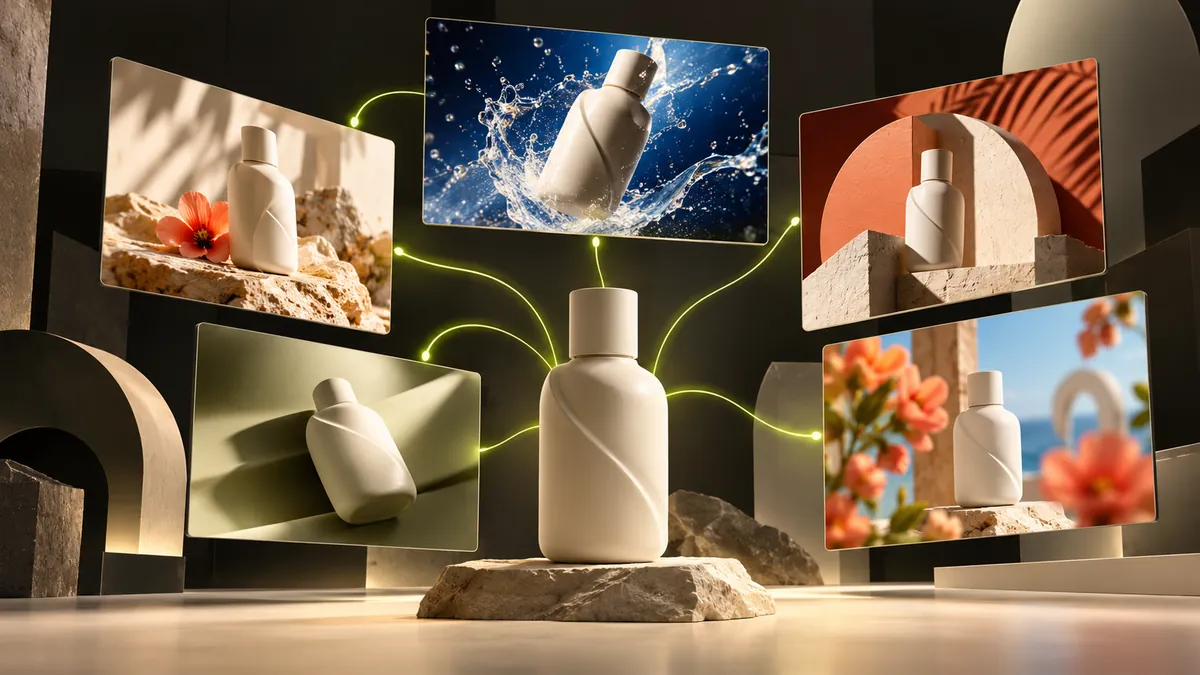
One product bottle branching into multiple styled ad scenes, representing Genie creative generation from Catalogue context

Genie & Catalogue

Turn one idea into several directions.

Explore angles and concepts, generate and refine ad creatives, and draft copy, using the brand and product data saved in FabFunnel.

  • Angles, concepts and reference ads
  • Ad creative generation and refinement (uses credits)
  • Ad copy drafts
  • Brands and products, including from a product page URL
Campaign performance cards flowing into a highlighted winning chart, representing Reporting summaries

Reporting

Read results in plain language.

Ask how campaigns performed, which creatives are winning and how each media buyer is doing. You decide what happens next.

  • Performance summaries and reports
  • Campaign and creative performance
  • Media buyer performance

Capabilities

What you can ask Claude to do in FabFunnel.

Example requests for the three supported modules. Copy a prompt, paste it into Claude once FabFunnel is connected, then adjust the brackets.

  • Industry InsightsPopular

    Competitor ad research

    Search competitor ads by brand, keyword or industry, then pull the full detail for the ones worth studying.

    Example requestShow me recent competitor ads in my category.

    Open Claude
  • Industry InsightsPopular

    See what is trending in an industry and get an overview of the competitive landscape.

    Example requestWhat is trending in my industry right now?

    Open Claude
  • Industry Insights

    Advertiser spend ranking

    Rank advertisers in an industry by spend to see who is investing most behind their ads.

    Example requestWho are the top spenders in my industry?

    Open Claude
  • Industry Insights

    Competitor and domain analysis

    Analyze a competitor or a landing page domain to see what they run and how they position it.

    Example requestAnalyze this competitor's domain.

    Open Claude
  • Industry Insights

    Track competitors and save ads

    Add competitors to track, follow brands, favourite ads and organize them into boards.

    Example requestFollow this brand and save its top ads to a board.

    Open Claude
  • Genie & Catalogue

    Angles and concepts

    Explore angles and concepts for a product, backed by reference ads and inspiration.

    Example requestGive me 5 angles for this product.

    Open Claude
  • Genie & CataloguePopular

    Generate ad creatives

    Turn an angle into ad creatives with Genie, then check progress and review the results.

    Example requestCreate 4 ad creatives from this angle.

    Open Claude
  • Genie & Catalogue

    Refine creatives

    Refine a generated creative with new direction on the hook, visual style or format.

    Example requestRefine this creative with a stronger hook.

    Open Claude
  • Genie & Catalogue

    Brands and products from a URL

    Turn a product page into brand and product data for Genie, then review and save it.

    Example requestSet up this product from its page.

    Open Claude
  • Genie & Catalogue

    Draft ad copy

    Draft primary text, headlines and descriptions for a product and angle.

    Example requestWrite 3 headline options for this ad.

    Open Claude
  • Genie & Catalogue

    Search your creative library

    Find creatives in your library and organize them into boards.

    Example requestFind my grapefruit video creatives.

    Open Claude
  • ReportingPopular

    Performance summary

    Ask how your campaigns performed over a date range and get a plain-language summary.

    Example requestHow did last week's campaigns perform?

    Open Claude
  • Reporting

    Winners and issues

    Find the campaigns beating or missing your targets so you can decide the next step.

    Example requestWhich campaigns are above my CPA target?

    Open Claude
  • Reporting

    Creative performance

    See which creatives are driving results so you know what to iterate on.

    Example requestWhich creatives performed best this month?

    Open Claude
  • Reporting

    Media buyer performance

    Compare results by media buyer across your team.

    Example requestHow is each media buyer performing this week?

    Open Claude
  • Industry InsightsGenie & CatalogueReportingPopular

    Research to results

    Chain all three in one request: find the angle, generate creatives, then check results.

    Example requestFind an angle, make creatives, then check results.

    Open Claude

Access and plans

You stay in control.

  • You authorize access

    Each assistant asks you to authorize FabFunnel before it can be used. ChatGPT uses OAuth.

  • You make the calls

    Your assistant works through the access you approve. Consequential actions stay under your control.

  • Included on Launch plans

    MCP is included with all Launch plans: Explore, Growth, Scale and Enterprise. Compare plans

FAQ

Good to know

Still have questions? Book a demo.

What is MCP?

The Model Context Protocol (MCP) is an open standard that lets AI assistants use tools and data from other software. FabFunnel MCP connects your AI assistant to FabFunnel, so you can ask questions, retrieve information and run supported FabFunnel actions without switching apps.

Is FabFunnel MCP available now?

Yes. FabFunnel MCP is available now.

Which AI assistants work with FabFunnel MCP?

Claude (Anthropic), ChatGPT (OpenAI), Gemini (Google) and Codex CLI (OpenAI).

Which plans include MCP?

MCP is included with all Launch plans: Explore, Growth, Scale and Enterprise.

Which FabFunnel modules are supported?

Industry Insights, Genie and Catalogue, and Reporting. Research competitor ads, trends and domains; explore angles, generate and refine creatives and draft ad copy; and review campaign, creative and media buyer performance. Generating and refining creatives spends credits, as it does in the app.

What server URL do I use?

Use https://mcp.app.fabfunnel.com/mcp for Claude, ChatGPT and Gemini. In Codex CLI, run codex mcp add fabfunnel –url https://mcp.app.fabfunnel.com/mcp.

How do I connect each client?

Choose your assistant at the top of this page, then follow its three setup steps in the Connect FabFunnel section or the How to connect walkthrough.

Is authorization required?

Yes. After you add the server, follow your client's authorization flow to approve FabFunnel access. ChatGPT uses OAuth. In Codex CLI, run codex mcp login fabfunnel if you aren't prompted automatically.

FabFunnel MCP

Run FabFunnel from Claude.

Included with all Launch plans.

Book a demo