You had to write the copy, design the creative, pick the right platform, figure out your audience, and test a bunch of different versions to see what actually worked. For small businesses, freelancers, ecommerce brands, and new marketers? It was exhausting. And honestly? It took forever.
Fast forward to today. AI makes ad creation way easier.
With the right ad creator you can do many things that will help you in various ways such as ad copy, headlines and much more. Instead of staring at a blank page, you give AI your product details, audience, offer, and campaign goal and it gives you a solid starting point.
What Does It Mean To Create Ads With AI?
Using AI to generate, improve, personalize advertising assets.
Copy. Headlines. Visuals. Banners. Video scripts. CTAs. Campaign ideas. Audience-specific variations.
No more manual everything.
Say you sell a fitness app. You can ask AI to create Instagram ad copy for busy professionals who want short home workouts. The tool might generate different versions—some about saving time, some about building healthy habits, some about a free trial. You get options.
What it helps with:
- Social media copy
- Google Ads headlines
- Display banners
- Product promotions
- Ecommerce ads
- Video scripts
- Landing page headlines
- CTAs
- Creative concepts
- Audience-specific messaging
Why Beginners Should Use AI For Ad Creation
OK, so like, if you’re new to ads, you know—it’s a lot.
What do you write? How do you structure? Which message works? Overwhelming.
AI helps. Faster. Easier. Less intimidating. No blank-page stress.
Use AI tool. Generate options. Edit. Improve. Pick.
More variations = better testing. Different headlines, hooks, offers, visuals, CTAs. AI makes it easy.
No design or copywriting experience? AI helps. Basic visuals, banners, layouts, platform formats.
Bottom line: speed with structure. Idea → draft faster. Room to edit, test, improve.
How AI Advertising Tools Work
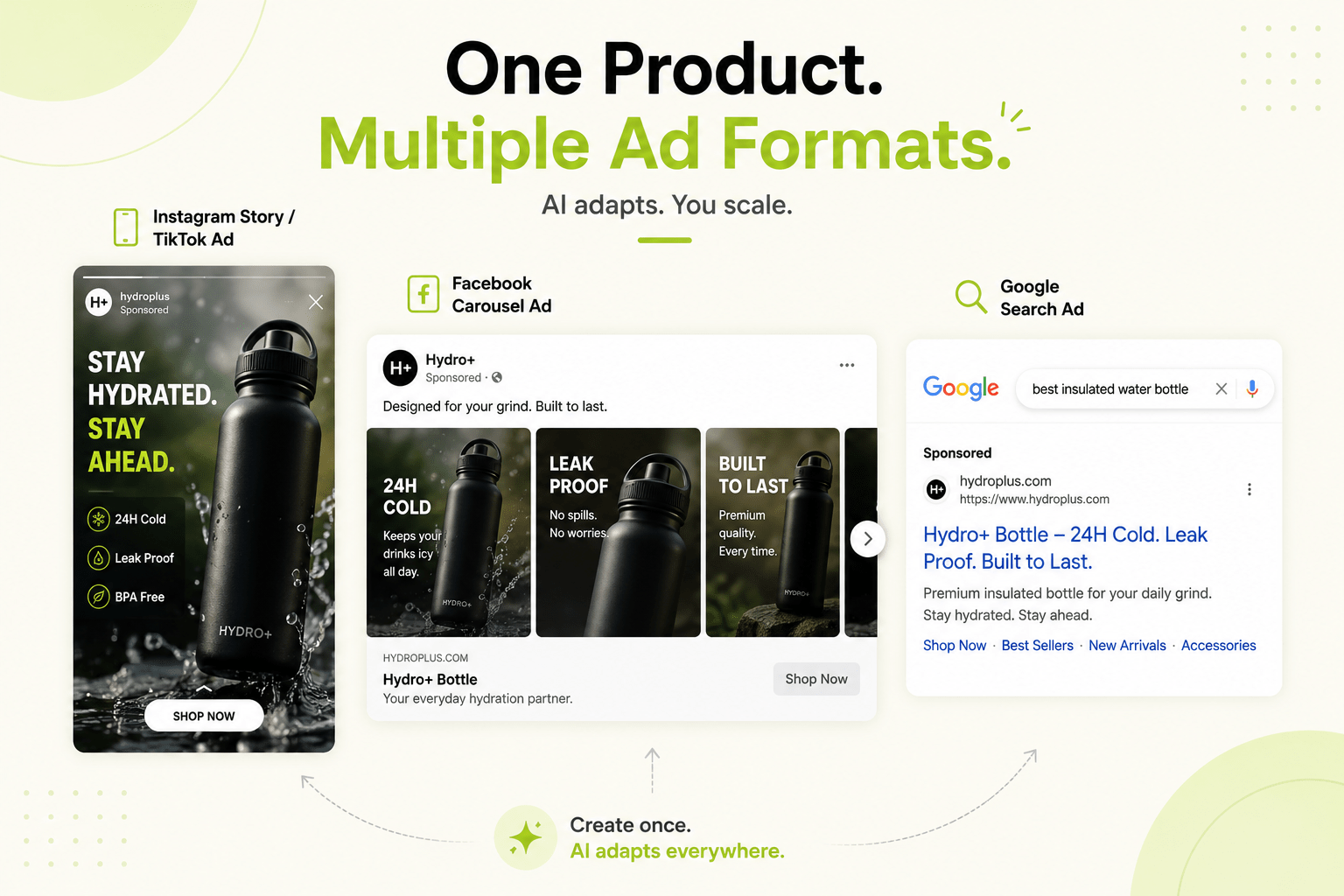
Say you want to promote an online course. You tell the AI who the course is for, what problem it solves, and what platform you want to advertise on. The tool might generate Facebook ad copy, Google Ads headlines, Instagram captions, and different CTA options. All from one input.
Different tools do different things.
Some AI advertising tools only focus on copywriting. Others work as full ad creator AI platforms that help with images, banners, video scripts, product ads, and campaign templates.
Here’s the most important thing to remember. AI works better when your input is specific. A vague prompt will usually give you generic ads. But a detailed prompt with audience, benefits, offer, and tone will produce much stronger results.
AI tools take your inputs → ad content, creative ideas, visuals, campaign suggestions.
No more manual everything.
Start with a prompt or form. Enter:
- Product name
- Target audience
- Platform
- Offer
- Campaign goal
- Brand tone
AI generates: copy, headlines, CTAs, visuals, banners, scripts, campaign ideas.
What Types Of Ads Can You Generate With AI?
Alright so, depending on what tool you’re using and what campaign you’re running, AI can generate a bunch of different ad types. Some tools are copy-focused, others do visuals, banners, product ads, or video concepts.
Social Media Ads
AI can create ads for Facebook, Instagram, TikTok, LinkedIn, Pinterest, and X. Captions, headlines, hooks, CTAs, carousel ideas, creative concepts. Since social ads need to stop the scroll, AI helps generate short, clear, engaging messages.
Search Ads
AI can generate Google Ads and Microsoft Ads copy—headlines, descriptions, CTAs. Great for beginners who don’t know how to write keyword-focused copy. Search ads need to match user intent. Someone searching “best running shoes for beginners” needs a different message than “buy running shoes online.”
Display Ads
AI helps with display banner text, promotional messages, retargeting copy, design ideas. Some AI tools can generate layouts and also they can resize creatives for different placements.
How To Create Ads With AI
Step 1: Clear Your Goal
When you have a clear goal then you can use AI in better ways. Sales ads need urgency and benefits. Awareness ads need curiosity and storytelling.
Step 2: Know Who You’re Talking To
This is where a lot of beginners mess up. They try to talk to everyone, which means they connect with no one.
Step 3: Pick Your Tool
Different tools do different things. Some are great for copy, others for images, banners, ecommerce, or video scripts. Start simple—templates, easy editing, clear outputs.
Best AI Advertising Tools For Beginners
Oh, you’re new to AI advertising tools and don’t know which one to pick?
The AI tools which are best for beginners are very simple and easy to use and they also helps you in setting up ad assets. You don’t need something that requires a marketing degree. You need something that holds your hand.
What should a beginner-friendly tool actually do?
- Ad copy generation
- Headline creation
- CTA suggestions
- Social media ad formats
- Google Ads copy
- Basic image or banner generation
- Ready-made templates
- Easy editing
- Export options
- Free plan or trial
- Different tools do different things.
Some are better for copywriting. If you need social media creatives, choose a tool with design templates. If you run an ecommerce store, choose a tool that supports product ads.
My advice? Start simple. Use one tool to create a few ad variations, review, edit, and test. Then move to more advanced tools.
The right tool should make your workflow easier, not harder.
How To Write Better Prompts For AI Ad Creation
Oh, you’re still writing vague prompts and wondering why your AI-generated ads are generic? Let me help you.
A weak prompt might be:
“Create an ad for my product.”
That’s useless. The AI has no idea what you’re selling, who you’re selling to, or what you want to achieve.
See the difference? The second one gives AI everything it needs.
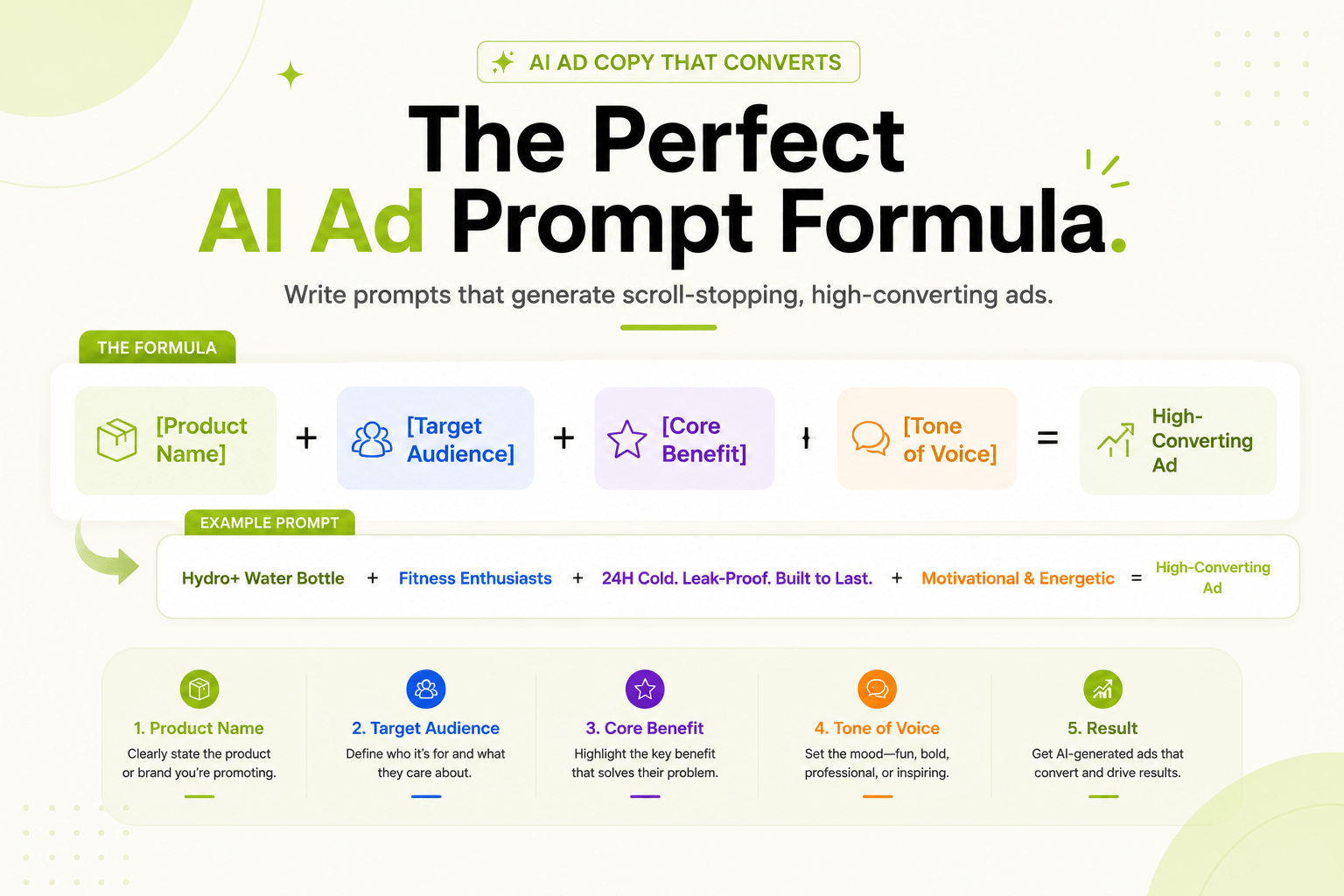
Here’s what a good AI ad prompt should include:
- Product or service name
- Target audience (be specific)
- Campaign goal
- Ad platform
- Main benefit
- Customer pain point
- Offer or discount
- Tone of voice
- CTA
- Desired format
Pro tip: Ask for multiple versions. Urgency, social proof, benefits. Don’t rely on one idea.
Conclusion
So… Here’s the Real Deal on AI Ad Creation
Alright so like, if you’ve been following along, you already know where I stand on this whole AI ad thing.
Creating ads used to be such a headache. You’d sit there, staring at a blank screen, trying to come up with something that didn’t sound like everyone else.
Also Read – How AI Ad Launcher Tools Improve Ad Performance & ROI
FAQs:
1. How do I create ads with AI?
Define your goal, audience, product, offer, platform. Use an AI tool. Generate copy, headlines, visuals, CTAs, ideas. Review, edit, publish. It’s not rocket science.
2. What’s the best AI tool for beginners?
The one that’s simple, has templates, generates decent copy, supports your platforms, and lets you edit easily. You don’t need a PhD in marketing to use it.
3. Can I generate ads with AI for free?
Yes. Free plans, trials, credits. Basic stuff. Paid = better quality, more options.
4. What is AI ad creation?
Using AI to generate or improve ad assets. Copy, headlines, visuals, banners, video scripts, landing pages.
5. Can AI create Facebook and Instagram ads?
Yes. Text, headlines, captions, CTAs, carousel ideas, story concepts, visual suggestions.