Most ad creative workflows have an invisible tax: someone generates or designs an asset, downloads it to a desktop, then re-uploads it into a completely separate system to actually launch it. Each of those handoffs is a place where the wrong file version gets used, an approval gets skipped, or a launch gets delayed a day. A creative management platform (CMP) is supposed to remove that tax — but the term gets used loosely enough that it’s worth being specific about what it actually means before you evaluate one.
This piece breaks down what a creative management platform does differently from a creative generator or a creative storage tool, and where FabFunnel fits in that picture.
Quick Answer
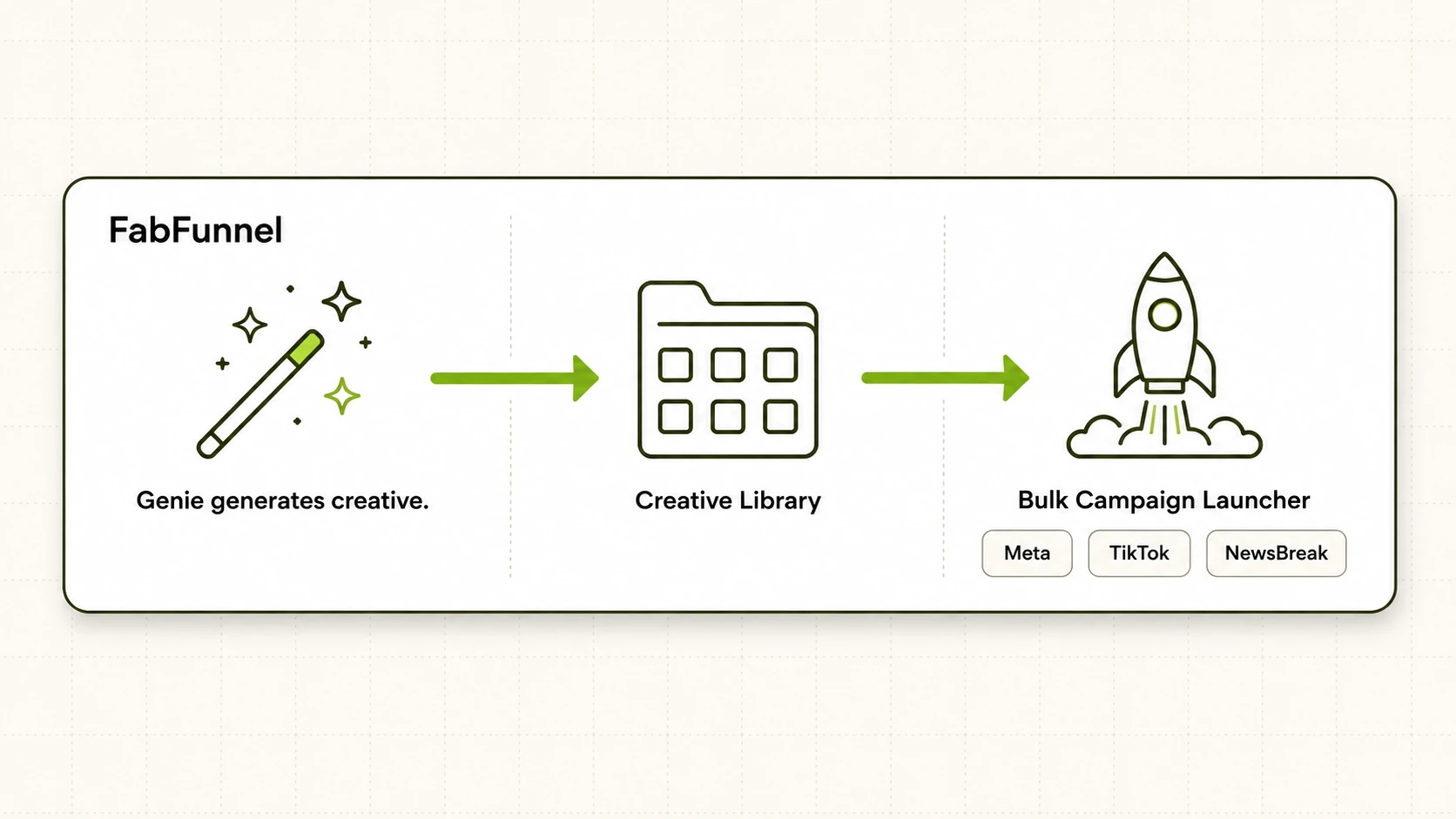
A creative management platform (CMP) manages ad creative across its full lifecycle — generation, organization, and launch — inside one connected system, so a file never has to leave the platform to become a live ad. The test for whether a tool qualifies: can creative move from “just generated” to “running in a campaign” without a manual download-then-upload step in between? Tools that only generate creative, or only store it, aren’t full creative management platforms on their own — they cover one piece of the lifecycle. FabFunnel connects generation (Genie), organization (Creative Library), and launch (Bulk Campaign Launcher) as one pipeline, which is the specific mechanism behind removing the download/re-upload step.
What Is a Creative Management Platform, Actually?
“Creative management platform” and “creative management software” get used almost interchangeably in this category, and neither term is standardized enough to mean the same thing across vendors. Some tools marketed this way are really asset libraries — a well-organized place to store finished creative, with tagging and search, but no generation or launch capability attached. Others are pure generation tools that produce images or video but hand you a download link at the end, leaving you to manage the file yourself from there.
A genuine CMP does three things inside the same system: it helps produce or receive the creative, it organizes it in a structure your team can actually find things in, and it pushes that creative into live campaigns without an export step. Drop any one of those three and you have a narrower tool wearing a broader label.
Why Do Downloads and Re-Uploads Still Happen in Most Ad Workflows?
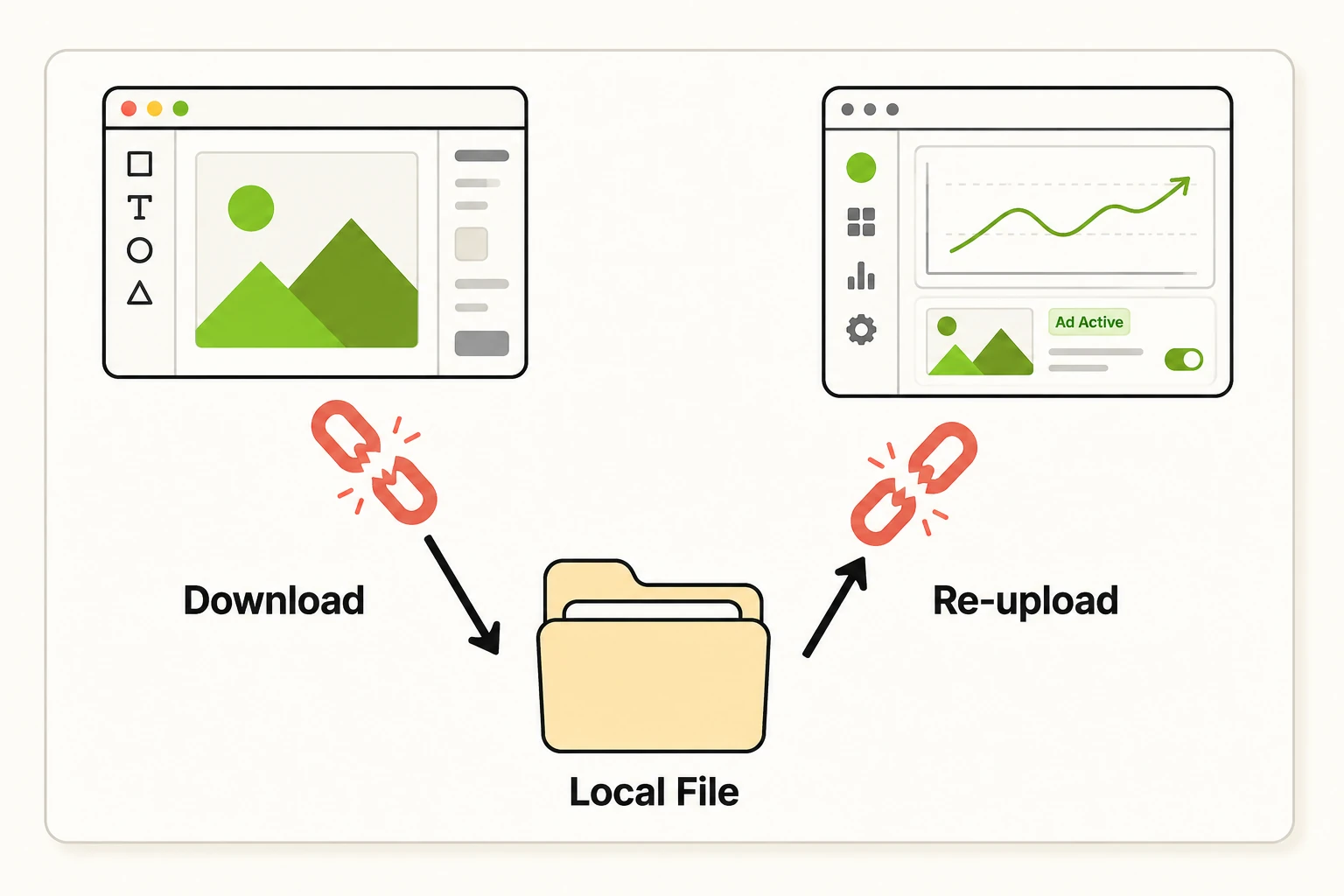
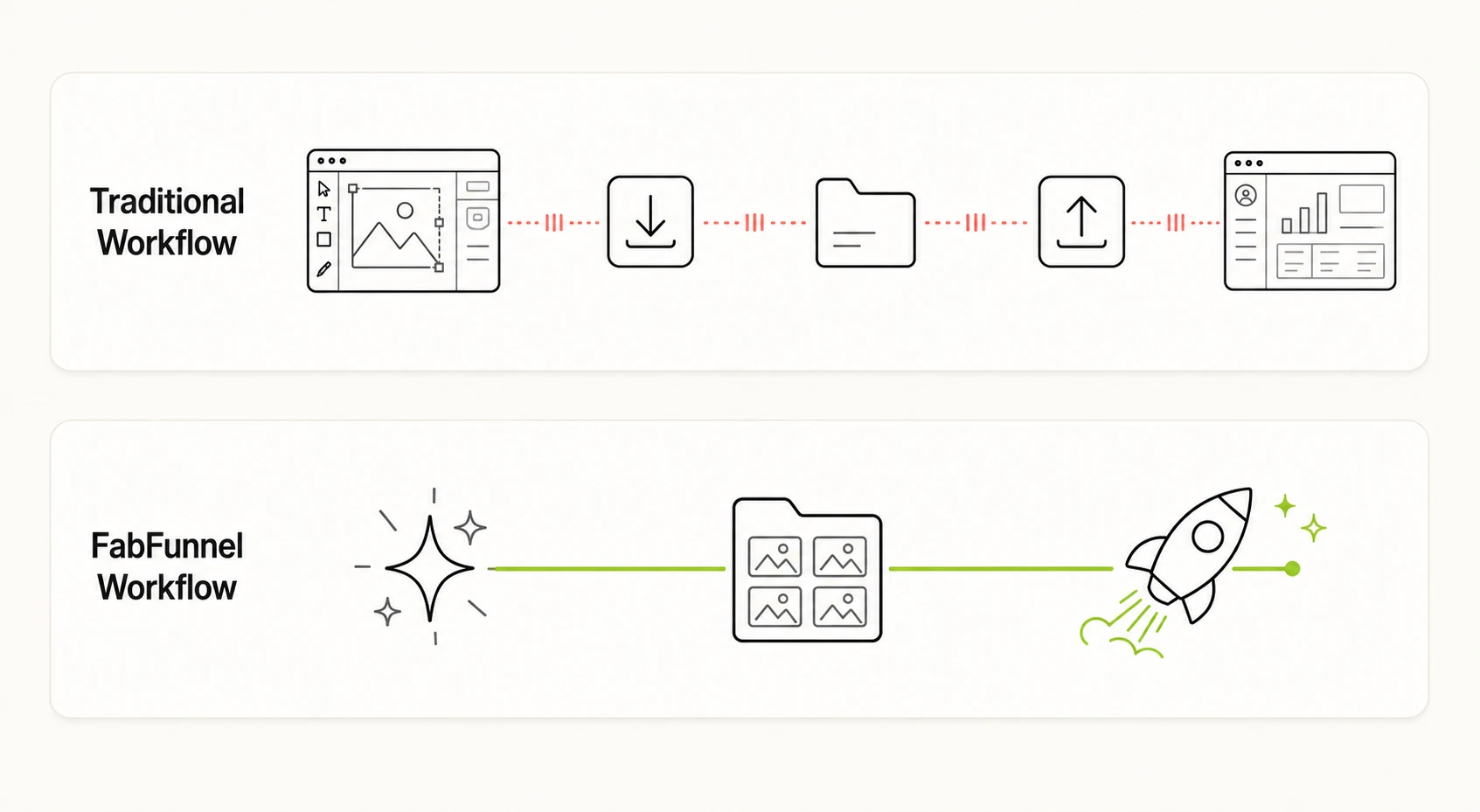
Because most ad tech stacks were assembled from separate best-of-breed tools rather than built as one pipeline. A design tool or AI generator produces the asset. A DAM or shared drive stores it. Ads Manager (or a bulk upload tool) is where it actually launches. Each of those is a different login, a different file format expectation, and a different person’s responsibility — so the file gets downloaded from tool one and uploaded into tool two as a matter of course.
The cost isn’t just time. Every manual handoff is a place where someone uploads a compressed or outdated version of a file, where a creative that was rejected in review gets uploaded anyway because nobody synced the decision, or where a launch stalls because the person with the file is out that day. None of that shows up as a single dramatic failure — it shows up as a campaign that launches a day later than planned, repeated across enough campaigns that it becomes a real velocity problem.
What Does “No Downloads, No Re-Uploads” Look Like in Practice?
Concretely, it means the creative never has to touch your desktop between being generated and being live. Here’s how that plays out across a typical asset’s path through a connected platform versus a stitched-together stack.
| Stage | Stitched-Together Stack | Connected Creative Management Platform |
|---|---|---|
| Generate the creative | Produced in one tool, exported as a file | Produced inside the platform, stored automatically — no export step |
| Organize and find it | Manually filed into folders on a drive or DAM | Auto-organized by brand/category/product structure tied to the catalogue |
| Get it approved | Shared via file link or attachment, tracked separately | Reviewed inside the same library the creative already lives in |
| Launch it | Downloaded, then re-uploaded into Ads Manager or a bulk tool | Pushed directly into campaign build — no file leaves the platform |
| Refresh or replace it | New file generated, downloaded, re-uploaded again | New variation generated from the same approved base, launched the same way |
The pattern across every row is the same: a connected platform keeps the asset in one system end to end, where a stitched-together stack forces a file transfer at nearly every stage.
What Should You Look For in a Creative Management Platform?
If you’re evaluating tools under this label — including the “best creative management platform” comparisons that circulate in this space — check for these specifically, because the marketing language rarely distinguishes them on its own:
- Does it generate creative, or only store what you already made? A CMP with no generation layer just moves the manual-creation bottleneck upstream of it.
- Does creative it produces (or receives) land somewhere organized automatically, or do you still have to manually file it by hand?
- Can approved creative go live without leaving the platform? This is the single biggest differentiator between a true CMP and a well-organized creative library.
- Does it handle your actual catalogue structure — brand, category, product — or just flat file storage?
- What happens when a creative needs a refresh? A real CMP lets you generate a new variation off an approved asset rather than starting the whole cycle over.
Is FabFunnel a Creative Management Platform or Just a Creative Generator?
FabFunnel is built to cover the full lifecycle rather than one stage of it, which is what puts it in the creative management platform category rather than the narrower generation-only or storage-only ones.
Generation happens through Genie, which produces creative across four modes — Product Ad, Brand Ad, Product Shoot, and Performance Ad — plus a Create Variations feature for producing new versions off an existing approved creative instead of starting from scratch. Genie draws on a Catalogue structured as Brand → Categories → Products, which syncs automatically for connected Shopify stores (manual upload for other setups), and a Concepts tab with roughly 200 pre-built creative frameworks if you need a starting angle rather than a blank page.
Generated creative lands directly in the Creative Library, organized by folder and category — this is the “no download” half of the equation, since there’s no export step between Genie producing an asset and it being stored somewhere findable.
The “no re-upload” half comes from the Bulk Campaign Launcher, which pushes creative into live campaigns directly from that same connected system — supporting Folder Launch for pushing an approved batch live in one action, and dynamic variables for generating over 1,000 campaign variations from a single run when creative needs to pair with multiple audiences or products at scale. Nothing in that path requires downloading a file from one tool and uploading it into another.
That said, this doesn’t cover every layer of a media operation on its own. Reporting and optimization sit alongside this pipeline rather than inside the creative path itself: Co-Pilot is a recommendation layer trained on live reporting data (it surfaces what to change; it doesn’t execute automatically), the Automation Rules Engine handles budget and frequency logic with every action logged against the condition and timestamp that triggered it, and Multi Ad Account Reporting keeps spend, ROAS, CPR, CPC, and CTR synced roughly every 15 minutes across Meta, TikTok, and NewsBreak. Those are separate, connected layers — worth knowing about if you’re evaluating the platform as a whole, but distinct from the specific creative-to-launch pipeline this piece is about.
FAQ
What’s the difference between creative management software and a digital asset management (DAM) tool?
A DAM is primarily a storage and organization system — it’s built to help you find and version existing files. Creative management software (or platform) usually implies the storage layer plus generation and/or launch capability connected to it. If a tool only lets you store and tag assets, it’s functioning as a DAM regardless of what it’s marketed as.
What makes something a CMP versus just a creative generator?
A creative generator produces an asset and hands it to you as a file — what happens next is on you. A CMP (creative management platform) keeps that asset inside the same system through organization and launch, so generation is one stage of a longer connected pipeline rather than the whole product.
Is the best creative management platform always the one with the most generation modes?
Not necessarily. Generation breadth matters if creative variety is your bottleneck, but a platform with strong generation and a weak launch connection still leaves you manually re-uploading files — check the full lifecycle, not just the generation feature list, before treating mode count as the deciding factor.
Does removing downloads and re-uploads actually save meaningful time, or is it a minor convenience?
It scales with volume. For a handful of campaigns a month, manual file handling is a minor annoyance. For teams launching dozens of campaigns or managing multiple ad accounts, every manual handoff multiplies, and it’s usually the difference between a same-day launch and a multi-day one.
Can a creative management platform work if I don’t sell physical products?
Catalogue-driven generation and syncing assumes a structured product feed, which fits ecommerce and similar catalogue-based businesses most directly. Brand- and concept-driven generation modes are less catalogue-dependent and can still apply outside of ecommerce, but the automatic sync benefit is strongest when there’s a real product feed behind it.
Is “CMP” just short for creative management platform, or something different?
They’re the same thing — CMP is simply the acronym vendors and buyers use for creative management platform, and the two terms show up interchangeably in comparison content and vendor pitches. When you see a “CMP creative management platform” claim in a listing or pitch deck, hold it to the same lifecycle test as any fully spelled-out one: does creative move from generation to live campaign without a manual export step.
What should I ask a vendor to verify their tool is a real CMP and not just relabeled storage?
Ask them to walk through what happens to a single asset from the moment it’s generated (or uploaded) to the moment it’s live in a campaign — and count how many times a file gets exported and re-imported along the way. If the answer is zero, it’s a connected platform. If the answer is one or more, it’s storage or generation wearing a platform label.
Closing
The download-then-re-upload step is easy to overlook because no single instance of it feels expensive — it’s the accumulation across every campaign, every refresh, every approval cycle that adds up to a real velocity cost. If you’re evaluating creative management platforms, the generation feature list matters less than whether creative can move end to end — generated, organized, launched — without a file ever leaving the system. That connected path, from Genie through the Creative Library to the Bulk Campaign Launcher, is specifically what FabFunnel is built around.