Quick Answer
AI advertising for a multi-product ecommerce brand means generating and launching ad creative directly from your product catalogue instead of building one ad at a time. The mechanism that makes this work at scale is a connected pipeline: catalogue data feeds creative generation, generated creative lands in an organized library, and that library pushes into campaigns through bulk launch tools. Brands with 50, 500, or 5,000 SKUs hit the same wall without this — a design and campaign-build bottleneck that caps how many products ever get proper ad support.
Most ecommerce brands with more than a handful of products run into the same problem: only a fraction of the catalogue ever gets dedicated ad creative. The bestsellers get campaigns. The other 80% of SKUs sit untested, not because they wouldn’t sell with the right ad, but because nobody has time to design, write, and launch a campaign for every product individually. AI advertising tools exist specifically to remove that ceiling — but “AI advertising” covers a wide range of actual capability, from a narrow ai powered advertising plugin that outputs one asset at a time to a full catalogue-connected pipeline, and it’s worth being precise about what building ai ads at scale actually requires.
What Does “AI Advertising at Scale” Actually Require?
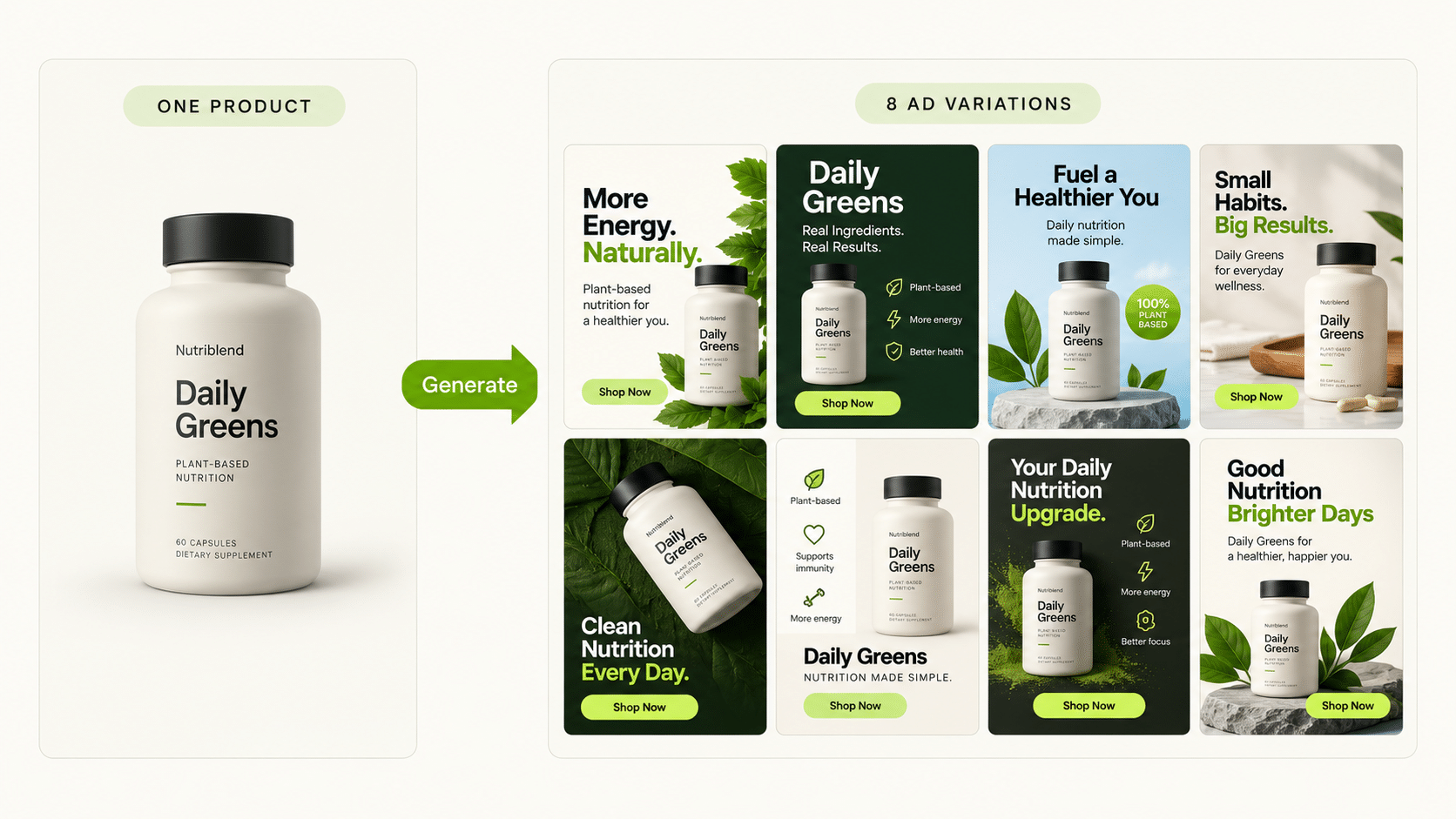
Three things have to work together, not in isolation: a structured source of product data, a way to turn that data into creative without a designer touching every SKU, and a way to launch the resulting ads without building each campaign by hand. Tools that solve only one of these — a generator that outputs a single hero image, a bulk uploader with no creative layer, a catalogue sync with no campaign connection — leave the other two bottlenecks in place.
This is where “ai advertising” as a search term gets misleading. A lot of what’s marketed under it is a single-image generator, useful for one-off assets but not built to move a 500-SKU catalogue into live campaigns on its own.
How Does Catalogue Structure Turn Into Ad Creative Automatically?
The starting point is the catalogue itself. FabFunnel’s Catalogue is structured as Brand → Categories → Products, and for connected Shopify stores it syncs automatically — no manual re-upload every time inventory changes. Other platforms require a manual upload, but the structure stays the same either way: once products sit in that hierarchy, they become the direct input for creative generation rather than a spreadsheet someone has to reference by hand.
From there, Genie generates creative across four modes: Product Ad, Brand Ad, Product Shoot, and Performance Ad. For a multi-product brand, the practical value is that each mode can run against the same catalogue structure repeatedly, rather than a designer starting a new brief for every SKU. A Concepts tab with roughly 200 pre-built creative frameworks gives a starting angle when a category needs a fresh direction, instead of staring at a blank canvas for the fortieth product in a row.
What Happens to Creative Once It’s Generated?
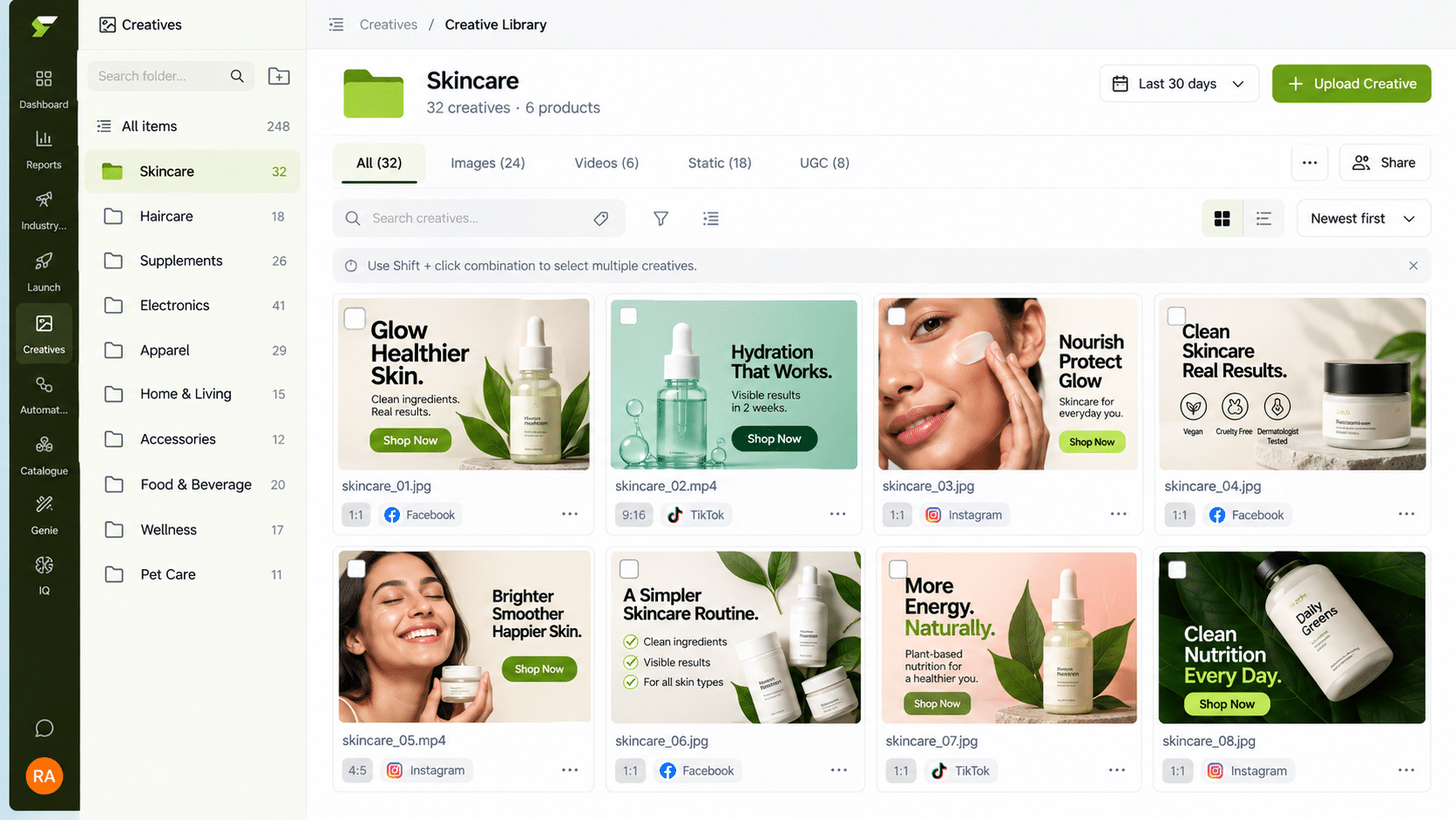
Generated creative lands in the Creative Library, organized by folder and category rather than a flat dump of files. For a brand managing creative across dozens of product categories, this is the difference between finding last month’s approved variation in seconds versus digging through a shared drive. It also means creative tied to a specific SKU or category stays associated with that context, which matters when a product line needs a refresh six months later.
How Do You Launch Hundreds of Product Ads Without Building Each Campaign by Hand?
This is the step where most catalogue-driven creative tools stop, and where a genuine ads-at-scale workflow has to pick up. FabFunnel’s Bulk Campaign Launcher pushes 200+ campaigns live in under two minutes, with Folder Launch for taking an approved batch of creative straight into live campaigns in one action. Dynamic variables extend this further, generating over 1,000 campaign variations from a single run — useful when a multi-product catalogue needs creative paired against multiple audiences, placements, or regional variants at once.
The mechanism worth understanding: this isn’t the same creative repeated across more ad accounts. It’s the catalogue structure driving both the creative generation and the campaign build, so a 300-SKU catalogue with 3 audience segments doesn’t require 900 manual campaign builds to test properly.
Building at Scale vs. Building One Ad at a Time
| Step | Manual, Per-Product Approach | Catalogue-Driven AI Advertising |
|---|---|---|
| Sourcing product data | Reference a spreadsheet or manually check the store for each SKU | Catalogue synced automatically (Shopify) or uploaded once, structured by Brand → Category → Product |
| Creating ad creative | Brief a designer per product or per batch | Generate directly from catalogue data across four modes, with ~200 concept frameworks available |
| Organizing output | Files saved ad hoc across folders or drives | Auto-organized into a Creative Library by category |
| Launching campaigns | Build each campaign manually in Ads Manager | Push 200+ campaigns live in under two minutes via Bulk Campaign Launcher |
| Testing variants | Manually duplicate campaigns per audience/placement | Dynamic variables generate 1,000+ variations from one run |
Does This Replace the Need for Strategy or Just the Manual Labor?
It replaces the manual labor, not the judgment calls. Deciding which categories deserve dedicated creative attention, what a brand’s core visual direction should be, and which audiences to prioritize is still a strategic decision a person makes. What changes is that those decisions no longer have to be rationed because building creative and campaigns for every product was too slow to justify. Co-Pilot, FabFunnel’s recommendation layer trained on live reporting data, surfaces what’s underperforming across the catalogue without executing changes automatically — the decision to act still sits with a person, informed by data rather than a full manual review of every SKU’s numbers.
How Does Reporting Work Once You’re Running Ads Across an Entire Catalogue?
Once a catalogue-wide launch is live, the reporting question shifts from “how did this one campaign do” to “which parts of the catalogue are actually working.” Multi Ad Account Reporting keeps spend, ROAS, CPR, CPC, and CTR synced roughly every 15 minutes across Meta, TikTok, and NewsBreak, with per-account timezone settings — necessary when a catalogue-wide launch touches enough campaigns that manually checking each one isn’t realistic.
What Is a Realistic First Step Into AI Advertising?
Pick one product line, not the whole catalogue. Run AI advertising on that slice for a few weeks, compare the hours spent and the creative volume against your usual process, and expand only if the numbers support it. Starting small keeps the first round of AI advertising easy to review and easy to correct.
FAQs
What counts as “AI advertising” for an ecommerce brand versus a single AI ad generator?
A single-image or single-ad generator produces one asset per request, useful for one-off creative but not built around a catalogue. AI advertising at the catalogue level means the generation, organization, and launch steps are all connected to the same product data, so scale comes from the pipeline, not from repeating manual work faster. The same distinction applies to artificial intelligence advertising more broadly — the label doesn’t tell you which part of the workflow it actually covers.
Does artificial intelligence advertising work if my catalogue isn’t on Shopify?
Catalogue sync is automatic for connected Shopify stores; other platforms require a manual catalogue upload. The Brand → Categories → Products structure and the generation and launch tools work the same either way once the catalogue is in place.
How many SKUs does a brand need before catalogue-driven AI ads make sense?
There’s no fixed cutoff, but the case gets stronger as manual, per-product creative and campaign builds become the actual bottleneck — often somewhere past a few dozen actively advertised SKUs, though brands with smaller catalogues and frequent new product launches see the same benefit sooner.
Can AI ads tools generate creative that still matches brand guidelines across hundreds of products?
Generation modes work from your catalogue and brand inputs, and the Concepts tab offers pre-built frameworks rather than fully generic output, but brand consistency across a large output volume still benefits from a review pass before launch, especially early on while establishing which frameworks fit the brand.
What’s the difference between AI advertising tools and AI ad creative generators specifically?
A creative generator is one component — it produces the ad asset. AI advertising tools, in the fuller sense used here, cover creative generation plus organization and campaign launch as a connected system. A brand evaluating “ai advertising tools” should check whether a vendor covers all three stages or just the generation piece.
Does bulk-launching 200+ campaigns risk quality control across a full catalogue?
The launch step is the mechanical part — pushing approved creative into live campaign structures. Quality control still happens upstream, during the creative review that happens before a batch is approved for Folder Launch, not by skipping review and hoping the bulk launch catches problems.
How does reporting stay usable once you’re running ads across an entire catalogue instead of a handful of campaigns?
Reporting that aggregates by account and syncs on a fixed interval (roughly every 15 minutes for spend, ROAS, CPR, CPC, and CTR) turns a “check every campaign manually” problem into a “scan the dashboard for outliers” problem, which is the only way catalogue-wide reporting stays practical past a certain volume.
Where to Start
If a large share of your catalogue has never had dedicated ad creative because building it one product at a time wasn’t realistic, that’s the specific bottleneck catalogue-driven AI advertising is built to remove. FabFunnel connects catalogue data, creative generation through Genie, organized storage in the Creative Library, and bulk launch through one pipeline — start at FabFunnel or explore Fab AI for the creative generation layer specifically.