Quick Answer
TikTok ads reporting lives in TikTok Ads Manager. You can build custom reports by choosing dimensions (campaigns, ad groups, ads, placements) and metrics, start from a template such as Ad Group Performance or Ad Performance, and schedule exports by email to up to five recipients. Attribution is set at the ad group level, and TikTok’s help pages disagree on which window options are available now, so check your own account before you plan. Creative requirements affect results too: TikTok lists vertical 9:16 as recommended, a 5 to 60 second length for standard in-feed video, and audio as required. Verify current figures in the help center.
What Is TikTok Ads Reporting?
TikTok ads reporting is the process of reading, exporting, and presenting performance data from your TikTok campaigns. It supports monitoring, analysis, and communication. Monitoring checks spend and delivery. Analysis compares ad groups, creatives, audiences, and placements. Communication packages results for clients and managers.
Because TikTok is creative-led, reporting should help you answer one question quickly: which creative is working, and when is it tiring? A report that cannot show creative performance next to spend is missing the most useful view.
Where Do You Find TikTok Ads Reporting?
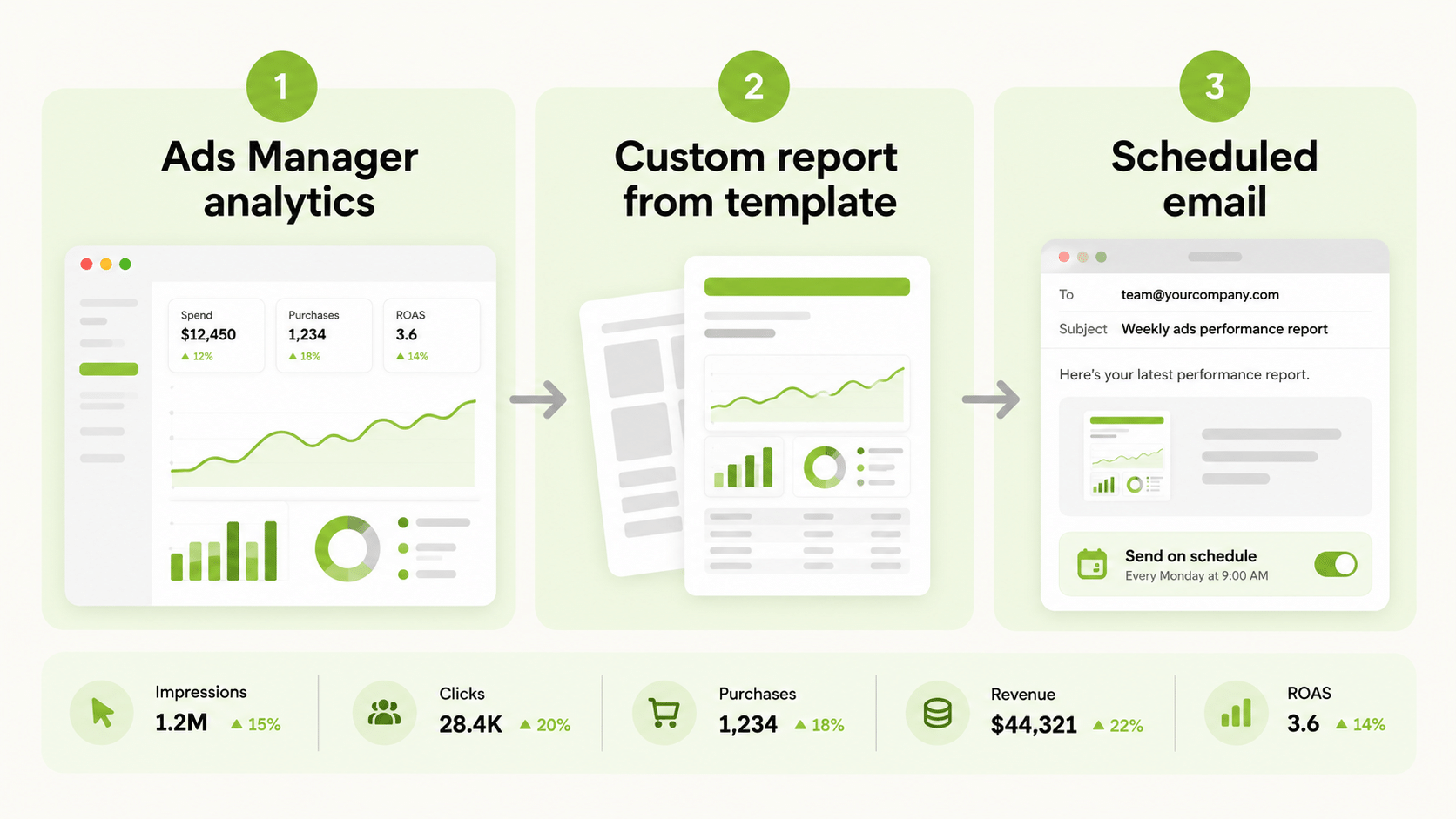
TikTok’s help pages place custom reports in the Analytics tab of Ads Manager. You choose dimensions, which are the row groupings such as campaigns, ad groups, ads, and placements, and metrics, which are the numbers in each column.
| Option | What it gives you |
|---|---|
| Dashboards | A quick view of campaign performance |
| Custom reports | Chosen dimensions and metrics, saved for reuse |
| Report templates | Pre-built starting points, currently including Ad Group Performance and Ad Performance |
| Scheduled reports | Recurring email delivery of a custom report |
How Do TikTok Ads Report Templates Work?
According to TikTok’s help center, a template shows the most relevant dimensions and metrics for its purpose, and you can add, delete, or modify them. Templates are a fast way to start. Treat each as a draft: check the metrics, set the date range, remove unused columns, and save it with a name that says who it is for and what it answers.
Pick the template by the question. Ad Group Performance suits budget and audience decisions. Ad Performance suits creative decisions. If your account runs many creatives, build both and review them on different days.
Which Metrics Should TikTok Ads Reporting Track?
| Goal | Core metrics |
|---|---|
| Awareness | Impressions, reach, frequency, CPM |
| Traffic | Clicks, CTR, cost per click, landing page views |
| Video engagement | Video views, average watch time, completion rates where available |
| Sales | Purchases, conversion value, cost per purchase, ROAS |
Keep the first view to five or six numbers and add detail only when a question needs it. For creative analysis, pair a hook metric such as early video views with a result metric such as cost per result, so that you can see whether attention turns into outcomes.
How Do You Schedule TikTok Ads Reporting?
TikTok’s help pages describe scheduled exports of custom reports. A schedule sends the report by email at a set frequency, with up to five recipients and a choice of file format. Emails usually arrive in the early morning in your ad account’s time zone, after data processing. A schedule is cancelled automatically if no recipient downloads its reports for three consecutive months.
That last rule matters. If reports stop arriving, check whether the schedule was cancelled before you assume a data problem.
How Does Attribution Work in TikTok Ads Reporting?
Attribution settings decide which conversions are counted and when. TikTok’s help center says windows are set at the ad group level under Bidding and Optimization, and that they cannot be changed once the ad group is published. The window options differ between help pages: one lists click windows of 1, 7, 14, or 28 days with view windows of off, 1 day, or 7 days, while another says new ad groups under the self-attributing model are limited to 1 or 7 days for clicks and off or 1 day for views. Because the pages conflict, check the options shown in your own account.
TikTok also offers Performance Comparison under attribution analytics, which lets you compare click and view attribution across windows. The attribution setting does not affect reporting from a mobile measurement partner. As always, pick a source of truth, state the window, and keep it constant when you compare periods.
What TikTok Ads Requirements Affect Reporting?
Creative that fails requirements cannot run, so it cannot be reported on. TikTok’s help pages list these for standard in-feed video ads.
| Requirement | What the help pages list |
|---|---|
| Aspect ratio | 9:16 vertical recommended; 16:9 and 1:1 also accepted |
| Minimum resolution | At least 540 by 960 pixels for vertical |
| Length | 5 to 60 seconds, with 9 to 15 seconds recommended |
| File size | Up to 500 MB |
| Formats | .mp4, .mov, .mpeg, .3gp |
| Policy | Ads must contain audio, and static images should not fill more than half the video |
These figures differ by ad product, and some pages are old, so confirm the live specification before you brief creative. Requirements around account approval, budgets, and policy also apply and should be checked in Ads Manager.
Why Do TikTok Numbers Differ From Other Tools?
TikTok counts conversions under its own attribution rules, so totals will rarely match your analytics tool, your store, or other platforms. Time zones, delayed data, and window differences add to the gap. Write a reconciliation rule that names the source of truth and the window, and use TikTok’s figures as directional checks.
When Do You Need a TikTok Ads Reporting Tool?
Native reporting suits one account and one reader. A TikTok ads reporting tool earns its place when you manage several accounts, need TikTok next to other platforms, want branded client dashboards, or need delivery beyond native scheduling. Compare tools on the metrics they read, data freshness, ownership of the connection, and cost as accounts grow, and ask to see your own account data.
How Do You Fit TikTok Ads Reporting Into a Multi-Platform View?
FabFunnel’s Multi Ad Account Reporting shows TikTok alongside Meta and NewsBreak, with Google and Snapchat also connected for reporting, so you can compare spend and performance in one dashboard. FabFunnel also launches campaigns on Meta, TikTok, and NewsBreak. The columns follow each platform’s own metrics, so check them before you use the dashboard for client reporting.
How Should You Read Creative Performance in TikTok Ads Reporting?
Creative is the main lever on TikTok, so build a routine around it. Group ads by concept, not by file name, so that you compare ideas rather than versions. Look first at early attention, such as video views and watch time, then at click-through and cost per result. A creative with strong attention and weak results usually has a landing page or offer problem. A creative with weak attention needs a new hook.
Give each creative enough impressions before you judge it, and refresh on a schedule. Frequency climbs quickly on narrow audiences, and a creative that worked in week one often tires by week three. Keep a short log of each concept, the hook, the date range, and the result, so that your next brief starts from evidence.
Finally, remember that Spark Ads, which use existing organic posts, and standard in-feed ads can behave differently. Report them separately where you can, so that one format does not hide the other.
What TikTok Ads Reporting Mistakes Should You Avoid?
Common errors include changing attribution windows mid-test, judging creative before it has enough impressions, mixing column sets between reports, ignoring schedule cancellations, and briefing creative without checking the specification. Review your reports quarterly and retire the ones nobody reads.
FAQs
What is TikTok ads reporting?
It is the set of dashboards, custom reports, templates, and exports used to monitor, analyse, and communicate TikTok campaign performance.
Does TikTok have report templates?
Yes. Templates currently include Ad Group Performance and Ad Performance, and you can modify them.
Can I schedule TikTok reports?
Yes. Scheduled exports email a custom report to up to five recipients at a set frequency.
What are TikTok ads requirements for video?
TikTok lists 9:16 as recommended, 5 to 60 seconds in length, audio required, and files up to 500 MB. Verify the current specification in the help center.
Where is the attribution window set?
At the ad group level, and it cannot be changed after publishing.
Can FabFunnel launch TikTok campaigns?
Yes. FabFunnel launches campaigns on Meta, TikTok, and NewsBreak.