Quick Answer: TikTok Business Manager (officially TikTok Business Center) is a central account that manages ad accounts, team access, and shared assets like pixels and catalogs in one place. A single TikTok Ads Manager account works fine for one advertiser running one account. Business Manager becomes necessary once multiple ad accounts, team members, or an agency managing several clients enter the picture.
What TikTok Business Manager Actually Is
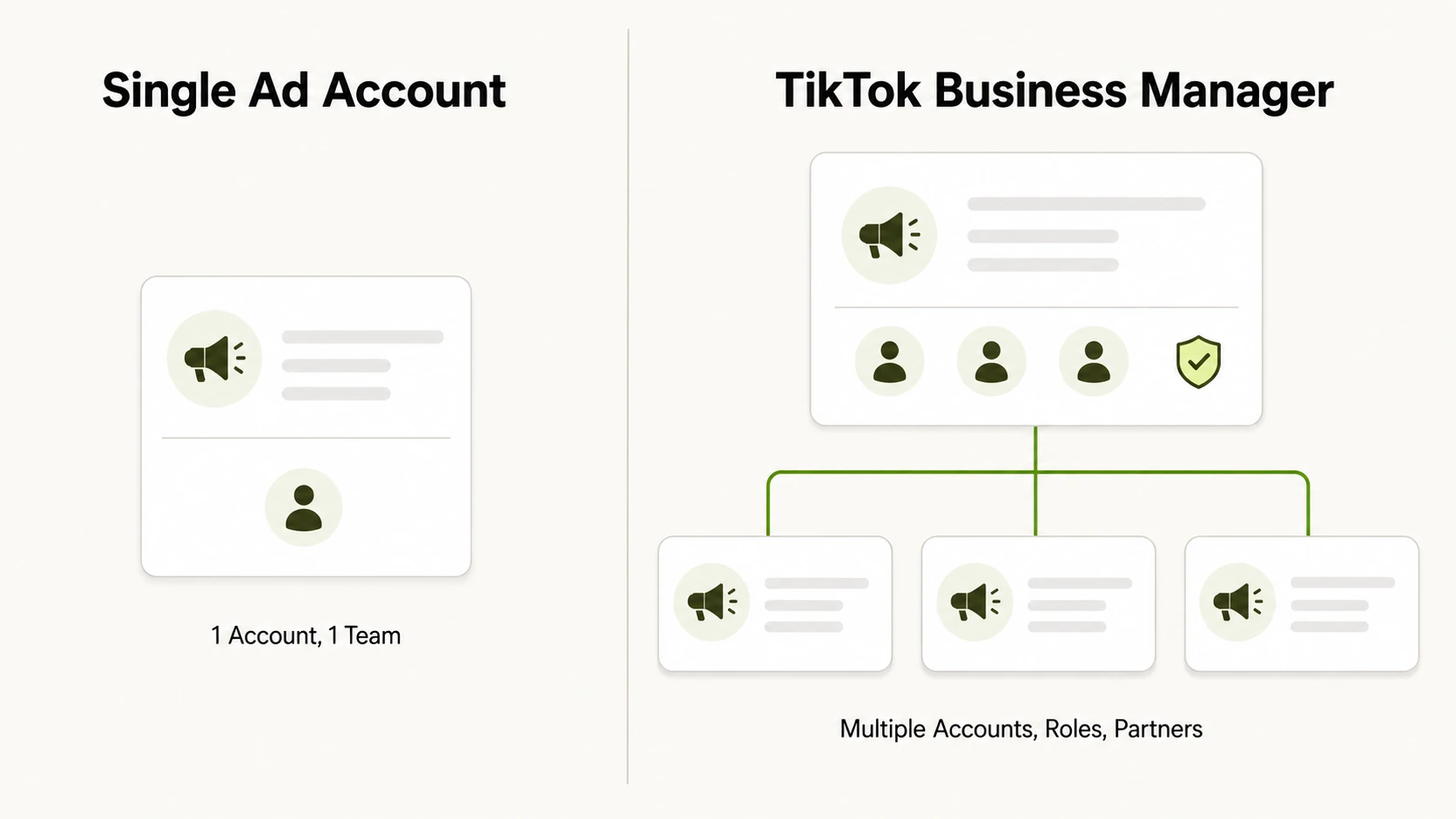
TikTok Ads Manager is where you build campaigns, set budgets, and pull reporting for one ad account. TikTok Business Manager sits above that layer. It is not itself an ad account and it does not run campaigns. It is an organizational shell that holds ad accounts, TikTok Pages, pixels, catalogs, and the people and partners who need access to them.
The reason this layer exists is straightforward: ad accounts get shared. A brand might run one account for US campaigns and another for EMEA, both tied to the same tiktok business manager account behind the scenes. A team might need a media buyer, a designer, and a finance lead to each touch the same account with different permission levels. An agency might manage a dozen ad accounts belonging to different clients without juggling a dozen sets of login credentials.
Business Manager solves this by letting an admin invite people by email, assign a role to a specific asset, and revoke access instantly if someone leaves the team or an agency relationship ends. The account owner never has to share a password, and every action inside an asset is tied to the person who took it. It also becomes the anchor point for business verification and payment setup as an advertiser scales spend.
TikTok Business Manager vs. a Single TikTok Ads Manager Account
The distinction is easy to lose since both interfaces show campaign data. The difference is scope. A single Ads Manager account is scoped to one advertiser and one set of campaigns. Business Manager is scoped to a business entity that can own multiple ad accounts, multiple Pages, and multiple partner relationships at once.
| Single TikTok Ads Manager Account | TikTok Business Manager | |
|---|---|---|
| Scope | One advertiser, one ad account | One business, multiple ad accounts and assets |
| Campaign building and reporting | Yes | Yes, inside each linked ad account |
| Team permission control | Limited, mostly account-level login sharing | Granular, per-asset roles assigned by email |
| Agency or partner access | Requires sharing credentials or direct account access | Partners added at the Business Center level with scoped access |
| Shared assets (pixels, catalogs, Pages) | Tied to the single account | Centralized and reusable across linked ad accounts |
| Best fit | One person or small team, one account | Multiple accounts, multiple people, or agency management |
A table earns its place here because the two products are frequently confused, and the practical differences, who can be added, how access is scoped, whether assets are shared or siloed, compare more clearly side by side than in prose.
When You Actually Need TikTok Business Manager
Not every advertiser needs it. If you are a single business running one ad account, with one or two people who already have direct login access, a plain Ads Manager account covers everything. Setting it up in that situation adds an administrative layer without a corresponding benefit.
It earns its place once any of the following is true.
Multiple ad accounts under one business, split by region, brand, or testing versus production. Managing those as separate logins gets unwieldy fast, and Business Manager lets you view and administer all of them from one place.
Multiple team members with different responsibilities. A media buyer needs to edit campaigns, a finance lead needs billing visibility without creative access, a designer needs to upload assets without touching budgets. Role-based permissions handle this without anyone sharing a password.
Agencies managing multiple clients. An agency running TikTok ads for ten clients needs each client’s ad account kept separate, needs to onboard and offboard staff without touching client-level credentials, and often needs the client to retain ownership while granting the agency scoped access as a partner. This is the structure Business Manager is built for.
A business that expects to scale spend or account count soon. Setting up Business Manager early, even with a single account today, avoids a migration later.
How to Set Up TikTok Business Manager
Setup happens at business.tiktok.com, separate from the Ads Manager login flow, though the two are linked once complete, and that same URL becomes your tiktok business manager login going forward, distinct from where you sign into Ads Manager directly.
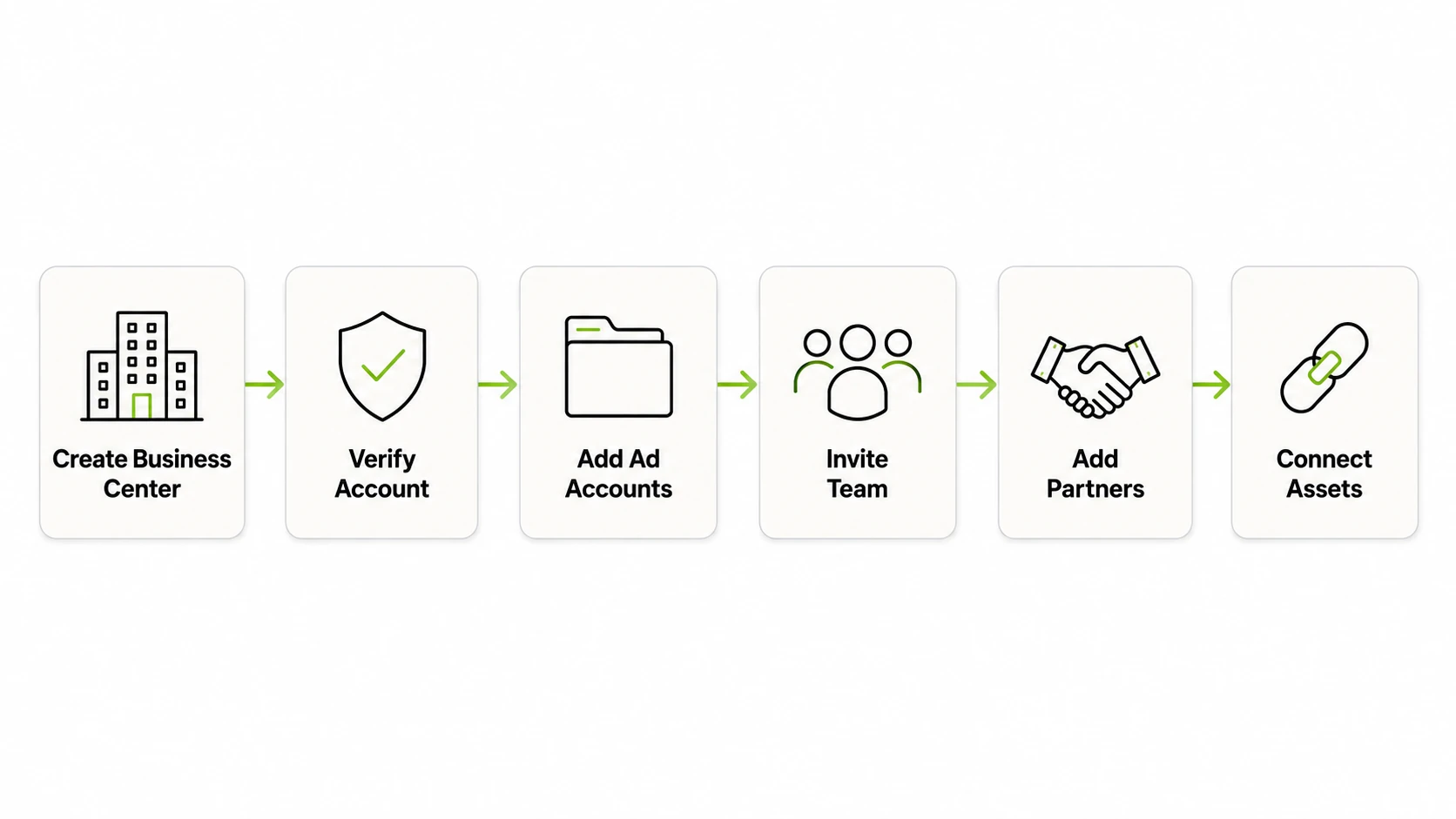
Create the Business Center. Sign up with a business email and provide the basic details TikTok asks for: business name, region, and time zone. This becomes the top-level container for everything else, effectively how you create tiktok business manager access from scratch for the first time.
Verify the account. Confirm the email tied to the Business Center, the same credentials you’ll use for tiktok business manager sign in going forward. Depending on business type and spend level, TikTok may request additional verification documentation before unlocking full functionality.
Add or create ad accounts. From the asset section, either create a new ad account under the business or add one you already own. Agencies adding a client’s existing account typically do this through a partner-sharing request, so the client retains ownership.
Invite team members and assign roles. Add people by email and assign a role scoped to a specific asset, an ad account, a Page, a pixel, rather than the whole Business Center by default. This keeps a designer who only needs creative access from also getting billing visibility.
Add partners for agency relationships. An outside agency is added as a partner using its own Business Center ID, letting the client keep control of the account while granting the agency defined permissions.
Connect shared assets. Pixels, catalogs, and TikTok Pages get linked at the Business Center level so any ad account under that business can use them, instead of setting each one up separately.
Once these pieces are in place, day-to-day campaign work still happens inside Ads Manager. Business Manager is where the account structure and permissions live behind the scenes.
Managing Access at Scale
The ongoing value shows up in maintenance. Offboarding is one email removal instead of a password reset across every asset someone touched. Auditing access is a single screen instead of a memory exercise.
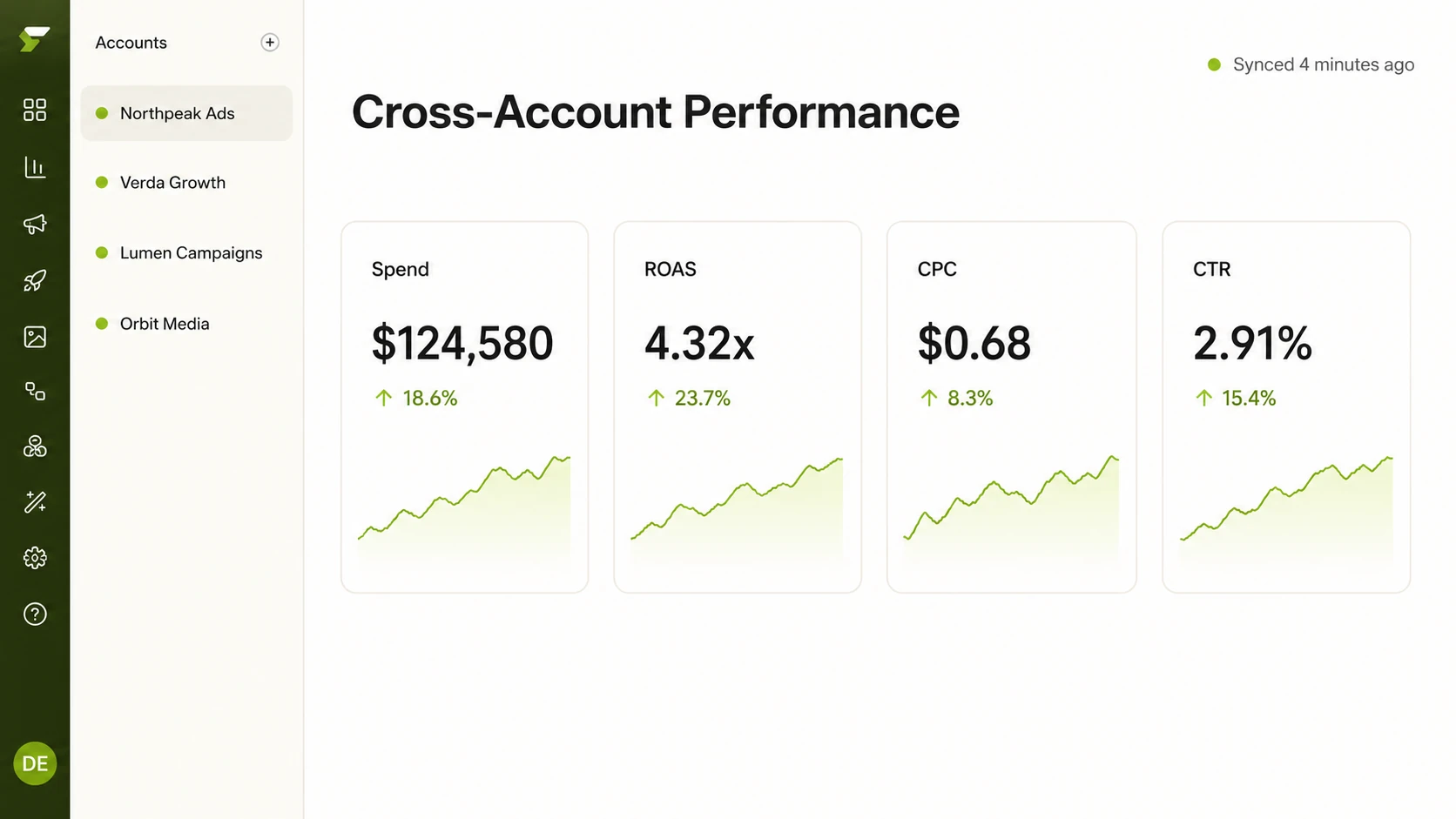
Business Manager handles permissions and asset ownership well, but it was not built as a cross-account performance reporting tool. Checking spend, ROAS, or CTR across several ad accounts still means opening each one separately inside Ads Manager, unless a business uses a reporting layer built for that purpose. FabFunnel’s Multi Ad Account Reporting syncs spend, ROAS, CPR, CPC, and CTR roughly every 15 minutes across every connected account with timezone selection, relevant once a business has moved past a single ad account into a Business Manager structure. For agencies running multiple clients, FabFunnel’s team-based plans pool credits, competitor tracking slots, and storage across the workspace instead of splitting them account by account.
FAQs
1. Do I need Business Manager if I only run one ad account?
Generally not. If a single person or small team with direct login access runs one ad account, a plain Ads Manager account is enough. Business Manager becomes worthwhile once you add more accounts, more people needing different permission levels, or an outside agency.
2. What happens to my ad account if I set up Business Manager later instead of at the start?
Existing ad accounts can be added to a Business Center after the fact rather than only being creatable from scratch inside it. The process involves linking or requesting access to the account, manageable but an extra step that starting with Business Manager from day one avoids.
3. Does Business Manager let me see combined performance across all my ad accounts in one view?
It is focused on asset and permission management rather than unified performance reporting. Checking metrics across multiple accounts typically means going into each one inside Ads Manager, unless you’re using a separate reporting tool built for cross-account visibility.
4. Who should get admin access versus standard or custom access?
Admin access should stay limited to whoever owns the account relationship and needs full control, including adding or removing users. Day-to-day team members, such as media buyers or designers, are better suited to standard or custom roles scoped to the specific asset they work in.
5. Is Business Manager free to use?
Setting up and using it does not carry a separate fee beyond the ad spend running through the linked ad accounts. It is an account structure and permission system, not a paid product tier.
Getting Started
TikTok Business Manager is worth the setup time once more than one person or more than one ad account is involved. Once it is in place, keeping performance visibility organized across accounts is the next practical problem, which is where FabFunnel’s multi-account reporting and team-based workspace plans come in. This kind of work is part of what FabFunnel’s ai ad management platform covers. Explore FabFunnel or check out Fab AI.