Quick Answer: Generate best-seller product ads first. They convert on data you already trust, they validate your AI-powered ad creative workflow fast, and they give you a benchmark before touching new arrivals or broad catalogue formats. Once best sellers are running, layer in new-arrival ads for awareness and dynamic catalogue ads for retargeting.
Why Generating Everything at Once Is the Wrong First Move
When a brand connects a product catalogue to an AI creative tool, which is essentially using ai for ad creative at catalogue scale, the instinct is to generate ads for every SKU right away. That instinct is expensive. A catalogue with 200 products, run through four ad modes and several formats, produces thousands of variants before one has proven it can hold attention. Teams that skip prioritization end up with a cluttered Ads Manager and no clearer read on what’s working.
The better approach is sequencing, since even strong ai generated ad creative still needs a deliberate testing order to perform. AI creative generation removes the production bottleneck, but it does not remove the need for a testing order. What you generate first determines how quickly you get a signal worth acting on.
Best-Seller Ads vs. New-Arrival Ads vs. Dynamic Catalogue Ads
Best-Seller Product Ads: Generate These First
Best sellers already carry proof: purchase history, repeat customers, organic search volume. When Genie pulls product data and brand guidelines from your connected Catalogue, best-seller SKUs are the fastest place to produce creative with a real shot at performing, since the product itself is de-risked. Use Product Ad or Performance Ad mode, in a static single image or a short demo video, and you have a baseline to measure everything else against.
New-Arrival Ads: Generate Second, for Awareness
New arrivals carry no performance history, so treat them as a top-of-funnel awareness play rather than a conversion bet. Product Shoot or Brand Ad modes suit this stage, since the goal is introducing the item rather than closing the sale immediately. Run these in smaller volume than best sellers until spend data shows which new SKUs are worth scaling.
Dynamic and Broad Catalogue Ads: Generate Third, Once Segments Are Proven
Dynamic catalogue ads pull from your full Catalogue structure, Brand, then Categories, then Products, to serve the relevant item to each browser, typically for retargeting. They work best once best-seller and new-arrival testing has already told you which categories and formats convert. Building broad catalogue ads before that signal exists means testing your entire inventory blind.
How to Prioritize a Large Catalogue Instead of Generating Everything at Once
For catalogues with hundreds or thousands of SKUs, prioritize before generating:
- Revenue concentration. Pull the SKUs responsible for the bulk of last quarter’s sales, since most catalogues follow a steep curve where a small share of products drives most revenue.
- Category coverage. Within that top tier, check you’re not generating ten variants of one category and none of another. The Catalogue’s Brand, Categories, Products structure makes it easy to pull one or two representative SKUs per category.
- Margin and stock depth. A best seller about to sell out is a poor candidate for a fresh push. Prioritize products with enough inventory to support new demand.
- Platform fit. FabFunnel runs on Meta, TikTok, and NewsBreak, so decide which SKUs suit which platform before generating creative for all three at once.
This typically narrows a 500-SKU catalogue down to a first batch of 15 to 30 products, which a team can generate, launch, and actually review, rather than several hundred that sit unreviewed in Ads Manager.
Matching Creative Format to Funnel Stage
Ecommerce ad creative built from a catalogue splits naturally by funnel stage, and format should follow, which is why teams often organize their ai creative ads by segment before launch. This is one place a table earns its spot, since the mapping between segment, stage, and format is the decision a brand needs to make.
| Catalogue Segment | Funnel Stage | Ad Format |
|---|---|---|
| Best sellers | Prospecting, consideration | Product Ad, single image or short demo video |
| New arrivals | Prospecting, awareness | Brand Ad or Product Shoot, static carousel or reel |
| Full catalogue, synced | Retargeting, DPA-style | Dynamic catalogue ad served from the Catalogue |
| Fatiguing top performer | Retargeting refresh | Create Variations output, same product, new creative |
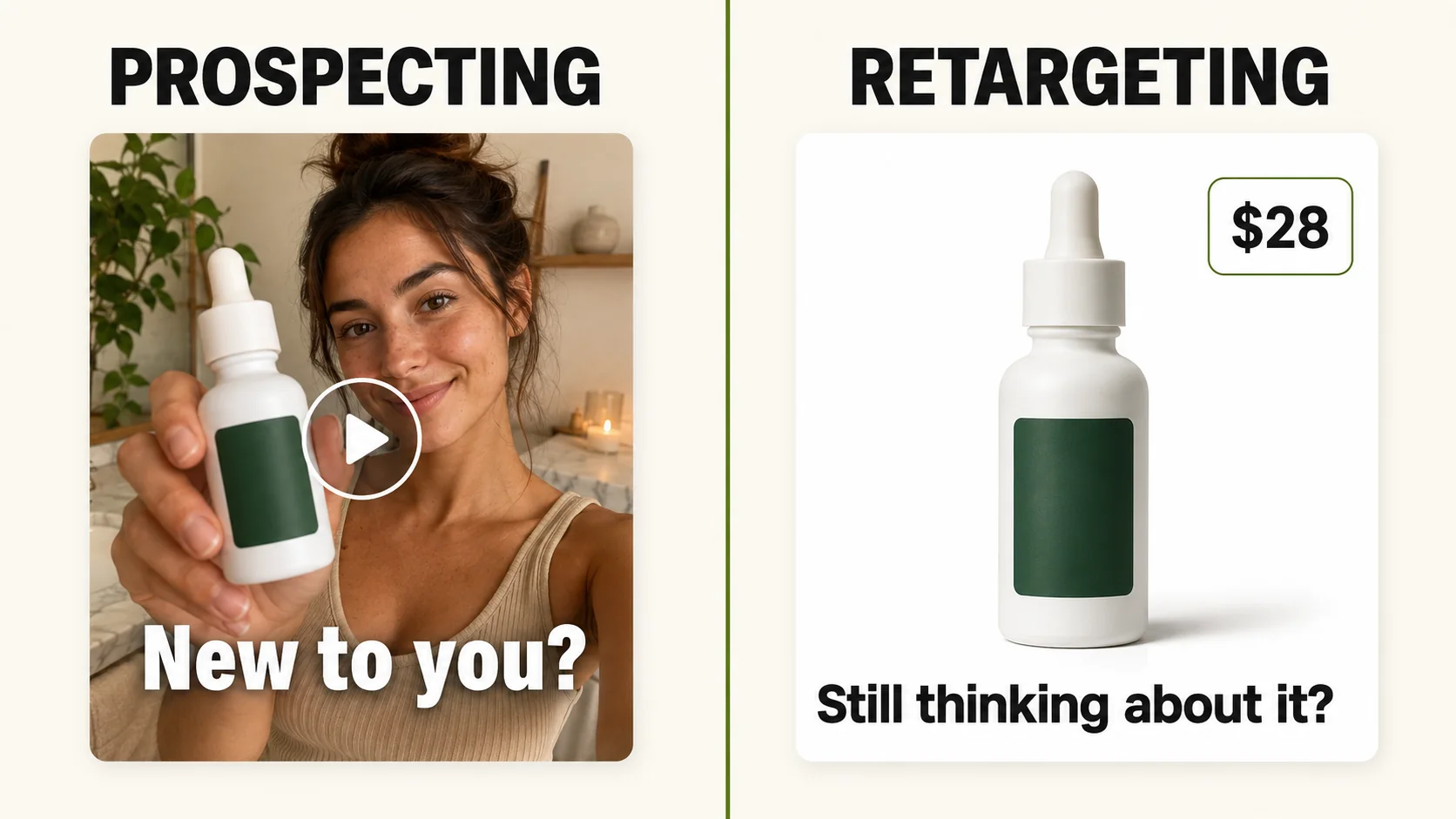
FabFunnel’s Ecom solution is built around this split: sync a catalogue and run DPA and prospecting side by side, rather than treating retargeting and prospecting creative as separate production efforts. Prospecting creative needs to earn attention cold, so UGC-style video and Performance Ad mode tend to carry more of that load. Retargeting creative, particularly DPA-style dynamic ads, can be leaner and more product-forward, since the viewer already has context from an earlier visit.
When a Generated Batch Is Ready to Test vs. Needs More Variation
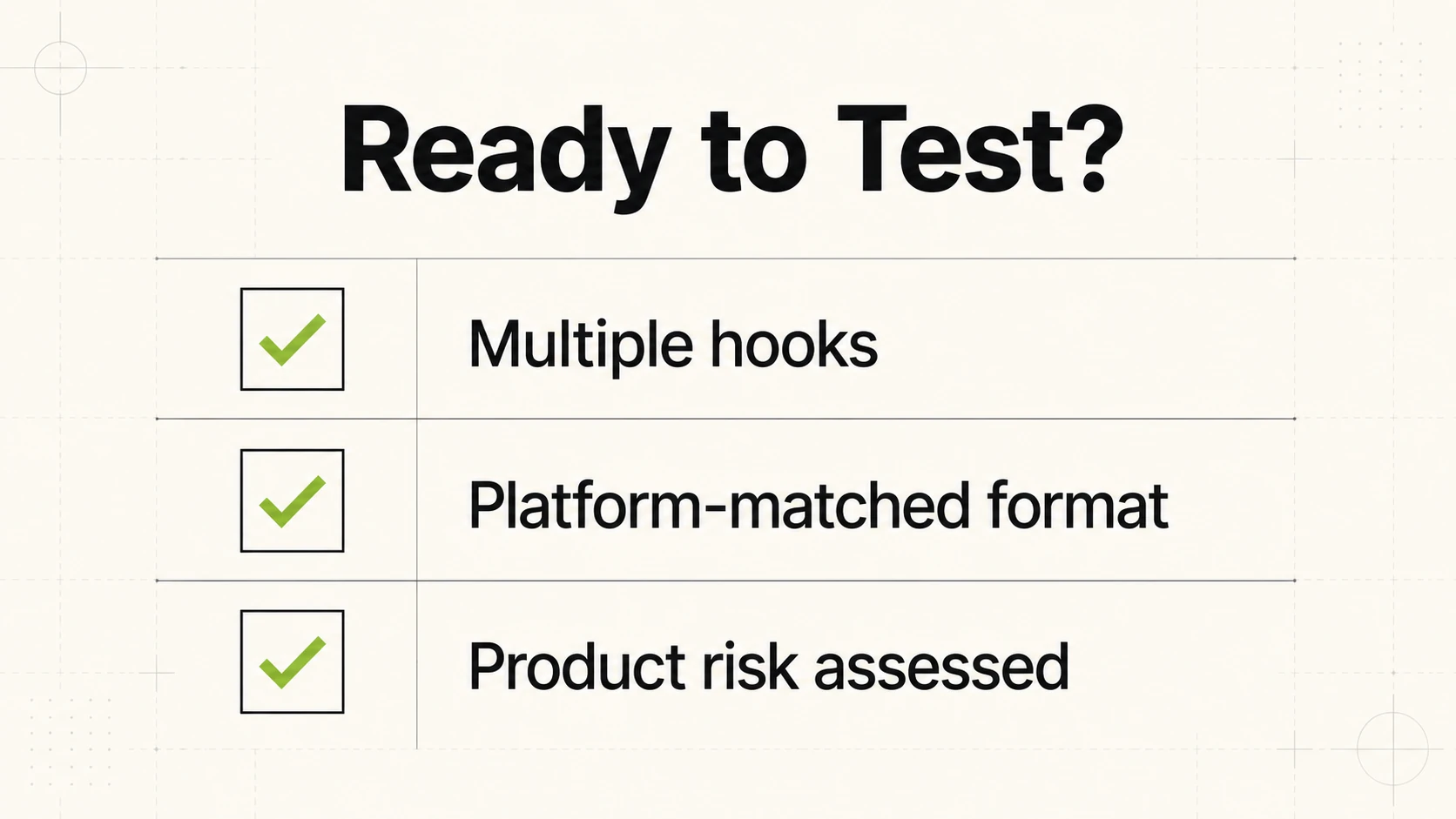
Not every batch that comes out of an AI creative generation flow is ready for spend. Before pushing a batch from Genie into the Bulk Campaign Launcher, check it against three questions.
Does the batch cover more than one hook. If every generated ad opens the same way, same shot type, same headline structure, same opening line in a video, the batch is one ad with cosmetic changes rather than a real test. A batch is ready when at least two or three distinct angles exist within it, such as a problem-first hook, a product-demo hook, and a social-proof hook.
Does the format match the platform. An ad generated as a static image for Meta prospecting is not automatically ready for TikTok, where video performs differently and pacing expectations differ. A batch that only exists in one format needs variation before testing.
Is the underlying product proven or unproven. Batches built around best sellers can move to testing faster, since the product risk is already low. Batches built around new arrivals warrant smaller initial spend and closer monitoring, since the test is evaluating the product and the creative at the same time.
A batch that clears those three checks is ready to move through the From Genie flow into the Bulk Campaign Launcher, with no export or re-upload step. A batch that falls short on hook variety or format coverage needs another generation pass first. Once a top performer starts to fatigue, Create Variations is the fastest way to refresh it without restarting the research from zero.
Sequencing Across Platforms
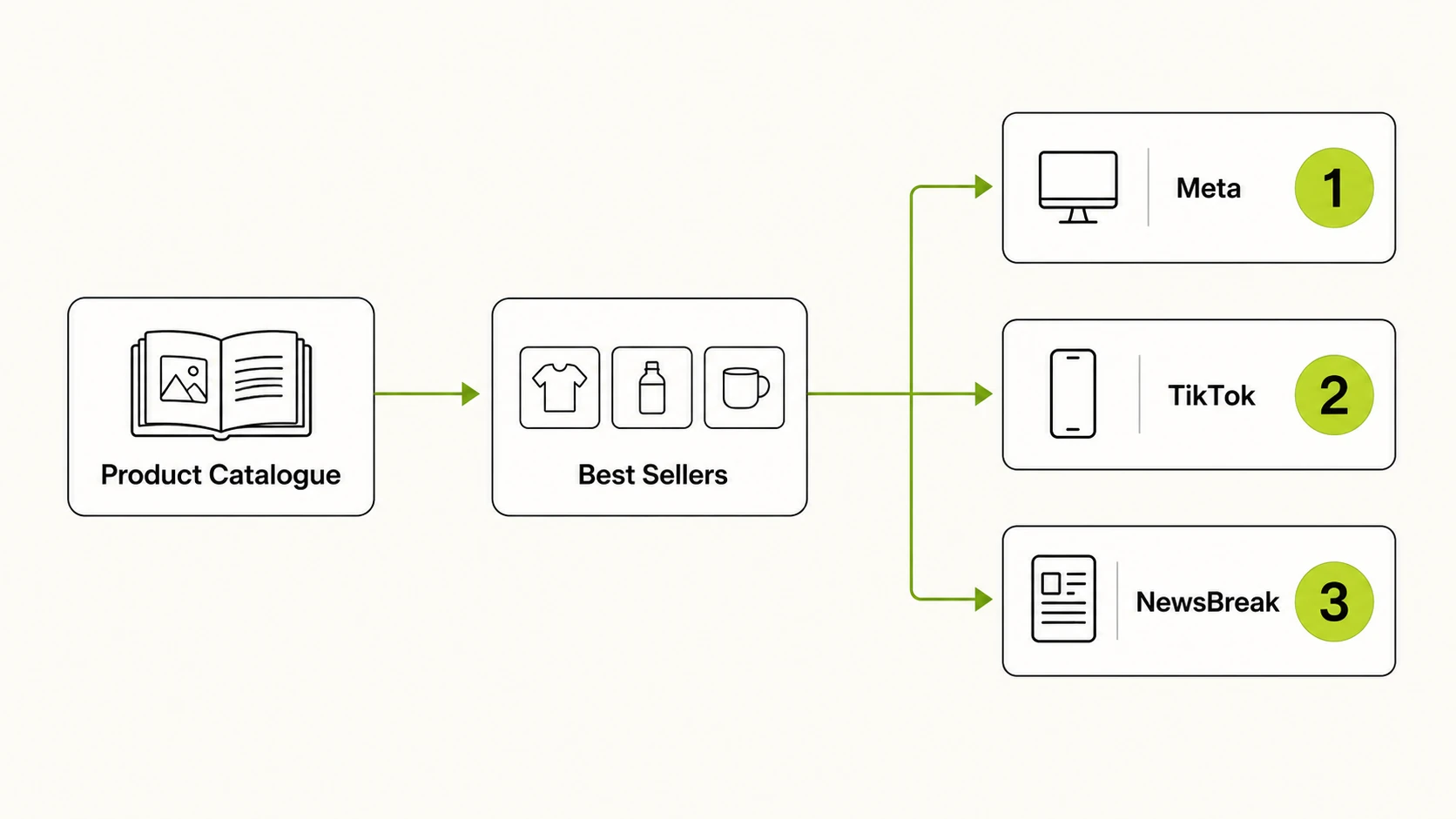
FabFunnel connects to Meta, TikTok, and NewsBreak, so catalogue-based creative should be sequenced by platform as well as by product. A common order is Meta first, since dynamic ads and DPA-style retargeting are most established there, then TikTok for prospecting-heavy video, then NewsBreak once core angles are validated elsewhere.
FAQs
1. Should I generate ads for my entire product catalogue on day one?
No. Start with a small, prioritized batch built from best-selling SKUs across your main categories. Generating creative for a whole catalogue before you have any performance signal means spending review time and budget on unproven products first.
2. What’s the difference between a dynamic catalogue ad and a regular product ad?
A regular product ad is built around one specific SKU you’ve chosen. A dynamic catalogue ad pulls automatically from your synced Catalogue to show whichever product is relevant to a given viewer, which is why it’s typically used for retargeting rather than cold prospecting.
3. How many products should be in my first batch of AI-powered ad creative?
Somewhere in the range of 15 to 30 SKUs works for most ecommerce brands. That covers your top categories without producing more creative than a team can review, launch, and monitor in the first testing cycle.
4. Do new-arrival products need the same ad format as best sellers?
Not usually. New arrivals carry no performance history, so they suit awareness-oriented formats like Brand Ad or Product Shoot better than the more conversion-focused Product Ad or Performance Ad formats used for best sellers.
5. How do I know if my Shopify catalogue is feeding creative generation correctly?
If your store connects via Shopify, product data syncs automatically on an ongoing basis, so newly added products should appear without manual work. On a non-Shopify catalogue built from a brand URL, updates go through manual upload, so confirm new SKUs were actually added.
6. What signals tell me a creative batch is fatiguing and needs a refresh?
A drop in click-through or engagement on a previously strong performer is the usual first sign. Rather than regenerating from scratch, Create Variations takes that fatiguing performer and produces fresh variations of it.
7. Can I run the same generated batch on Meta, TikTok, and NewsBreak without changes?
Not effectively. Each platform favors different formats, video length, and pacing, so a batch generated for Meta prospecting typically needs format-specific variation before it’s ready for TikTok or NewsBreak.
8. Does prospecting creative need to look different from retargeting creative for the same product?
Generally yes. Prospecting creative has to earn attention from someone unfamiliar with the product, so it tends to lean on UGC-style video or a demo. Retargeting creative, especially DPA-style dynamic ads, can be more direct and product-forward since the viewer already has context from a previous visit.
Getting Started With AI-Powered Ad Creative
Start with best sellers, keep the first batch small, since that is the practical starting point for ai ad creative for ecommerce, and let performance data guide expansion into new arrivals and dynamic catalogue ads. This kind of sequencing is part of what FabFunnel’s creative automation platform covers, connecting catalogue data into tested campaigns. Connect a catalogue and generate a first batch, or see how Genie works.