Genie · FAB AI
AI ad creative generator for image and video.
Included in every plan
Creative is a variable that moves performance, and production has always been the thing capping how much of it you can test. Genie is an AI ad creative generator that takes a product and a brief and returns finished ad units: the creative plus primary text, a headline and a description. Grounded in your own brand and product records rather than a blank prompt, so what comes out references your actual Catalogue.
Part of FAB AI and the full platform. 7-day free trial on Growth Starter and Pro. Card required.
The film
See Genie in action.
Pick a mode, a product, and a brief, and watch Genie return complete ad units you can send straight to launch.
The problem it solves
Why AI ad creative still gets stuck in production
- Capped by production
Testing volume is capped by production capacity
Without AI ad creative you can only test as many angles as your team can make. When production is slow, learning is slow, and the account that learns faster wins.
Good creative strategy gets stuck at execution
You know which angles are worth testing. Most of them never get made, because the distance between a good idea and a rendered asset is measured in briefs and approvals.
Format variety is expensive to maintain
Static, carousel, story, and video each want different assets. Keeping every format fresh across three platforms is a full creative operation, and most teams ship a fraction of what they planned.
How it works
From a product and a brief to a testable AI ad creative set
- 01
Choose your mode and product
Pick Product Ad, Brand Ad, Product Shoot or Performance Ad, then choose a product from your Catalogue. Genie reads that record and its siblings, so a lipstick line gives it every shade rather than a single SKU.
- 02
Configure the grounding
Brand Guidelines supply voice, palette, typography and audience. Your Knowledge Base supplies must-include and must-avoid phrases. Both are on by default and both can be switched off for a run. Set a reference image, an aspect ratio, and how many variations you want from the run.
- 03
Generate, then push to the Bulk Launcher
Each variation comes back as a complete ad unit. Send the set into the Bulk Launcher without downloading and re-uploading anything.
How it works
How the ad creative generator works.
Genie reads your brand before it writes a word. Start from a concept or a blank brief, generate a batch, then launch the ones you like without leaving FabFunnel.
Studio
Mode, product, brief. That is the whole setup.
Choose Product Ad, Brand Ad, Product Shoot, or Performance Ad, pick a product from Catalogue, then write the brief: hook, layout, offer, CTA, anything you want in the frame. Pick image or video, an approach, and how many variations to make.
- Approaches from Offer Push and Feature Breakdown to Problem Solution, Unboxing, and Before/After
- Video From Script turns your own script into video with minimal rewriting
- Start from a reference creative to generate variations of it
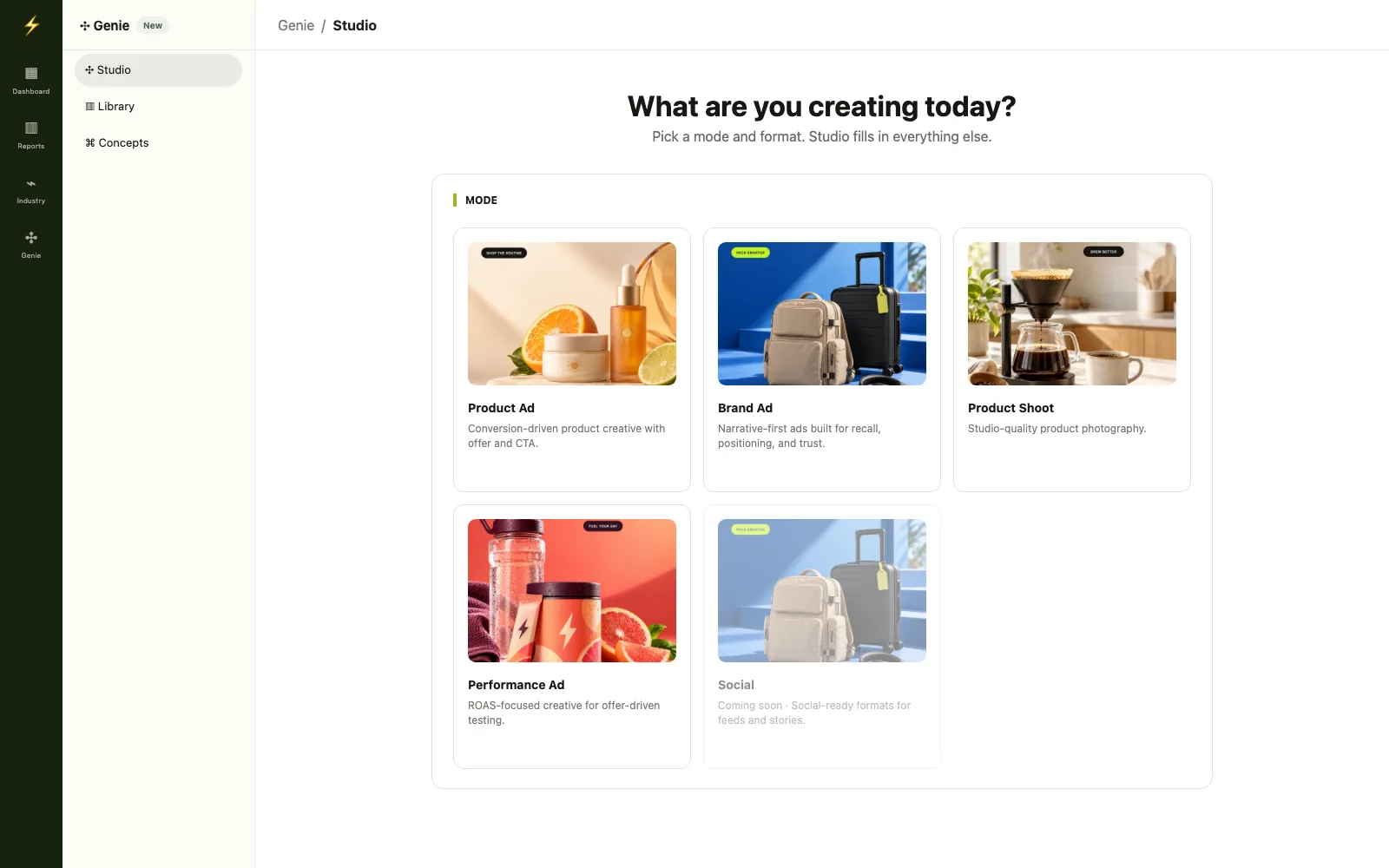
The Studio flow: mode, product, configure. Grounding
Grounded in your Catalogue.
Brand Guidelines and Knowledge Base come straight from Catalogue: voice, colors, typography, audiences, must-include and must-avoid phrases. Product records feed real product detail into each run, so the creative starts from your brand and SKU.
- Category, brand, and product each carry their own knowledge base
- Multiple brands per account
- Shopify stores sync into Catalogue automatically
Brand Guidelines and Knowledge Base, both on by default. Concepts
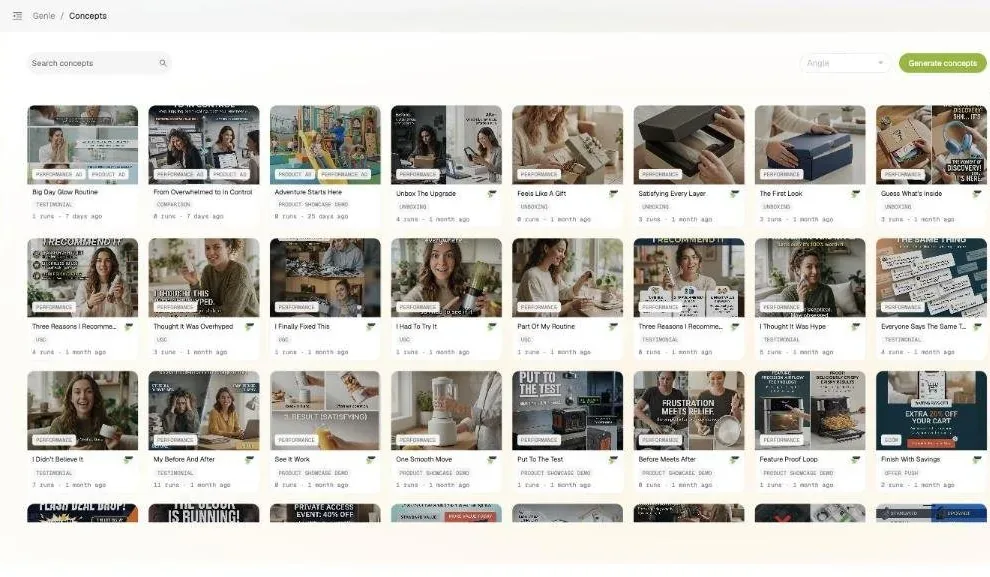
Ready-made concepts to start from.
Skip the blank page. Pre-built direct-response concepts are grouped by angle, from Offer Push and Comparison to Expert Advice and UGC, each with a thumbnail of finished creative. Pick one and Genie builds your version.
- Filter by angle to find the argument you want to test
- Every concept shows how often it has been run
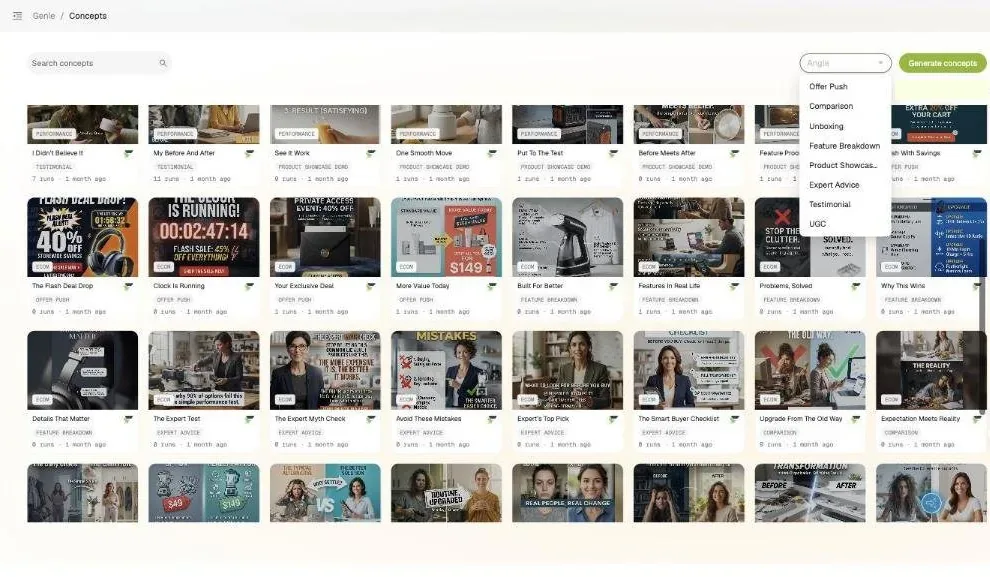
Library
Send any generation to launch.
Results land in the Genie Library, grouped by angle and filterable by category and brand. Preview, regenerate, or hit the rocket to send a creative into Bulk Launcher with its copy attached.
- Image and video assets in one library
- Launch from Genie is one of the five Bulk Launcher flows
The Library, grouped by angle, with launch, regenerate, and preview.
Try the studio
AI ad creative that arrives as a complete ad unit.
Change the mode, format, approach, and count. Every variation comes back as creative plus primary text, headline, and a short rationale, with a different layout each time.
Studio Configure your generation
Mode
Conversion-driven product creative with offer and CTA.
Format
Approach
Variations
Harbor Bottle From Catalogue
Brand GuidelinesKnowledge Base
Multiple variations · Product Ad · Image · Product Showcase
Variation 1 · Single-product hero
- Headline
- Harbor Bottle, made for every day.
- Primary text
- Keeps drinks cold on the commute and hot through the school run. One bottle, every bag.
- Rationale
- Leads with the product so the offer is the first thing a scroller sees. A clean hero keeps the product as the only focal point.
Variation 2 · Benefit callouts
- Headline
- Harbor Bottle, made for every day.
- Primary text
- Keeps drinks cold on the commute and hot through the school run. One bottle, every bag.
- Rationale
- Leads with the product so the offer is the first thing a scroller sees. Icon-led callouts make each claim scannable.
Variation 3 · Multi-panel composite
- Headline
- Harbor Bottle, made for every day.
- Primary text
- Keeps drinks cold on the commute and hot through the school run. One bottle, every bag.
- Rationale
- Leads with the product so the offer is the first thing a scroller sees. Panels show detail, color, and use in one frame.
Variation 4 · Lifestyle scene
- Headline
- Harbor Bottle, made for every day.
- Primary text
- Keeps drinks cold on the commute and hot through the school run. One bottle, every bag.
- Rationale
- Leads with the product so the offer is the first thing a scroller sees. A real setting helps the viewer picture it in use.
Before / after
What changes when AI ad creative removes the bottleneck
| Without FabFunnel | With FabFunnel |
|---|---|
| Wait on a designer or an agency for every concept | Multiple variations per run, from one brief |
| Get four versions of the same layout in different colors | AI ad creative that returns materially different layout strategies from one brief |
| Write the copy separately after the creative comes back | Every variation arrives with primary text, headline and description |
| Describe your product to the tool every single time | Genie reads your Catalogue record and its sibling variants |
| Download creatives, re-upload them into the campaign builder | Push straight into the Bulk Launcher, no file handling |
Formats, modes, and outputs
What the AI ad creative generator produces
- Image
Image ads: static, carousel, and story
Generate static, carousel, and story creative from one brief, with multiple variations per run. Variations differ structurally rather than cosmetically: one run can return a clean single-product hero, a benefit-callout layout with icon-led claims, and a multi-panel composite. Not the same layout in four colorways.
- Video
Video ads: UGC, Reel, and Demo across thirteen approaches
Testimonial, UGC, Unboxing, Problem Solution, Before and After, Daily Convenience, Feature Breakdown, Offer Push, Product Showcase, Product Showcase Demo, Create Variations, Video From Script, and From Scratch. Choose from Seedance 2.5, Seedance 2, Seedance 2 Fast, Grok Imagine, Veo 3.1 Quality, Veo 3.1 Fast, MiniMax H3, and Gemini Omni 1.1 Flash. Pick the model on the quality and speed tradeoff.
- Grounding
Built on your Catalogue, not a prompt
This is the difference between real AI ad creative and a template tool. Grounding runs three tiers: Category, Brand and Product, each carrying its own knowledge base. Set an instruction once at category level, refine it per brand, override it per product. Genie also reads the product graph directly, which is how a generated shade rail comes back with your real variant names grouped by family.
- Product Shoot mode
Product imagery without a shoot
Generate product imagery in multiple environments and compositions from the record you already have. Feeds straight into the rest of the creative workflow.
- Concepts
Start from a framework, not a blank page
A built-in library of named direct-response frameworks, grouped by angle: Offer Push, Comparison, Unboxing, Feature Breakdown, Product Showcase Demo, Expert Advice, Testimonial and UGC. Each concept shows a real finished thumbnail and how many times it has been used, showing which frameworks the base is reaching for.
- Connected both ways
From Insights in, to the Launcher out
See a competitor angle worth testing in Industry Insights? Generate Variations opens Genie with that creative already attached. On the way out, select your outputs and push them into the Bulk Launcher. No file handling in either direction.
Works best with
Where Creative Generations fits in the workflow
Industry Insights
Find an angle worth testing, generate your own AI ad creative immediately.
Explore Industry InsightsBulk Launcher
Send generated variations to the Bulk Launcher for Meta, TikTok, and NewsBreak.
Explore Bulk LauncherVideo Analysis
Deconstruct a winning video, then build your version here.
Explore Video Analysis
- 13creative approaches, image or video
- 8video models to choose from
- 8image model options, including Auto
Where it sits
See it. Build it. Launch it.
Research feeds the brief, Genie builds the creative, and Bulk Launcher puts it live.
See it
Build it
- GenieYou are here
- Catalogue Brand, category, and product data that grounds Genie
Launch it
What it doesn't do: Genie makes creative. It doesn't measure it. Performance shows up in Reporting once the ads are live.
FAQ
Common questions about AI ad creative generation
Everything you need to know about generating ad creative and copy with FabFunnel. Can’t find what you need? Book a demo
What does it produce?
Complete ad units. Each variation returns the creative, plus primary text, a headline and a description as separate editable fields. That matches the shape of a Meta ad object, so your copy stays testable independently of the image.
What image and video formats can it generate?
Images as static, carousel, or story, in 1:1, 9:16, 16:9, 4:3, or 3:4. Video as UGC, Reel, or Demo, from 8 to 60 seconds. Both run across thirteen approaches including Testimonial, UGC, Unboxing, Problem Solution, Before and After, Feature Breakdown, and Offer Push.
Which video models does it use?
Seedance 2.5 (the default), Seedance 2, Seedance 2 Fast, Grok Imagine, Veo 3.1 Quality, Veo 3.1 Fast, MiniMax H3, and Gemini Omni 1.1 Flash. Choose on quality against speed. Image models include GPT Image and Nano Banana options, or leave it on Auto.
How many variations can I generate from one brief?
Multiple variations per run. You set the count for each run, and generation runs on credits.
How is this different from a template tool?
A template tool re-skins a fixed layout. AI ad creative composes. Genie works from your Catalogue: your brand guidelines, your knowledge base, and your actual product records including sibling variants. That is the gap between an AI creative generator working from a blank prompt and ad creative automation grounded in your own records. AI generated ad creative references your real variants, not a generic prompt.
Can I go from a competitor ad to my own variation?
Yes. In Industry Insights, Generate Variations on any static ad opens Genie with that creative attached.
Can I launch from Genie?
Yes. Select your outputs in the Genie library and send them into the Bulk Launcher.